

Pageva: Convert PDF to Word
Pageva: Convert PDF to Word is made and published by Numan Haktan Kartal. AppBrain is an independent app data site and isn't affiliated with Numan Haktan Kartal. The app name, icon, screenshots and description belong to Numan Haktan Kartal and are shown as published on the App Store.
AppBrain's verdict
- Last updated
- October 10, 2026
- Size
- 13.9 MB
User feedback
Ratings and reviews on the App StoreComments on Pageva: Convert PDF to Word for iOS
We don't have enough comments to show example comments. Please check back later.
Store listing
By Numan Haktan Kartal, from the App Store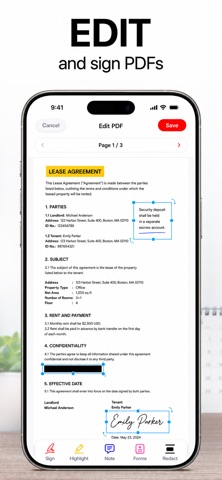


Description by Numan Haktan Kartal Written by the developer, not by AppBrain. Click to read.
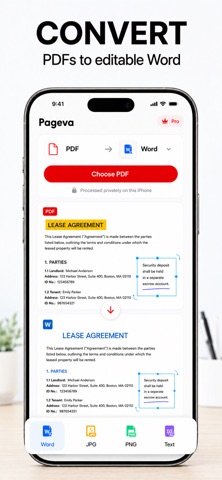
PDF TO WORD, TWO WAYS
• Editable Word — flowing paragraphs, real Word tables, headings you can restyle. Rewrite a report, reuse a contract clause, turn a handout into notes.
• Exact Layout — every block placed where it sat on the page, so the DOCX looks like the PDF. The right choice for forms, brochures and multi-column pages.
• OCR turns scanned and photographed pages into real, selectable text
• Export a PDF as JPG, PNG or plain text instead
TEN PDF TOOLS, ALL FREE
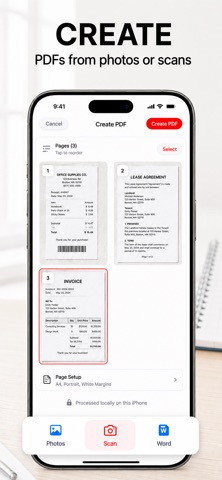
• Create a PDF from photos or the built-in document scanner
• Word to PDF, so a DOCX opens the same everywhere
• Organize — merge, reorder, rotate and split pages
• Compress a big file down to a size you can actually send
• Page numbers and watermarks, on their own or together
• Protect a copy with a password of your choosing
• Mark up — highlight, draw and add notes
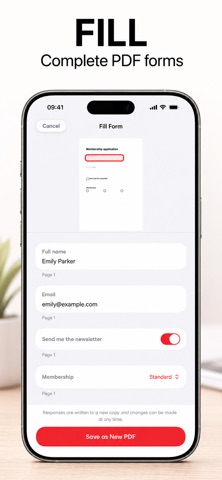
• Fill in a PDF's own form fields
• Sign by drawing your name straight onto the page
• Redact — the content is removed from the file, not covered with a black box
No page limits on any of them, and every tool writes a new file beside the original.
PRIVATE BY DESIGN
• Nothing is uploaded. There is no conversion server to upload it to.
• No account, no sign-in, no ads, no tracking, no analytics SDK
• Works in airplane mode — conversion and OCR need no connection at all
• A locked PDF's password opens it for that one run and is never written down
BUILT FOR REAL DOCUMENTS
• Batch: pick up to 50 files and convert them in one run
• A Files library with folders and favorites keeps every result
• Import from URL, then share the result to Mail, Drive or anywhere else
• Fifteen languages
FREE AND PRO
Your first document converts in full — any length, free.
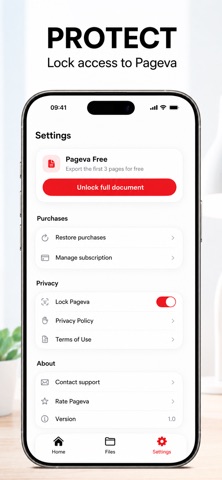
Pageva Free converts as many documents as you like at full quality and writes the first 3 pages of each export. All ten PDF tools are free with no page limit.
Pageva Pro exports whole documents of any length, runs OCR across every page of a scan, and converts full files in batch. Same engine, same quality — Pro only removes the length limit.
Convert your next PDF on your phone, not on someone's server.
*Whole documents, OCR on every page of a scan and full batch conversion may require a subscription.
Terms of Use (EULA): https://pageva.vercel.app/terms/
Privacy Policy: https://pageva.vercel.app/privacy/
Safety and technology
Found in the app by AppBrain- Price
- Free
- App size
- 13.9 MB
- Content rating
- Everyone
Technologies used by Pageva: Convert PDF to Word
Releases
Updates seen on the App Store- Version
- 1.1
- Launched
- September 2026
No changelog data
Alternatives
Similar apps and more from Numan Haktan KartalAlternatives to Pageva: Convert PDF to Word


More from Numan Haktan Kartal


Rankings
App Store top chartsApp Store Rankings for Pageva: Convert PDF to Word
About the app and developer
About Pageva: Convert PDF to Word
Pageva: Convert PDF to Word is a productivity app developed by Numan Haktan Kartal.
What is the rating of Pageva: Convert PDF to Word?
Pageva: Convert PDF to Word has no ratings yet.
Is Pageva: Convert PDF to Word free?
Pageva: Convert PDF to Word is free. The app size is 13.93 MB. The latest version available is 1.1. The last update was on October 10, 2026.
What are the requirements for Pageva: Convert PDF to Word?
The app has a content rating of Everyone. The app has been available on the App Store since September 2026.
Developer information for Numan Haktan Kartal
Address:
Frequently asked questions about Pageva: Convert PDF to Word
Is Pageva: Convert PDF to Word free?
Yes. Pageva: Convert PDF to Word is free on the App Store.
Is Pageva: Convert PDF to Word still available?
Yes. Pageva: Convert PDF to Word is on the App Store, and the last update we saw was on October 10, 2026.
How large is Pageva: Convert PDF to Word?
Pageva: Convert PDF to Word is 13.93 MB.
Is Pageva: Convert PDF to Word suitable for children?
App Store rates the content of Pageva: Convert PDF to Word as suitable for everyone.
Who made Pageva: Convert PDF to Word?
Pageva: Convert PDF to Word was developed by Numan Haktan Kartal. It is listed in the productivity category on the App Store.
What are the best alternatives to Pageva: Convert PDF to Word?
People looking at Pageva: Convert PDF to Word also look at these productivity apps: PageVo — Document Scanner, MeasureSend: Site Dimensions, Docsmith: Edit PDF Text, SheetPlanner, VOXI: AI Note Taker.