

Passwords Cloud
Passwords Cloud is made and published by Dmytro Vynokurov. AppBrain is an independent app data site and isn't affiliated with Dmytro Vynokurov. The app name, icon, screenshots and description belong to Dmytro Vynokurov and are shown as published on the App Store.
AppBrain's verdict
EstablishedLoved by users- Rating on App Store
- 4.74
- 988 ratings
- Last updated
- June 27, 2025
Users love it: 4.7 stars from 988 ratings.
Rankings
App Store top chartsApp Store Rankings for Passwords Cloud
Competitors
Similar apps and more from Dmytro VynokurovAlternatives to Passwords Cloud




More from Dmytro Vynokurov






Releases
Updates seen on the App Store- Version
- 5.5.1
- Launched
- February 2010
No changelog data
User feedback
Ratings and reviews on the App StoreComments on Passwords Cloud for iOS
We don't have enough comments to show example comments. Please check back later.
Technology
Found in the app by AppBrain- Price
- Free
- App size
- 1.74 MB
- Content rating
- Everyone
Technologies used by Passwords Cloud
About the app and developer
About Passwords Cloud
Passwords Cloud is a productivity app developed by Dmytro Vynokurov.
What is the rating of Passwords Cloud?
Passwords Cloud is rated 4.74 out of 5 stars, based on 990 ratings.
Is Passwords Cloud free?
Passwords Cloud is free. The app size is 1.74 MB. The latest version available is 5.5.1. The last update was on June 27, 2025.
What are the requirements for Passwords Cloud?
The app has a content rating of Everyone. The app has been available on the App Store since February 2010.
Developer information for Dmytro Vynokurov
Address:
Frequently asked questions about Passwords Cloud
Is Passwords Cloud free?
Yes. Passwords Cloud is free on the App Store.
Is Passwords Cloud still available?
Yes. Passwords Cloud is on the App Store, and the last update we saw was on June 27, 2025.
How large is Passwords Cloud?
Passwords Cloud is 1.74 MB.
Is Passwords Cloud suitable for children?
App Store rates the content of Passwords Cloud as suitable for everyone.
How do people rate Passwords Cloud?
Passwords Cloud scores 4.74 out of 5 stars, from 988 ratings on the App Store.
Who made Passwords Cloud?
Passwords Cloud was developed by Dmytro Vynokurov. It is listed in the productivity category on the App Store.
What are the best alternatives to Passwords Cloud?
People looking at Passwords Cloud also look at these productivity apps: Password Manager iPassSafe, My Passwords Manager, aWallet Password Manager, Password Manager: Safe, Lockit Secure Password Manager.
Store listing
By Dmytro Vynokurov, from the App Store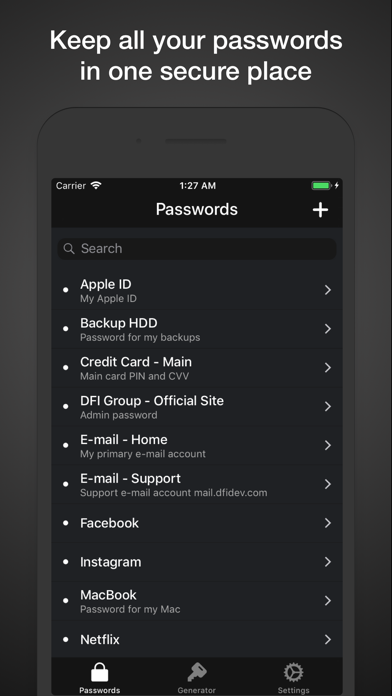

Description by Dmytro Vynokurov Written by the developer, not by AppBrain. Click to read.
Key Features:
• Ad-Free Experience: Enjoy a completely ad-free app designed for focus and efficiency.
• iCloud Sync: Automatically synchronize all your data across devices with iCloud.
• Offline Access: Your passwords are available offline, ensuring you always have access to them.
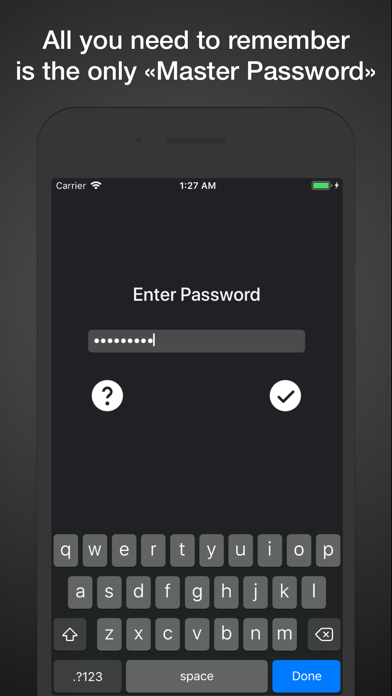
• Secure Master Password: Access the app with a single Master Password or use biometric login with Face ID or Touch ID for added convenience.
• Effortless Navigation: Forget complicated catalogs — Passwords Cloud makes it faster and easier to find the information you need with just a few taps.
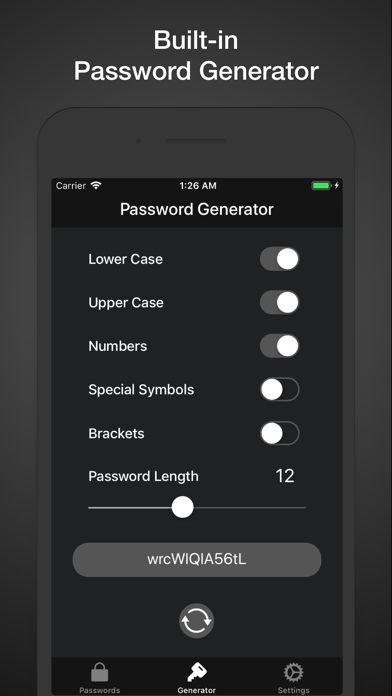
• Built-In Password Generator: Create strong, unique passwords instantly and enhance your security.
• Quick Password Create: Generate and fill in secure passwords on the spot while creating a new entry
• Export and Print: Export your password database and print it or store it in a secure location for safekeeping.
• Smart Auto-Lock: Enjoy seamless access to the app without repeated authentication if you return within 30 seconds. For your security, the app automatically locks and requires reauthentication after 30 seconds of inactivity.
Tips for Getting the Most Out of Passwords Cloud:
- Swipe left on an entry to delete it quickly.
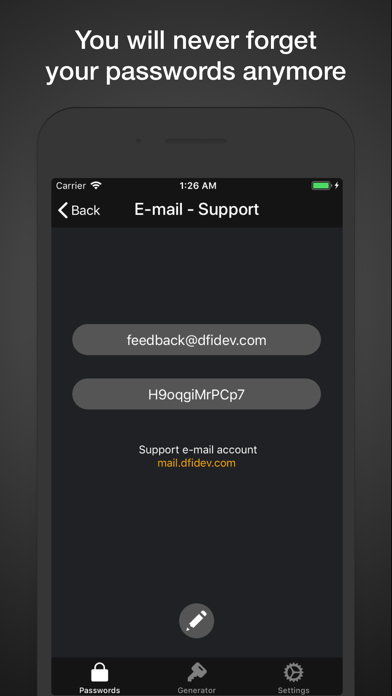
- Simply tap on the password to copy it.
- Forgot Your Master Password? Restore it by answering your security question.
- Change your security question periodically for an extra layer of protection, but make sure to choose an answer you won’t forget.
- Use the Quick Password Create button to instantly generate a password and fill it in when creating a new entry. This feature uses your custom settings from the built-in Password Generator.
- Avoid using the same password for multiple services to strengthen your overall security.
- Use the search bar to quickly locate specific entries by title or keywords.
- Add a link in the description field to quickly access websites with a single tap.
- Turn on biometric authentication for faster access to the app.