





AppBrain's verdict
Loved by users- Rating on App Store
- 4.61
- 271 ratings
- Last updated
- November 5, 2026
- Size
- 29.9 MB
Users love it: 4.6 stars from 271 ratings.
User feedback
Ratings and reviews on the App StoreComments on PDF Scanner:Scan for Documents for iOS
We don't have enough comments to show example comments. Please check back later.
Store listing
By Quke Technology, from the App StoreDescription by Quke Technology Written by the developer, not by AppBrain. Click to read.
Key Features
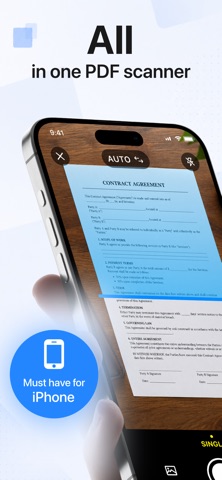
• AI HD Scanning: Features automatic edge detection, skew correction, and background removal. Scan receipts, contracts, business cards, and notes while faithfully preserving the original text and layout.
• Multi-mode Scanning: Offers modes for general documents, ID cards, and batch continuous shooting; automatically merges multiple pages and quickly generates standard ID scans.
• Smart Image Optimization: Enhances brightness, removes shadows, reduces noise, and sharpens details to fix capture imperfections. Scans meet print-quality standards, making them ideal for business archiving.
• Versatile PDF Conversion: Instantly convert images to PDF and switch between formats like images, Word, Excel, and PPT; supports splitting, merging, and page reordering.
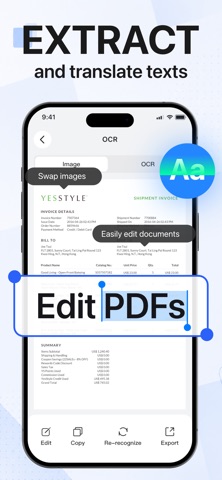
• Offline Multilingual OCR: Locally recognizes handwritten or printed text in Chinese, English, Japanese, and Korean. Extracted text is editable and copyable, eliminating the need for manual data entry.
• PDF Signing & Annotation: Add handwritten signatures or import digital seals; annotate with highlights or lines. Sign contracts and documents directly online—no printing required.
• Comprehensive PDF Editing: Crop, rotate, add/delete pages, apply watermarks, and insert page numbers—all editing operations are performed locally.
• Flexible Export & Sharing: Files are saved locally and can be shared via email, social media, or cloud services; customize export resolution and file size.
• Local Offline Storage: All scanned and edited files remain on your device with no background uploads, protecting the privacy of financial records, contracts, and ID documents.
Use Cases
Ideal for office workers scanning expense reports and archiving meeting documents; HR staff batch-archiving IDs and contracts; field personnel scanning, signing, and sending agreements on-site; students extracting text from exam papers and study materials; government staff generating standardized ID scans; and merchants archiving business receipts. Covers a full range of scenarios including study, office work, business, and government administration. Contact Information and Agreement Links
Contact Information
For more information or app support, please contact us at:
lizhiqiang@dawanli88.com
Terms of Use:
https://xy.bjqyhd.cc/pdfscan_user.html
Privacy Policy:
https://xy.bjqyhd.cc/pdfscan_privacy.html
Safety and technology
Found in the app by AppBrain- Price
- Free
- App size
- 29.9 MB
- Content rating
- Everyone
Technologies used by PDF Scanner:Scan for Documents
Releases
Updates seen on the App Store- Version
- 1.2.7
- Launched
- June 2026
No changelog data
Alternatives
Similar apps and more from Quke TechnologyAlternatives to PDF Scanner:Scan for Documents


More from Quke Technology


Rankings
App Store top chartsApp Store Rankings for PDF Scanner:Scan for Documents
About the app and developer
About PDF Scanner:Scan for Documents
PDF Scanner:Scan for Documents is an utilities app developed by Quke Technology.
What is the rating of PDF Scanner:Scan for Documents?
PDF Scanner:Scan for Documents is rated 4.61 out of 5 stars, based on 270 ratings.
Is PDF Scanner:Scan for Documents free?
PDF Scanner:Scan for Documents is free. The app size is 29.94 MB. The latest version available is 1.2.7. The last update was on November 5, 2026.
What are the requirements for PDF Scanner:Scan for Documents?
The app has a content rating of Everyone. The app has been available on the App Store since June 2026.
PDF Scanner:Scan for Documents is made and published by Quke Technology. AppBrain is an independent app data site and isn't affiliated with Quke Technology. The app name, icon, screenshots and description belong to Quke Technology and are shown as published on the App Store.
Developer information for Quke Technology
Address:
Frequently asked questions about PDF Scanner:Scan for Documents
Is PDF Scanner:Scan for Documents free?
Yes. PDF Scanner:Scan for Documents is free on the App Store.
Is PDF Scanner:Scan for Documents still available?
Yes. PDF Scanner:Scan for Documents is on the App Store, and the last update we saw was on November 5, 2026.
How large is PDF Scanner:Scan for Documents?
PDF Scanner:Scan for Documents is 29.94 MB.
Is PDF Scanner:Scan for Documents suitable for children?
App Store rates the content of PDF Scanner:Scan for Documents as suitable for everyone.
How do people rate PDF Scanner:Scan for Documents?
PDF Scanner:Scan for Documents scores 4.61 out of 5 stars, from 271 ratings on the App Store.
Who made PDF Scanner:Scan for Documents?
PDF Scanner:Scan for Documents was developed by Quke Technology. It is listed in the utilities category on the App Store.
What are the best alternatives to PDF Scanner:Scan for Documents?
People looking at PDF Scanner:Scan for Documents also look at these utilities apps: Snapdf - PDF Scanner, Scanly - Doc Scanner, DotBGE: File Encryption, Expense Tracker Hero, PDF Scanner - File Reader.