

PilotCalc is made and published by Ian Longshaw. AppBrain is an independent app data site and isn't affiliated with Ian Longshaw. The app name, icon, screenshots and description belong to Ian Longshaw and are shown as published on the App Store.
AppBrain's verdict
Established- Rating on App Store
- 4.90
- 10 ratings
- Last updated
- February 4, 2023
It doesn't have enough ratings yet to judge what users think.
Rankings
App Store top chartsApp Store Rankings for PilotCalc
Competitors
Similar apps and more from Ian LongshawAlternatives to PilotCalc








More from Ian Longshaw
Releases
Updates seen on the App Store- Version
- 2.1.3
- Launched
- November 2020
No changelog data
User feedback
Ratings and reviews on the App StoreComments on PilotCalc for iOS
We don't have enough comments to show example comments. Please check back later.
Technology
Found in the app by AppBrain- Price
- Free
- App size
- 30.3 MB
- Content rating
- Everyone
Technologies used by PilotCalc
About the app and developer
About PilotCalc
PilotCalc is an utilities app developed by Ian Longshaw.
User Ratings
PilotCalc is rated 4.90 out of 5 stars. The rating is based on 10 ratings.
App Information
PilotCalc is freely available from the App Store. The app size is 30.25 MB. The latest version available is 2.1.3. The last update was on February 4, 2023.
Technical Requirements
The app has a content rating of Everyone. The app has been available on the App Store since November 2020.
Developer information for Ian Longshaw
Address:
Store listing
By Ian Longshaw, from the App Store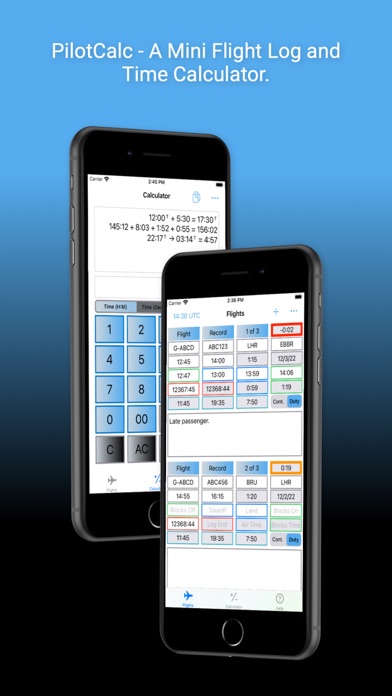



Description by Ian Longshaw Written by the developer, not by AppBrain. Click to read.
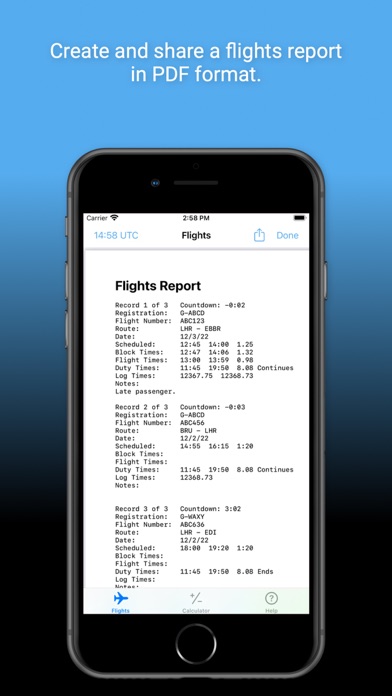
The Flight Log is designed to enable pilots to log basic flight information and a few notes for a series of flights. It automatically calculates the associated block, airborne, duty and tech log times. If scheduled times are entered before flight, it also provides a countdown to departure. The Flight Log can be used in UTC or system time. Buying the Flight Log Preferences in-app purchase allows for customisation of the Flight Log. This customisation includes:
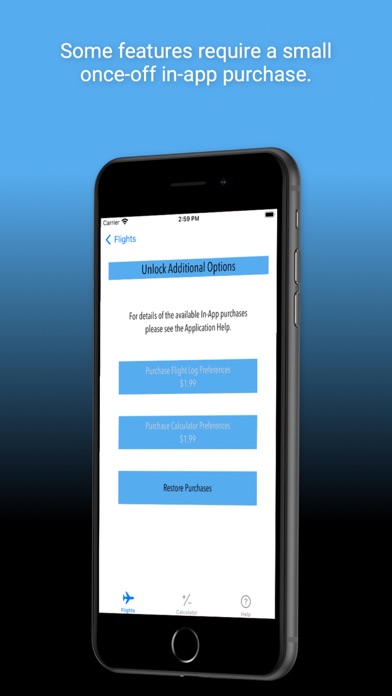
- Tailoring the departure countdown, including adding and removing alert times, changing associated colours and the option to enable audio and/or background notifications for each countdown alert.
- Displaying elapsed times in hours and minutes or in decimals.
- Changing the default periods used for calculating the Duty Start and Duty End times.
- Changing the tech log calculation to use block times instead of airborne times.
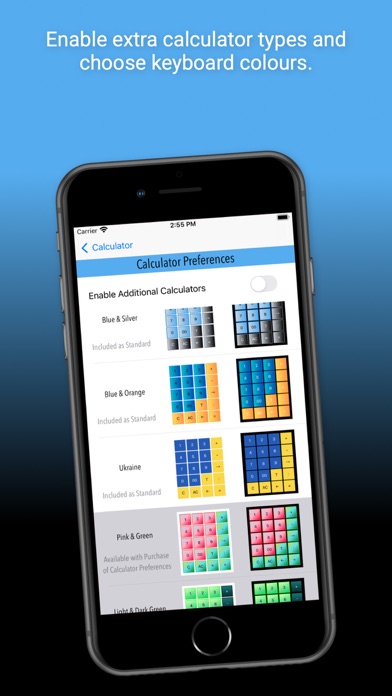
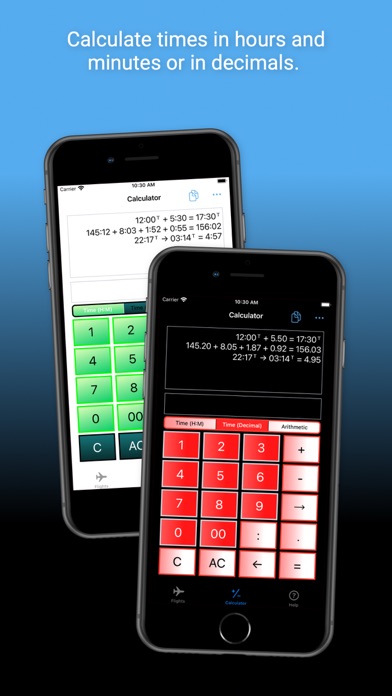
The Time Calculator is designed to add up logbook entries with minimal keystrokes, but can be used for any hours and minutes calculations, including those involving elapsed time within a 24 hour period (useful for those duty time sums at the end of a long night). There are no practical limits to the number of hours that can be added, but time calculations resulting in negative time values are not supported. All calculations are held in a rolling tape for reference. The free version of PilotCalc offers three different calculator keyboard colour options and includes the hours and minutes time calculator. Opting to pay for the Calculator Preferences in-app purchase unlocks eight additional keyboard colours and two additional calculators - a decimal time calculator and a basic arithmetic calculator. With the Calculator Preferences enabled, hours and minutes calculations and decimal calculations are automatically converted when switching between the two time calculators.
The app was developed to work well on the relatively small screen of an iPhone but scales effectively to the larger iPad screens. This version does not allow synchronisation between devices.
Please visit www.coldaridcode.com for more information or follow us @coldaridcode for the latest news. If you find PilotCalc useful we would really appreciate a review on the App Store!