

Planit2d is made and published by Paul Wright. AppBrain is an independent app data site and isn't affiliated with Paul Wright. The app name, icon, screenshots and description belong to Paul Wright and are shown as published on the App Store.
AppBrain's verdict
EstablishedWell rated- Best rank
- #71
- Top Paid, Australia
- Rating on App Store
- 4.27
- 291 ratings
- Last updated
- January 10, 2026
Users rate it well: 4.3 stars from 291 ratings. Its best ranking is #71 in Top Paid, Productivity in Australia.
Rankings
App Store top charts- Highest rank
- #71
- Chart
- Top Paid
- Productivity
- Country
- Australia
App Store Rankings for Planit2d
Top rankings
| Rank | Country | Category | List |
|---|---|---|---|
| 71 | Australia | Productivity | Top Paid |
| 71 | Saudi Arabia | Productivity | Top Paid |
| 77 | Indonesia | Productivity | Top Paid |
Ranking history in Australia
Competitors
Similar apps and more from Paul WrightAlternatives to Planit2d




More from Paul Wright

Releases
Updates seen on the App Store- Version
- 2.0.3
- Launched
- March 2013
No changelog data
User feedback
Ratings and reviews on the App StoreComments on Planit2d for iOS
We don't have enough comments to show example comments. Please check back later.
Technology
Found in the app by AppBrain- Price
- $4.99
- App size
- 9.19 MB
- Content rating
- Everyone
Technologies used by Planit2d
About the app and developer
About Planit2d
Planit2d is a productivity app developed by Paul Wright.
User Ratings
Planit2d is rated 4.27 out of 5 stars. The rating is based on 290 ratings.
App Information
Planit2d costs $4.99. The app size is 9.19 MB. The latest version available is 2.0.3. The last update was on January 10, 2026.
Technical Requirements
The app has a content rating of Everyone. The app has been available on the App Store since March 2013.
Developer information for Paul Wright
Address:
Store listing
By Paul Wright, from the App Store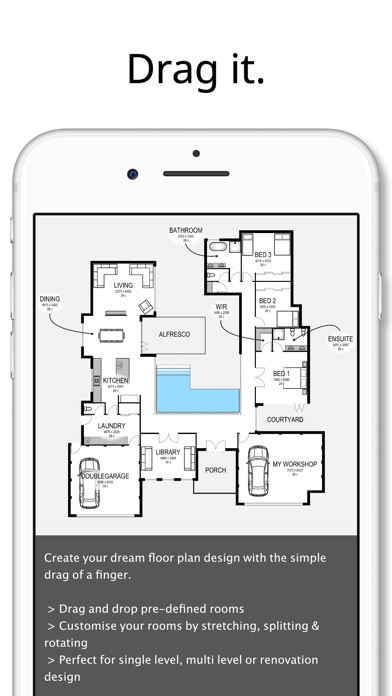
Description by Paul Wright Written by the developer, not by AppBrain. Click to read.
House design has always been a complex task reserved for an architect or other professionals.
Planit2d will change the way you think about home design. It is the fastest, most user friendly, 2D floorplan and house blueprint maker available on the App Store aimed at anyone and everyone with an idea in their mind, or a sketch on grid paper.
Travelling to work on the train and have an idea for a room or house design? At home and away from your desk? No problem. Pull out your phone and capture the idea right there and then using Planit2d as a simple floor plan creator.
Ideally suited to developing single, double or multiple level conceptual floor plan design to achieve accurately sized spaces, using scaled fittings and furniture. Share your house design with family and friends, or pass on to your builder or architect for further development or pricing of your house blueprint.
Use your iPad or iPhone as a professional floorplanner wherever you may be.
√ “Drag and Drop” physics with graph paper makes Planit2d an extremely user friendly floor planner
√ Undo and redo feature for easy corrections and adjustments
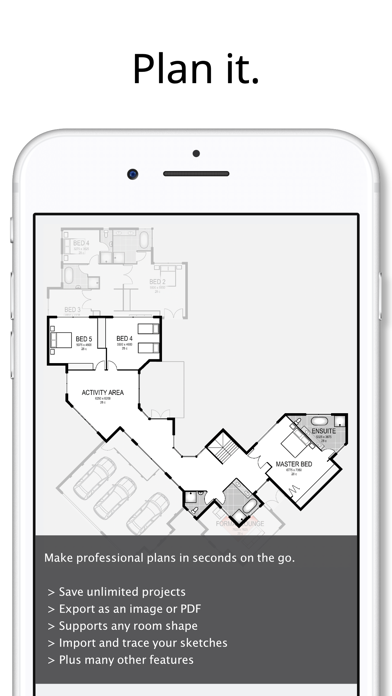
√ Save your house plans so you can resume at a later date
√ Multi-level home design capabilities
√ Import your own sketch
√ Create your block of land before you create a house
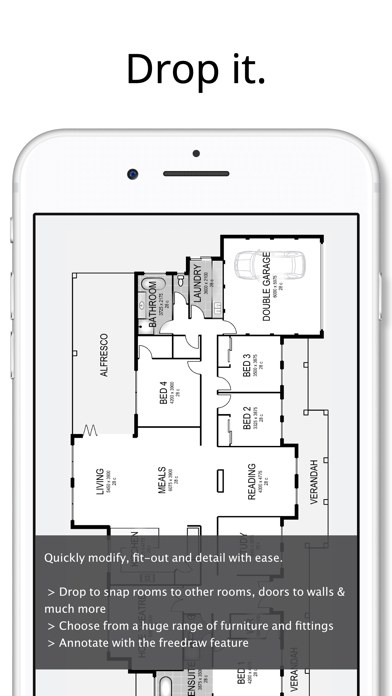
√ Pre-defined rooms, fittings and furniture with graph paper grid
√ Plan your room blueprint using industry standard sized furniture
√ Modify any room floor plan with ease
√ Entire floors can be duplicated, mirrored and moved with the drag of a finger
√ Save your completed home design to your device photo album
√ Export your house plans as an image or PDF and add a grid, sketch, graph paper, dimensions and a scale bar
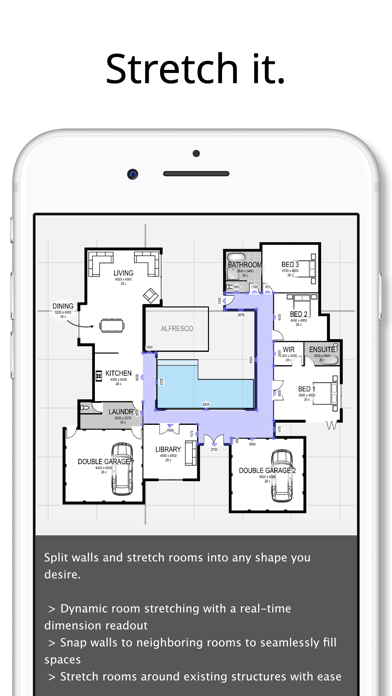
√ The ability to split and/or hide sections of walls - no architect required!
√ Dynamic room stretching with realtime dimension read-out on your house plan
√ Don’t like the name of a pre-defined room? Simply change it to your desired description
√ Move or hide room labels in those smaller spaces
√ Customizable settings, units of measure and colours
√ Add text or notes to your house design
√ A number of “freedraw” items are available for adding detail to your home design. Limited only by your imagination
√ Duplicate an entire project blueprint
√ Share your house plans on Facebook or via text or email directly from your device
√ Create a house design blueprint ready for construction from your sketch, no chief architect required
√ Print via Airprint directly from your device (must have an Airprint enabled printer)
√ Tutorials can be found at www.planit2d.com or by searching on YouTube
√ Find us on Facebook. Don’t forget to “Like” us