

PST Export Wizard
PST Export Wizard is made and published by Arrow Bit SL. AppBrain is an independent app data site and isn't affiliated with Arrow Bit SL. The app name, icon, screenshots and description belong to Arrow Bit SL and are shown as published on the App Store.
AppBrain's verdict
- Last updated
- December 16, 2022
Rankings
App Store top chartsApp Store Rankings for PST Export Wizard
Competitors
Similar apps and more from Arrow Bit SLMore from Arrow Bit SL



Releases
Updates seen on the App Store- Version
- 4.0
- Launched
- October 2018
No changelog data
User feedback
Ratings and reviews on the App StoreComments on PST Export Wizard for iOS
We don't have enough comments to show example comments. Please check back later.
Technology
Found in the app by AppBrain- Price
- $11.99
- App size
- 36.8 MB
- Content rating
- Everyone
Technologies used by PST Export Wizard
About the app and developer
About PST Export Wizard
PST Export Wizard is an utilities app developed by Arrow Bit SL.
User Ratings
The app has no ratings yet.
App Information
PST Export Wizard costs $11.99. The app size is 36.85 MB. The latest version available is 4.0. The last update was on December 16, 2022.
Technical Requirements
The app has a content rating of Everyone. The app has been available on the App Store since October 2018.
Developer information for Arrow Bit SL
Address:
Frequently asked questions about PST Export Wizard
Is PST Export Wizard free?
No. PST Export Wizard costs $11.99 on the App Store.
Is PST Export Wizard still available?
Yes. PST Export Wizard is on the App Store, and the last update we saw was on December 16, 2022.
How large is PST Export Wizard?
PST Export Wizard is 36.85 MB.
Is PST Export Wizard suitable for children?
App Store rates the content of PST Export Wizard as suitable for everyone.
Who made PST Export Wizard?
PST Export Wizard was developed by Arrow Bit SL. It is listed in the utilities category on the App Store.
Store listing
By Arrow Bit SL, from the App Store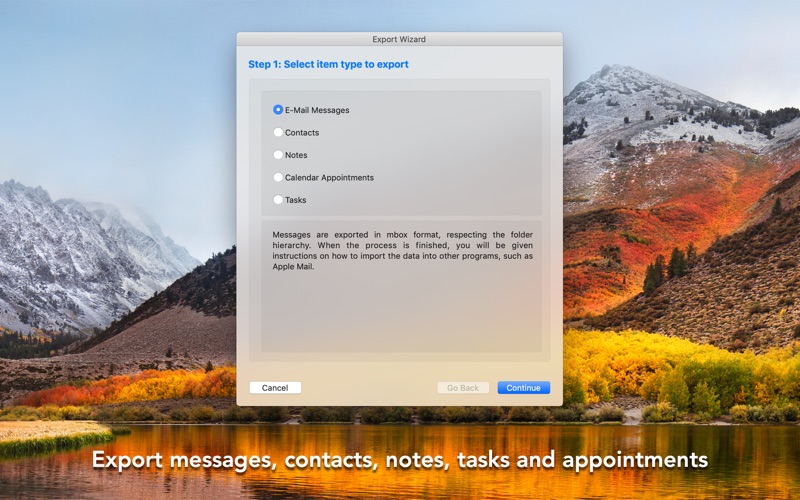


Description by Arrow Bit SL Written by the developer, not by AppBrain. Click to read.
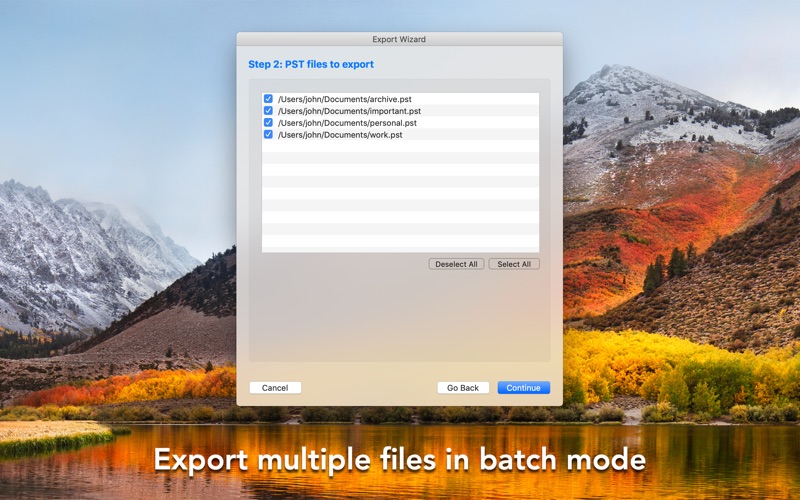
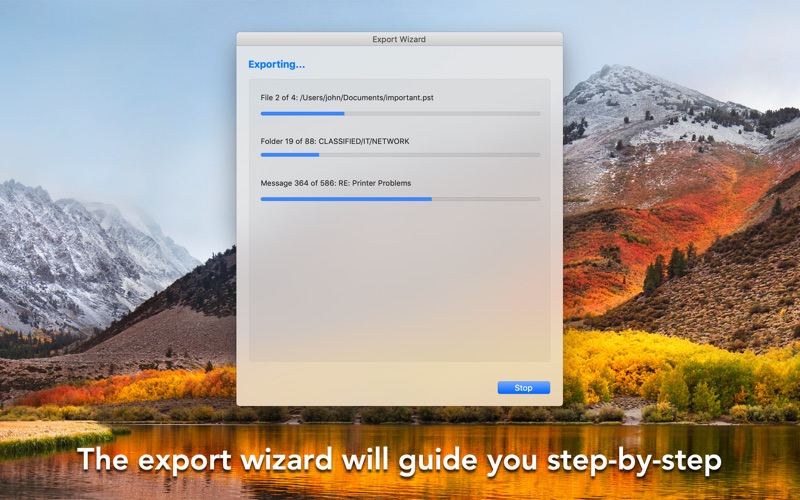
The application provides conversion for messages, contacts, calendar appointments, tasks and notes:
Messages: E-mail messages are exported in mbox format, respecting the original folder hierarchy. When the process is finished, you will be able to import this data in any mail client that supports the mbox file format, such as Apple Mail.
Contacts: The address book information from the pst file will be converted to individual vCards (.vcf files). These can be imported in almost any program that uses contact information. Such as the native Contacts application in your Mac.
Appointments: Calendar appointments in your pst files are directly imported to your Mac's calendar. You can select an existing calendar as destination, or you can create one.
Notes: The sticky notes from you pst files can be converted into multiple formats. You may choose to create a single rtf or txt file for each note. You may also export notes as mbox.
Tasks: The tasks in your pst files are transferred automatically to the native Reminder's application of your Mac.
If you have any questions, please contact us at support@arrowbit.com