AppBrain
AppBrain
  • Apps
  • Apps being viewed right now Trending apps today Most popular apps All-time most installed apps Top rated apps iPhone and iPad apps
  • Intelligence ▾
    Intelligence overview → Track any Android app or your whole market
    Track & analyze
    Keyword Tracker & OptimizerTrack & improve Play rankings App Performance ReportOne-off PDF for any app StatisticsFree Android & Play market stats
    Promote your app
    Featured Apps App Links
  • Intelligence
  • Pricing
  • Dashboard
  • Sign up
  • Log in
App Store Apps > Productivity > Qfile Pro
App profile & analytics · Productivity · Data updated 2026-10-14
Qfile Pro icon

Qfile Pro

by QNAP Systems, Inc. · Free · Version 4.6.4
Availability On the App Store since May 2012 ↗
Rating on App Store
4.17/5
478 ratings
Rating
4.17
478 reviews
Best rank
–
not in the top lists
Last updated
September 23, 2026
4.6.4
AppBrain's verdict EstablishedWell rated

Users rate it well: 4.2 stars from 478 ratings.

Qfile Pro is made and published by QNAP Systems, Inc. AppBrain is an independent app data site and isn't affiliated with QNAP Systems, Inc. The app name, icon, screenshots and description belong to QNAP Systems, Inc. and are shown as published on the App Store.

About Qfile Pro

Qfile Pro is a productivity app developed by QNAP Systems, Inc.

User Ratings

Qfile Pro is rated 4.17 out of 5 stars. The rating is based on 480 ratings.

App Information

Qfile Pro is freely available from the App Store. The app size is 273.01 MB. The latest version available is 4.6.4. The last update was on September 23, 2026.

Technical Requirements

The app has a content rating of Everyone. The app has been available on the App Store since May 2012.

Description by QNAP Systems, Inc. (from the App Store)
Qfile Pro is a free companion app for QNAP NAS that allows you to browse and manage the files on your NAS using your iPhone or iPad.
Prerequisites:
- iOS 16 or later
- QNAP NAS running QTS 4.0 or later, QuTS hero 4.5.0 or later

Major features of Qfile Pro:
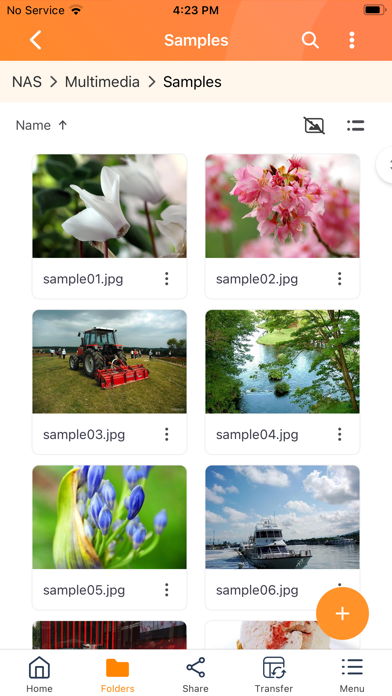
- Access files on your QNAP NAS anytime, anywhere.
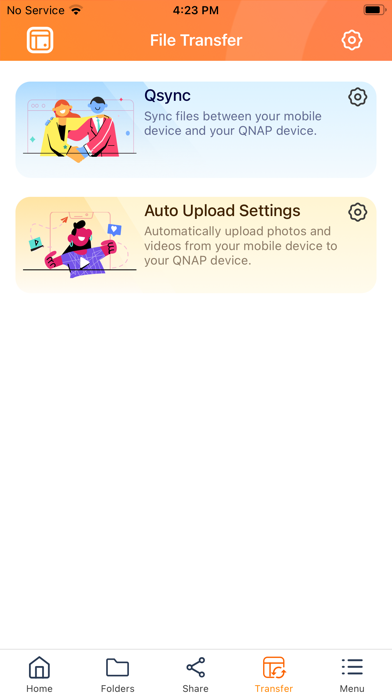
- Directly upload photos and documents from your iOS devices to your NAS.
- Easy sharing: Create download links to easily share files via email or SMS, or simply email the file as an attachment.
- Easy management: Move, copy, rename, and delete files on your NAS using your mobile device. No computer required.
- Offline file reading: Download files from your NAS to your iOS device for convenient access when you do not have an Internet connection.
- Auto upload: Automatically upload photos from your device's photo gallery to the NAS. (To ensure that Qfile Pro can continually provide this background service, you must allow the location service - please note that this may noticeably decrease battery life.)
- Qysnc integration: Synchronize files between your mobile device and your QNAP NAS. (Requires QTS 4.3.4/QuTS hero 4.5.0 or later, and Qsync Central to be installed on your QNAP NAS device.)

Other features:
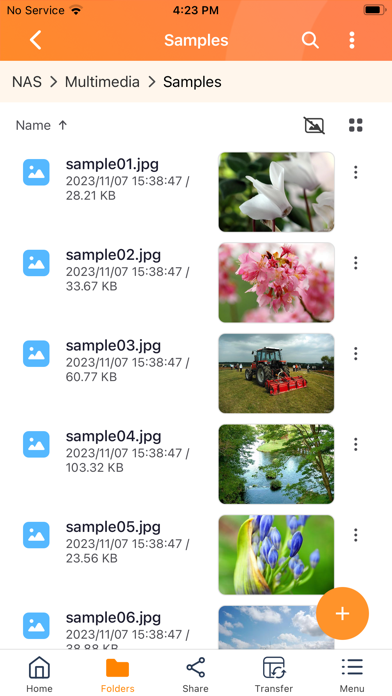
1. Support for displaying files thumbnail.
2. Supports control playback from QNAP NAS to DLNA devices. (requires QNAP Media Server, and QTS 4.0/QuTS hero 4.5.0 or later)
3. Support for file compression. (QTS 4.0/QuTS hero 4.5.0 or later)

Supported Formats:
Photos: BMP, JPG, JPE, PNG, TGA, GIF
Music: MP3, FLAC, OGG, WAV, AIF, AIFF
Videos: AVI, MP4
Show more Show less

More data about Qfile Pro

Price Free
Rating 4.17 based on 480 ratings
Ranking Not ranked
Version 4.6.4
App size 273.0 MB
Suitable for Everyone

Screenshots

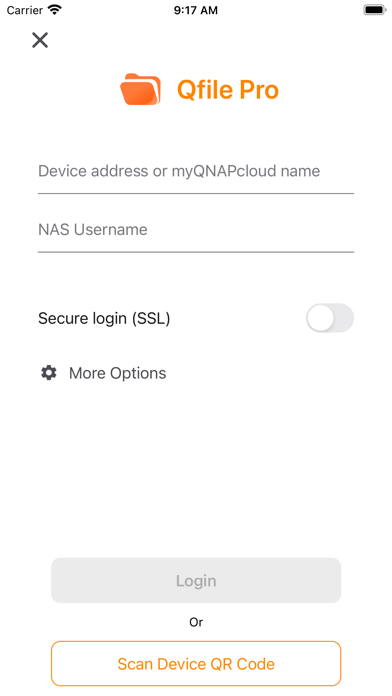
Qfile Pro Screenshot 1 of 5
Qfile Pro Screenshot 2 of 5
Qfile Pro Screenshot 3 of 5
Qfile Pro Screenshot 4 of 5
Qfile Pro Screenshot 5 of 5
Screenshots by QNAP Systems, Inc., from the the App Store listing
Official page on the App Store Also on Google Play

Also available on Google Play

Qfile Pro icon Qfile Pro
QNAP
4.0
Free
1,000,000+

Alternatives to Qfile Pro

Resilio Sync icon Resilio Sync
Resilio Inc.
4.5
Free
854 ratings
Synology Drive icon Synology Drive
Synology Inc.
4.5
Free
4.3K ratings
FileBrowserGO: File Manager icon FileBrowserGO: File Manager
Stratospherix Ltd
4.4
Free
708 ratings
Nextcloud icon Nextcloud
Nextcloud GmbH
4.7
Free
10.4K ratings
My Cloud OS 5 icon My Cloud OS 5
Western Digital Technologies, Inc.
4.8
Free
16.2K ratings
NAS Pro icon NAS Pro
EZV, spol. s r.o.
4.3
Free
176 ratings
Filebar - media player icon Filebar - media player
水峰 徐
4.3
Free
347 ratings
LANDrop icon LANDrop
SkyArc LLC
4.4
Free
147 ratings

More from QNAP Systems, Inc.

QuMagie icon QuMagie
QNAP Systems, Inc.
2.0
Free
72 ratings
Qmanager icon Qmanager
QNAP Systems, Inc.
2.9
Free
67 ratings
QVR Pro Client icon QVR Pro Client
QNAP Systems, Inc.
2.7
Free
47 ratings
QNAP Qmusic icon QNAP Qmusic
QNAP Systems, Inc.
2.4
Free
43 ratings
Vmobile icon Vmobile
QNAP Systems, Inc.
2.0
Free
41 ratings
Qphoto icon Qphoto
QNAP Systems, Inc.
2.2
Free
33 ratings
Qvideo icon Qvideo
QNAP Systems, Inc.
1.9
Free
20 ratings
QVPN by QNAP icon QVPN by QNAP
QNAP Systems, Inc.
1.7
Free
18 ratings

Changelog of Qfile Pro

No changelog data

Developer information for QNAP Systems, Inc.

QNAP Systems, Inc.

Address:

Share Qfile Pro

Comments on Qfile Pro for iOS

We don't have enough comments to show example comments. Please check back later.

App Store Rankings for Qfile Pro

This app is not ranked

Technologies used by Qfile Pro

Frequently asked questions about Qfile Pro

Is Qfile Pro free?

Yes. Qfile Pro is free on the App Store.

Is Qfile Pro still available?

Yes. Qfile Pro is on the App Store, and the last update we saw was on September 23, 2026.

How large is Qfile Pro?

Qfile Pro is 273.01 MB.

Is Qfile Pro suitable for children?

App Store rates the content of Qfile Pro as suitable for everyone.

How do people rate Qfile Pro?

Qfile Pro scores 4.17 out of 5 stars, from 478 ratings on the App Store.

Who made Qfile Pro?

Qfile Pro was developed by QNAP Systems, Inc. It is listed in the productivity category on the App Store.

What are the best alternatives to Qfile Pro?

People looking at Qfile Pro also look at these productivity apps: Resilio Sync, Synology Drive, FileBrowserGO: File Manager, Nextcloud, My Cloud OS 5.

Today's trending apps Apps other people are watching Popular Productivity Apps Top new apps Price drops on Google Play
Resilio Sync icon Resilio Sync
Synology Drive icon Synology Drive
FileBrowserGO: File Manager icon FileBrowserGO: File Manager
Nextcloud icon Nextcloud
My Cloud OS 5 icon My Cloud OS 5
NAS Pro icon NAS Pro
Filebar - media player icon Filebar - media player
LANDrop icon LANDrop
Overview Alternatives Reviews Rankings Technology
AppBrain Intelligence premium content

Subscribe now to get full and unlimited access to AppBrain Intelligence. You'll have access to:

  • App Intelligence dashboard (performance timeline, competitor comparison, country rankings, insight cards)
  • Detailed ranking data per app
  • Full timeline per developer
  • Device market shares data per country
  • Unlimited keyword tracking
1 Month

$75/mo
(billed every month)

SAVE 0%
Subscribe
3 Months

$65/mo
($195 billed every 3 months)

SAVE 13%
Subscribe
1 Year

$57.50/mo
($690 billed every year)

SAVE 23%
Subscribe
Each subscription will automatically renew 3 days before the expiration date for the same time period. Subscriptions can be cancelled at any time before the renewal.

AppBrain is an app data site, we track rankings, ratings, installs for all apps and games on Google Play and the App Store. AppBrain doesn't host app files or APKs, all install links go directly to the official store. All trademarks are owned by their respective owners. As an Amazon Associate AppBrain earns from qualifying purchases.

More apps

  • Top Android apps being viewed
  • Yuuki AI - 3D Anime Girlfriend
  • Yify Movies: Trailers, Ratings
  • OONE World - Meet, Car, People

App statistics

  • Android statistics
  • Google Play Developer stats
  • Trending Android Apps
  • Trending iOS apps
  • Top popular Apps
  • Buy the best Android phone
  • Buy & sell app businesses

About AppBrain

  • Contact
  • Privacy
  • Documentation
  • DMCA takedowns
  • Blog
  • Top Free Games Apps for your iPhone or iPad
© 2010-2026 - AppBrain