

QuickNotes X Pro
QuickNotes X Pro is made and published by Alessandro Sassi. AppBrain is an independent app data site and isn't affiliated with Alessandro Sassi. The app name, icon, screenshots and description belong to Alessandro Sassi and are shown as published on the App Store.
AppBrain's verdict
Established- Rating on App Store
- 4.58
- 38 ratings
- Last updated
- April 4, 2022
It doesn't have enough ratings yet to judge what users think.
Rankings
App Store top chartsApp Store Rankings for QuickNotes X Pro
Competitors
Similar apps and more from Alessandro SassiAlternatives to QuickNotes X Pro







More from Alessandro Sassi

Releases
Updates seen on the App Store- Version
- 2.4.11
- Launched
- June 2016
No changelog data
User feedback
Ratings and reviews on the App StoreComments on QuickNotes X Pro for iOS
We don't have enough comments to show example comments. Please check back later.
Technology
Found in the app by AppBrain- Price
- $5.99
- App size
- 38.6 MB
- Content rating
- Everyone
Technologies used by QuickNotes X Pro
About the app and developer
About QuickNotes X Pro
QuickNotes X Pro is a productivity app developed by Alessandro Sassi.
User Ratings
QuickNotes X Pro is rated 4.58 out of 5 stars. The rating is based on 38 ratings.
App Information
QuickNotes X Pro costs $5.99. The app size is 38.64 MB. The latest version available is 2.4.11. The last update was on April 4, 2022.
Technical Requirements
The app has a content rating of Everyone. The app has been available on the App Store since June 2016.
Developer information for Alessandro Sassi
Address:
Store listing
By Alessandro Sassi, from the App Store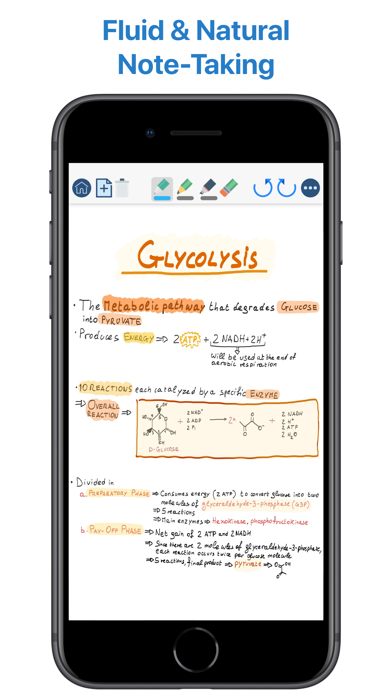


Description by Alessandro Sassi Written by the developer, not by AppBrain. Click to read.
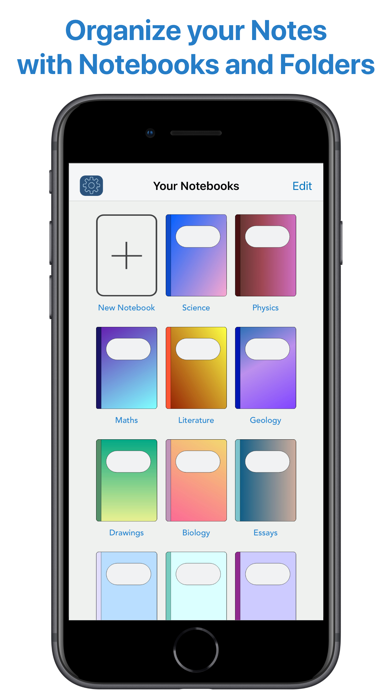
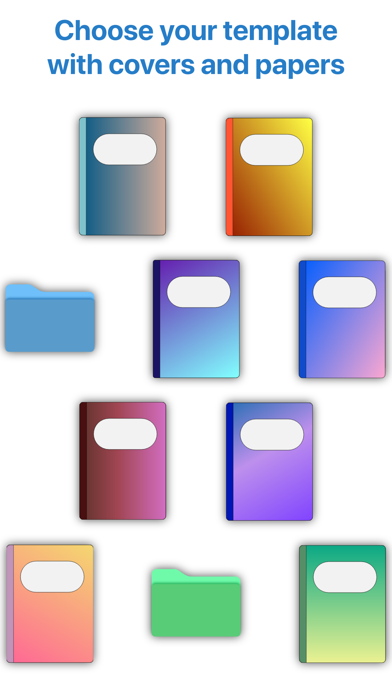
Create notebooks to organize your notes. Choose between a selection of paper templates and covers, and choose between vertical or horizontal layout to fit your note-taking needs. You can also rearrange your notebooks and create folders for them for maximum flexibility.
- IMPORT & EDIT YOUR PDFs -
With QuickNotes X you can import your PDF documents inside an existing notebook or in a new one, and you can edit them using all the tools QuickNotes X offers. Markup, annotate, highlight, insert images and text and more. You can also export these pages as a new PDF to share you edits.
- ACCURATE NOTE-TAKING -
QuickNotes X has a new accurate drawing engine that never loses detail, even after zooming or moving around the page. It also has the tools necessary to take perfect professional notes, all in one place.
- DRAG & DROP SUPPORT -
With QuickNotes X, you can easily create multi-media notes: use an image as a background, or import images from your library or from the web with an in-app tool or by using drag & drop from another window. In addition, these images are always resizable and movable, so that you can edit them whenever you want
- PROFESSIONAL TOOLS -
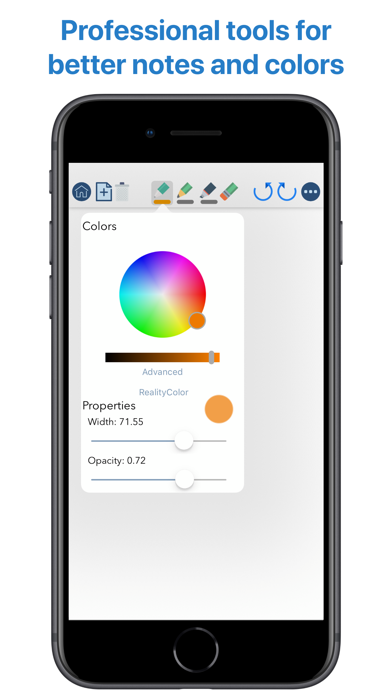
To create perfect notes, you need the right tools. This is why QuickNotes X has everything you need, from Pen and Highlighter to the Eraser, so that no mistakes are irreversible. Select the perfect line width and opacity to further customize your style, and choose the color you need from a hand-picked selection or by using the new HSV picker. You can even import a color from an image using the unique RealityPicker!
- LOCK YOUR PRIVATE NOTEBOOKS -
Want to restrict access to a specific notebook? Just set up a password when you create it or long press on its cover to lock it. And when you need to add some pages to it, just enter the password again or use Touch ID or Face ID to unlock it.
- TYPE INSTEAD OF WRITING -
With the new Text Tool you can add Text Boxes to your notes to type instead of writing. Want a different text style? Choose the font, size and color you like, underline or set to bold important things: now typing and writing notes is easier with QuickNotes X.
- EXPORT TO EDIT ON OTHER DEVICES -
You can export individual notes or entire notebooks as a QuickNotes X Document, which can be imported on another device to continue editing your notes. If you export your notebooks they will retain all properties, such as background and aspect ratio, so that if you reimport them they will look exactly as you expect.
- SEAMLESS SHARING -
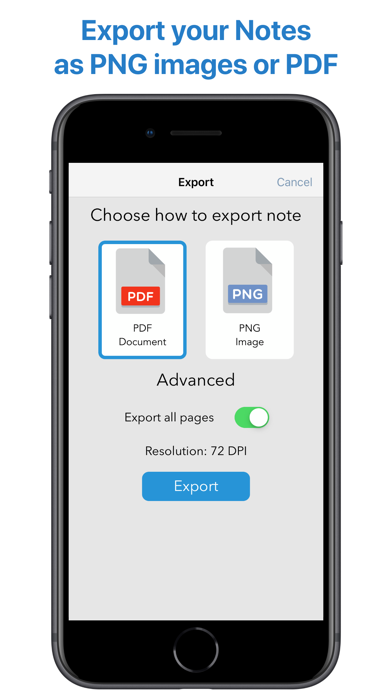
Export your note as a PNG image or PDF, with the option to export the whole notebook in a single PDF document. Then, open it in your favorite app or share it with Mail, all with a few taps.
- USE YOUR STYLUS -
Have a Bluetooth stylus? No problem! QuickNotes X support a variety of styluses, from the Apple Pencil (1st & 2nd Generation)* to Adonit Jot, so that you can take notes while resting your palm on the screen, just like on paper.
- OPTIMIZED FOR iOS 13 & 14 -
With iOS 13 and 14, QuickNotes X is better than ever! A new, more modern look and support for Dark Mode makes taking notes with QuickNotes X a new experience.
- BUT THERE IS MORE! -
⊱ Quickly change page by double-tapping on the edge of the screen
⊱ See all your notebook pages at a glance while taking notes with the new "Notes List" feature
⊱ Create a new page while writing with the dedicated button or by double-tapping on the edge of the screen
⊱ Unlimited undo-redo while writing (before leaving the page)
⊱ Clear your page with a single tap
⊱ Change your notebook template while writing thanks to the dedicated button
⊱ Rapidly delete notes and notebooks with just a long press
⊱ Option to reset all content (Notebooks and Notes) and preferences
⊱ Lightweight: all the features of a professional drawing app with less than 20MB of space
⊱ Localized in English, Italian and French.
QuickNotes X Pro: note-taking, made easy.
*Only on selected iPad models