

Real Solar System
Real Solar System is made and published by Masaya Nagaoka. AppBrain is an independent app data site and isn't affiliated with Masaya Nagaoka. The app name, icon, screenshots and description belong to Masaya Nagaoka and are shown as published on the App Store.
AppBrain's verdict
- Rating on App Store
- 1.00
- 1 ratings
- Last updated
- November 19, 2024
It doesn't have enough ratings yet to judge what users think.
Rankings
App Store top chartsApp Store Rankings for Real Solar System
Competitors
Similar apps and more from Masaya NagaokaAlternatives to Real Solar System







More from Masaya Nagaoka








Releases
Updates seen on the App Store- Version
- 1.2.0
- Launched
- January 2024
No changelog data
User feedback
Ratings and reviews on the App StoreComments on Real Solar System for iOS
We don't have enough comments to show example comments. Please check back later.
Technology
Found in the app by AppBrain- Price
- Free
- App size
- 302.3 MB
- Content rating
- Everyone
Technologies used by Real Solar System
About the app and developer
About Real Solar System
Real Solar System is an education app developed by Masaya Nagaoka.
What is the rating of Real Solar System?
Real Solar System is rated 1.00 out of 5 stars, based on one rating ratings.
Is Real Solar System free?
Real Solar System is free. The app size is 302.26 MB. The latest version available is 1.2.0. The last update was on November 19, 2024.
What are the requirements for Real Solar System?
The app has a content rating of Everyone. The app has been available on the App Store since January 2024.
Developer information for Masaya Nagaoka
Address:
Store listing
By Masaya Nagaoka, from the App Store


Description by Masaya Nagaoka Written by the developer, not by AppBrain. Click to read.
# Features
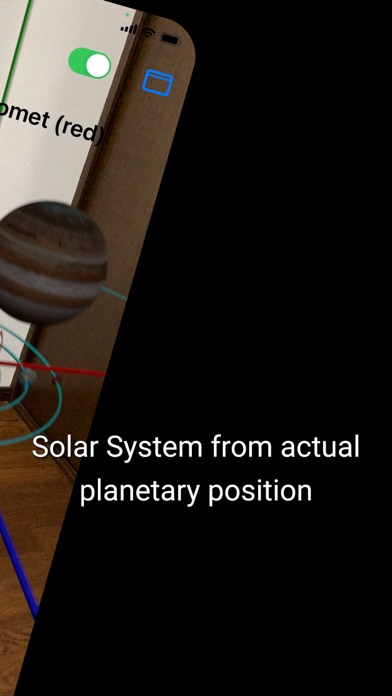
- x] Realistic solar system with ARKit
- x] Orbits of the 8 planets are displayed.
- x] Planets are realistic textures imported from USDZ files.
- x] Planet positions are calculated based on real values (using Horizons API)
- x] The object to be observed can be changed.
- x] Display of the orbit of the object of interest
- x] Calculate the position of the target object based on actual values (using the Horizons API).
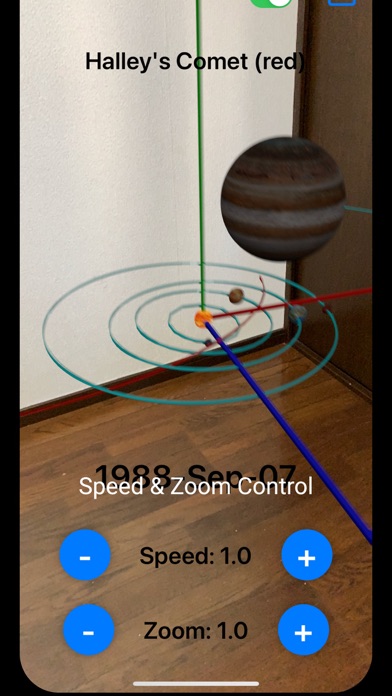
- x] Adjustable speed (minus value for reverse rotation)
- x] Zoom function (zoom in/zoom out)
- x] Toggle the display of the text information and the coordinate axis (New!)
## How to use
1. when you launch the application, you will be asked for "permission to use camera" at the first startup. If you allow it, an ARKit session will start. 2.
2. a coordinate axis will be placed 20 cm in front of you, based on the device's position.
3. Tap the "Load Planet" button to load the planet model. Just wait a moment.
4. The 8 main planets of the solar system and the object to be observed will orbit around it.
5. Move the device to observe the solar system from various angles.
6. Tap the buttons at the bottom of the screen to adjust the speed and zoom.
7. You can change the object to be observed from the menu in the upper right corner of the screen.
1. Halley's Comet
2. Hayabusa2 & Ryugyu
3. Voyager 1 & 2
4. New Horizons & Pluto
5. Cassini (New!)
6. OSIRIS-REx & Bennu
7. Comparison of Circle and Ellipse
8. Geocentric theory (New!)
8. Toggle the display of the text information and the coordinate axis from the menu in the upper right corner of the screen. (New!)