

Talking Tourist Guide
Talking Tourist Guide is made and published by Masaya Nagaoka. AppBrain is an independent app data site and isn't affiliated with Masaya Nagaoka. The app name, icon, screenshots and description belong to Masaya Nagaoka and are shown as published on the App Store.
AppBrain's verdict
- Last updated
- November 12, 2023
- Size
- 83.4 MB
User feedback
Ratings and reviews on the App StoreComments on Talking Tourist Guide for iOS
We don't have enough comments to show example comments. Please check back later.
Store listing
By Masaya Nagaoka, from the App Store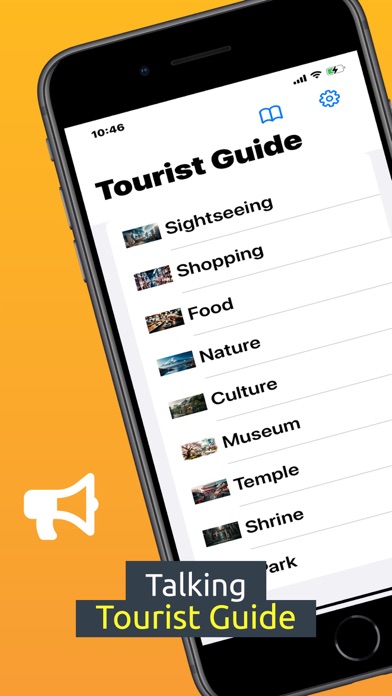
Description by Masaya Nagaoka Written by the developer, not by AppBrain. Click to read.
Select a category from the list to display the list of tourism category.
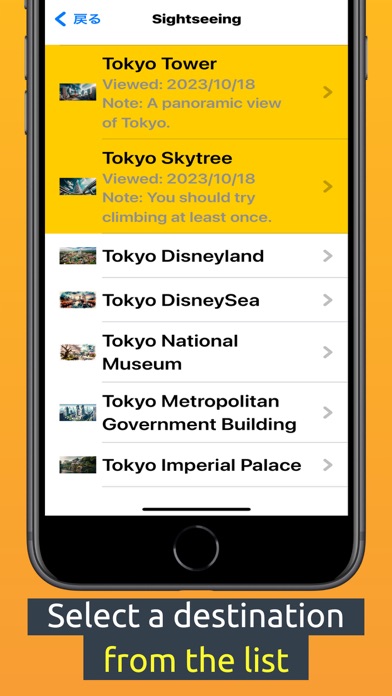
Select a tourist attraction from the list to display the detail screen.
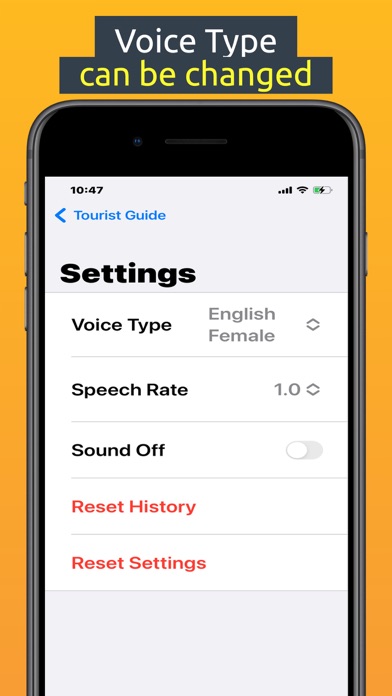
You can change the voice type on the setting screen.
### Features
Multilingual support (Japanese, English, French, German, Spanish, Chinese, Korean, Vietnamese, Thai, Filipino (no speech), Myanmar (no speech))
Voice type can be selected from "Japanese Male, Japanese Female, English Male, English Female" and etc.
NavigationSplitView can display list and detail screens at once.
Map, Website and Phone Link and Share button.
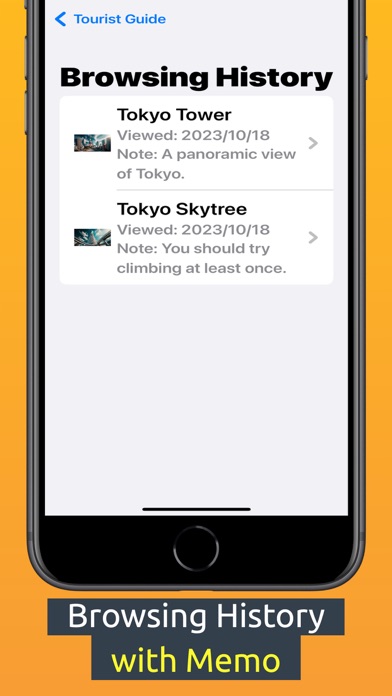
Save Browsing HIstory with memo. You can save your appointments and impressions.
### Attention.
The descriptions in this guide were created by the Generative AI. Please be aware that they may be outdated or contain incorrect information.
All included images are images created by the generated AI; DELLE3 was used to create images of tourist attractions.
All translations are machine translations.
### Detail
## Category List
Navigation Split View" displays three areas simultaneously. You can switch between the sidebar (home screen), contents list, and content detail area to efficiently see your sights.
Navigation Split View is enabled on the iPhone in landscape mode and on the iPad.
## Content List
Select a tourist attraction from the contents list. List items with browsing history are marked in yellow.
Tap the contents detail area to confirm the detail screen. Use the back button in the upper left corner to return to the list. You can move back and forth between the list and the detail screen to obtain information on sightseeing spots.
## Content Detail
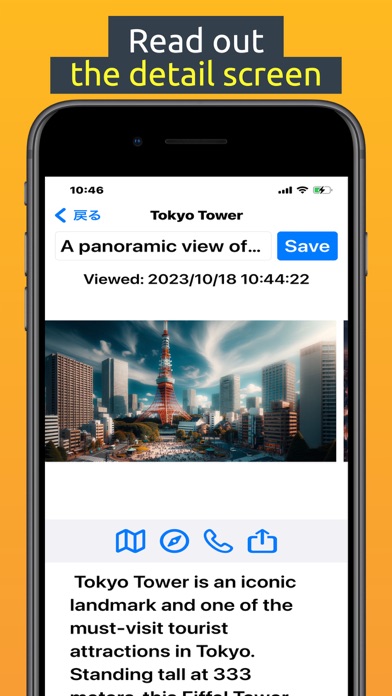
On the contents detail page, voice guidance will be read out loud. Even the visually impaired or those on the move can obtain information on sightseeing spots.
Tapping a link to a map, website, or phone will open a separate app to seamlessly build a travel schedule.
Entering short notes in the memo field saves them as a browsing history for later review.
## Settings
On the settings screen, you can change the voice type. Choose from the following voice types: Japanese Male, Japanese Female, English Male, and English Female and etc.
You can mute the voice guidance when you do not need it.
You can adjust the reading speed: 0.8, 0.9, 1.0, 11, 1.25.
You can reset your browsing history and your settings.
## Browsing History
Tap the menu button on the sidebar (home screen) to display the browsing history screen. In the browsing history screen, the browsing history is displayed in a list. The history is displayed in the list in the order of most recent browsing history.Tap a list item to go to the contents detail page.
This concludes the explanation of how to use the system.
Safety and technology
Found in the app by AppBrain- Price
- Free
- App size
- 83.4 MB
- Content rating
- Everyone
Technologies used by Talking Tourist Guide
Releases
Updates seen on the App Store- Version
- 1.1.2
- Launched
- October 2023
No changelog data
Alternatives
Similar apps and more from Masaya NagaokaAlternatives to Talking Tourist Guide




More from Masaya Nagaoka







Rankings
App Store top chartsApp Store Rankings for Talking Tourist Guide
About the app and developer
About Talking Tourist Guide
Talking Tourist Guide is a travel app developed by Masaya Nagaoka.
User Ratings
The app has no ratings yet.
App Information
Talking Tourist Guide is freely available from the App Store. The app size is 83.44 MB. The latest version available is 1.1.2. The last update was on November 12, 2023.
Technical Requirements
The app has a content rating of Everyone. The app has been available on the App Store since October 2023.
Developer information for Masaya Nagaoka
Address: