
Furigana Cam
Furigana Cam is made and published by Masaya Nagaoka. AppBrain is an independent app data site and isn't affiliated with Masaya Nagaoka. The app name, icon, screenshots and description belong to Masaya Nagaoka and are shown as published on the App Store.
AppBrain's verdict
- Rating on App Store
- 4.00
- 1 ratings
- Last updated
- February 29, 2024
It doesn't have enough ratings yet to judge what users think.
Rankings
App Store top chartsApp Store Rankings for Furigana Cam
Competitors
Similar apps and more from Masaya NagaokaAlternatives to Furigana Cam






More from Masaya Nagaoka







Releases
Updates seen on the App Store- Version
- 1.0.4
- Launched
- February 2024
No changelog data
User feedback
Ratings and reviews on the App StoreComments on Furigana Cam for iOS
We don't have enough comments to show example comments. Please check back later.
Technology
Found in the app by AppBrain- Price
- Free
- App size
- 3.58 MB
- Content rating
- Everyone
Technologies used by Furigana Cam
About the app and developer
About Furigana Cam
Furigana Cam is an education app developed by Masaya Nagaoka.
User Ratings
Furigana Cam is rated 4.00 out of 5 stars. The rating is based on one rating ratings.
App Information
Furigana Cam is freely available from the App Store. The app size is 3.58 MB. The latest version available is 1.0.4. The last update was on February 29, 2024.
Technical Requirements
The app has a content rating of Everyone. The app has been available on the App Store since February 2024.
Developer information for Masaya Nagaoka
Address:
Store listing
By Masaya Nagaoka, from the App Store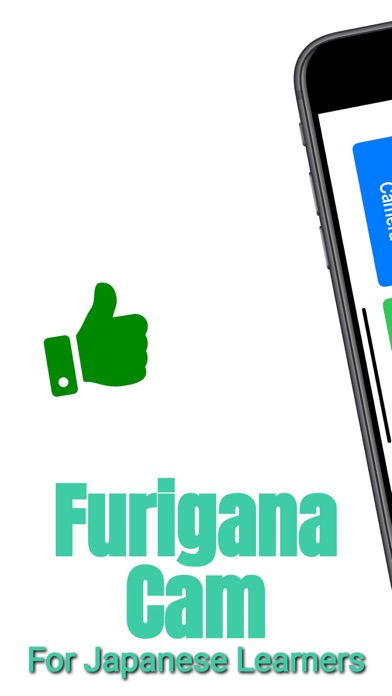



Description by Masaya Nagaoka Written by the developer, not by AppBrain. Click to read.
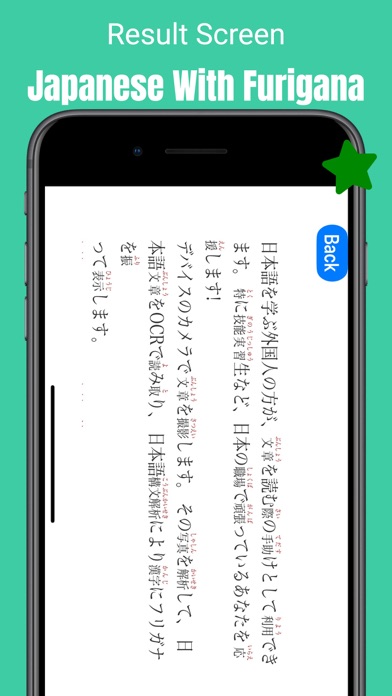
Take a picture of a sentence with the device's camera. The camera analyzes the photo, reads the Japanese text with OCR, and displays the text with furigana (furigana) for each kanji character using Japanese syntax analysis.
You can also choose a photo from the photo library, or take a screenshot of a web page and display the text with furigana.
### Features
Take a photo and extract Japanese text by OCR using image analysis. The text is then displayed with furigana (furigana is a Japanese alphabet used to write furigana) using Japanese syntax analysis.
You can also select a photo from the photo library. Photos taken in the past can also be displayed in Japanese with furigana.
You can also take a screenshot of a web page and display the text with furigana.
You can change the furigana level on the settings page. If you select 1st grade, all kanji will be furigana-ed, and if you select 6th grade, kanji learned up to 5th grade will not be furigana-ed. Please choose the grade according to your level. The default is 3rd grade.
You can change the font size and color of furigana on the settings page.
You can save the analyzed Japanese sentences as a history. You can view the sentences you have analyzed in the past on the History page.
Saved history can be deleted by swiping horizontally.
### How to use
1. Start the camera by clicking on the camera button. Take a picture of the document you want to furigana.
2. Alternatively, click the Photo button to open the Photo Library. If you want to add furigana to Japanese text on a web page, please take a screenshot beforehand.
3. Tap the Analyze button to start the Japanese analysis. When the analysis is completed, the Japanese text with furigana will be displayed. If an error occurs, please take another shot of the sentence that failed analysis under different conditions.
4. App settings are made on the settings screen. You can change the level of furigana, font size, font color, and the number of items in the history list.
5. On the history screen, you can view the sentences you have analyzed in the past. You can delete sentences by swiping horizontally.
### Caution
- This application is designed to read Japanese sentences. Other languages are not supported.
- This app uses Yahoo! JAPAN web service to analyze Japanese sentences. Therefore, an Internet connection is required.
- Furigana is analyzed automatically and may not be assigned correctly depending on the accuracy of the reading of the text, the position of line breaks in the text, and other conditions. We recommend that you check the correct furigana yourself using a dictionary or other tool.
- In order to release the application as a free application, we have set a daily usage limit: the maximum number of sentences that can be analyzed in a day is three (this limit will be relaxed in the future). (We are considering relaxing this limit in the future.)
- Text analysis may not be possible depending on the condition of the image. Images that do not contain text, poor image quality, text that is not oriented the same way as the photo, or text in complex columns may not be analyzed. If analysis fails, please change the conditions and reshoot the photo.
### Privacy Policy
This app uses the camera to take photos of Japanese text and analyze it. The photos are not stored on the server or used for any purpose other than analysis. The app does not collect any personal information or use it for any purpose other than analysis.
### Credits
Web Services by Yahoo! JAPAN (https://developer.yahoo.co.jp/webapi/jlp/furigana/v2/furigana.html)