

RemoteTV: Universal TV Control
RemoteTV: Universal TV Control is made and published by Phuong Chi Ngo. AppBrain is an independent app data site and isn't affiliated with Phuong Chi Ngo. The app name, icon, screenshots and description belong to Phuong Chi Ngo and are shown as published on the App Store.
AppBrain's verdict
- Last updated
- October 23, 2026
Rankings
App Store top chartsApp Store Rankings for RemoteTV: Universal TV Control
Competitors
Similar apps and more from Phuong Chi NgoAlternatives to RemoteTV: Universal TV Control


More from Phuong Chi Ngo


Releases
Updates seen on the App Store- Version
- 1.0.2
- Launched
- October 2026
No changelog data
User feedback
Ratings and reviews on the App StoreComments on RemoteTV: Universal TV Control for iOS
We don't have enough comments to show example comments. Please check back later.
Technology
Found in the app by AppBrain- Price
- Free
- App size
- 42.9 MB
- Content rating
- Everyone
Technologies used by RemoteTV: Universal TV Control
About the app and developer
About RemoteTV: Universal TV Control
RemoteTV: Universal TV Control is an utilities app developed by Phuong Chi Ngo.
User Ratings
The app has no ratings yet.
App Information
RemoteTV: Universal TV Control is freely available from the App Store. The app size is 42.93 MB. The latest version available is 1.0.2. The last update was on October 23, 2026.
Technical Requirements
The app has a content rating of Everyone. The app has been available on the App Store since October 2026.
Developer information for Phuong Chi Ngo
Address:
Store listing
By Phuong Chi Ngo, from the App Store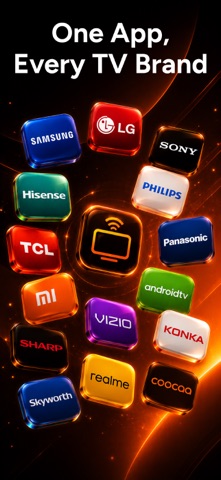



Description by Phuong Chi Ngo Written by the developer, not by AppBrain. Click to read.
WORKS WITH YOUR TV
• Roku devices and Roku TV
• Samsung smart TVs
• LG smart TVs (webOS)
• Sony BRAVIA TVs
• Philips smart TVs
• Android TV & Google TV — including TCL, Hisense, and Chromecast with Google TV
EVERYTHING A REMOTE DOES — AND MORE
• Full remote: D-pad, volume, channels, playback, and power
• Swipe trackpad: navigate with gestures instead of arrow keys
• Point-and-click pointer on LG TVs — use your phone like a mouse
• Type with your iPhone keyboard instead of hunting letters on screen (on supported TVs)
• Launch streaming apps on your TV and pin your favorites for one-tap access
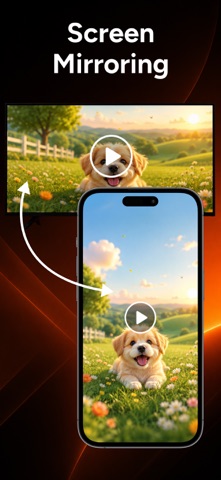
CAST PHOTOS & VIDEOS (PREMIUM)
Beam your memories straight to the big screen. Pick photos or videos from your library and watch them on your TV — no cables, no extra hardware.
BRAND REMOTES (PREMIUM)
Unlock remotes designed for each TV brand, with the exact buttons and layout you know from the couch.
BUILT TO JUST WORK
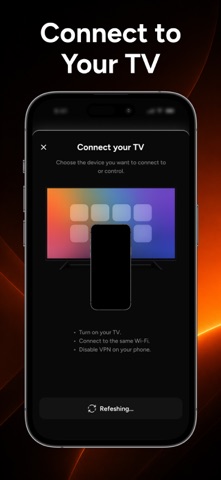
• Finds TVs on your network automatically
• Remembers your TVs and reconnects on its own
• Buttons your TV can't handle are dimmed and explained — never a silent tap
• Works on iPhone and iPad · Dark theme · Available in 17 languages
REQUIREMENTS
Your iPhone or iPad and your TV must be on the same Wi-Fi network. Your TV must support network remote control (available on most recent smart TVs; features vary by brand, model, and firmware). Infrared (IR) control is not supported.
PREMIUM — ONE-TIME PURCHASE
Brand remotes and photo & video casting are unlocked with Remote TV Premium, a one-time in-app purchase. No subscription, no recurring charges. Bought it on another device? Tap Restore Purchase.
Terms of Use: https://phuongchii.netlify.app/terms
Privacy Policy: https://phuongchii.netlify.app/policy
A TV that won't connect, or a button you're missing? Tell us: goldencunningham255160@gmail.com
Remote TV is an independent app, not affiliated with, endorsed, or sponsored by Roku, Samsung, LG, Sony, Philips, Google, TCL, or Hisense. All product names and trademarks are the property of their respective owners and are used solely to state compatibility.
Read more about Terms of Use: https://www.apple.com/legal/internet-services/itunes/dev/stdeula/