

SatCatcher-Dish Set & Pointing
SatCatcher-Dish Set & Pointing is made and published by Souria HAKKAR. AppBrain is an independent app data site and isn't affiliated with Souria HAKKAR. The app name, icon, screenshots and description belong to Souria HAKKAR and are shown as published on the App Store.
AppBrain's verdict
Established- Rating on App Store
- 4.34
- 80 ratings
- Last updated
- November 17, 2025
- Size
- 72.4 MB
It doesn't have enough ratings yet to judge what users think.
User feedback
Ratings and reviews on the App StoreComments on SatCatcher-Dish Set & Pointing for iOS
We don't have enough comments to show example comments. Please check back later.
Store listing
By Souria HAKKAR, from the App Store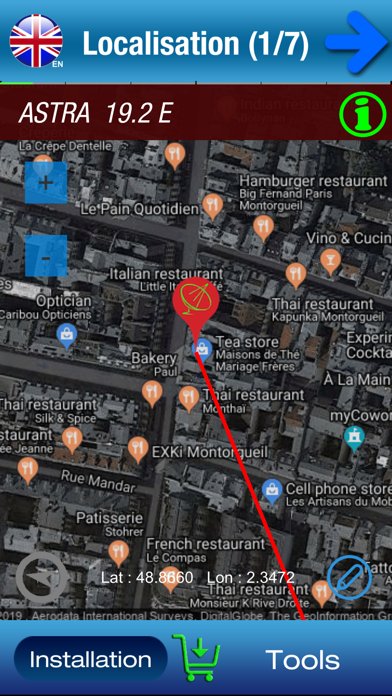


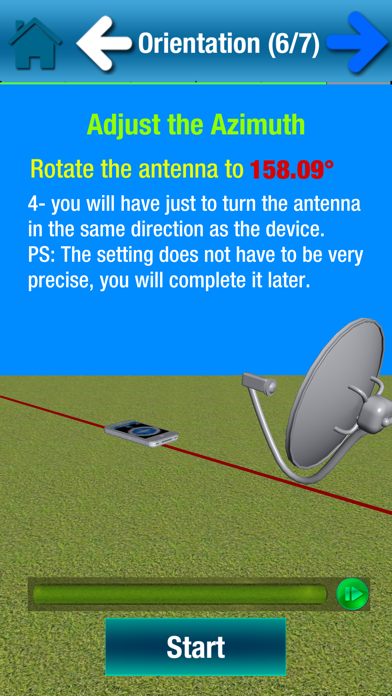
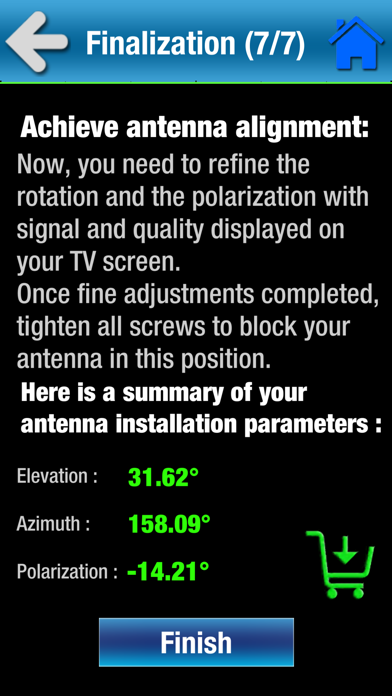
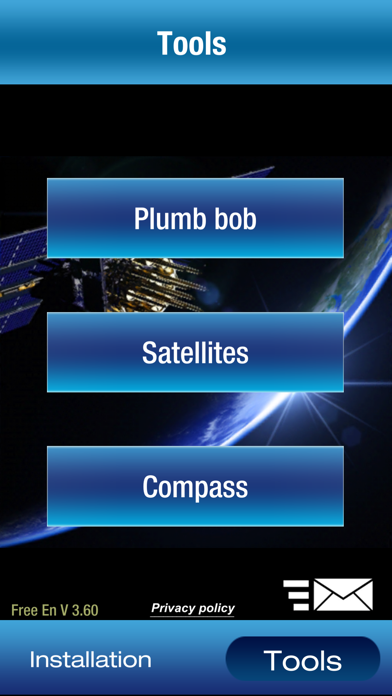

Description by Souria HAKKAR Written by the developer, not by AppBrain. Click to read.
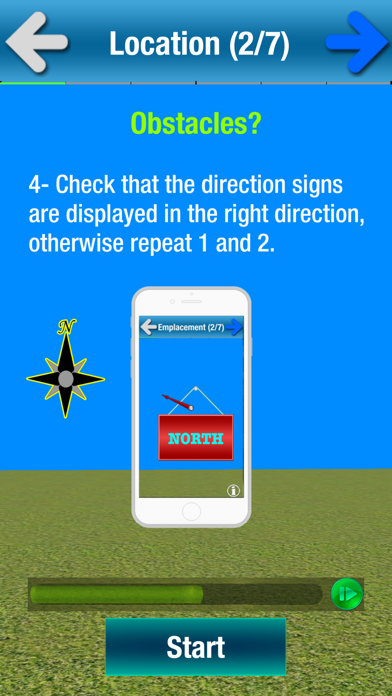
SatCatcher is a satellite finder and dish pointer, it allows you to orient your antenna to any satellite. Using augmented reality, this application displays the target satellite in space to better choose the location of your antenna and ensure the absence of any obstacle (wall, tree ...).
SatCatcher also uses your phone GPS to show your location on a map and shows the direction of the satellite from your position.
The compass accompanied by a beep lets you orient your antenna following the acceleration of beeps or the arrow of the compass.
The accelerometer is used to verify that the holder of your antenna is vertical.
The antenna adjustment steps:
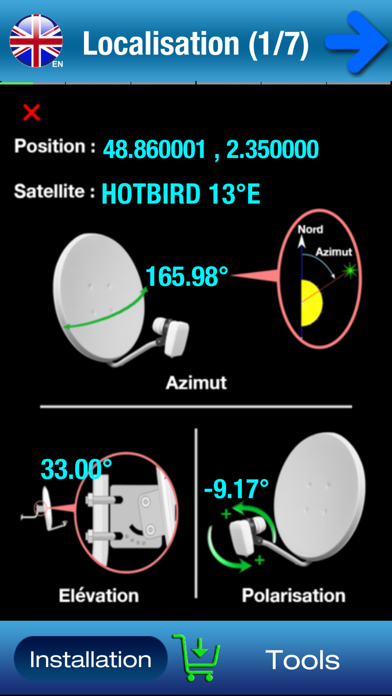
1- choose a satellite and authorize geolocation to determine the direction of the antenna orientation.
2- Show satellite in augmented reality with your camera and make sure there are no obstacles and validate the location of your antenna.
3. Check that the support of your antenna is vertical.
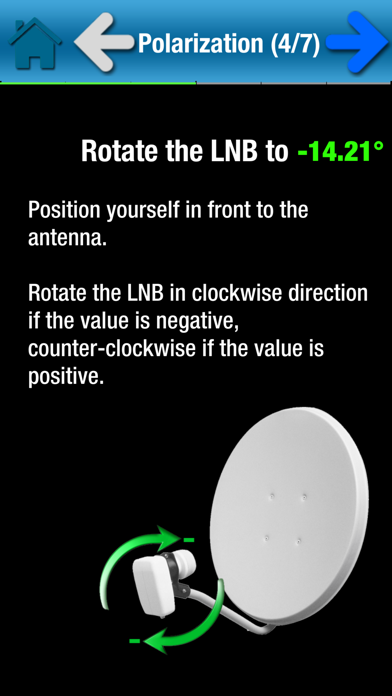
4. Calculate the polarization and adjust the rotation of the LNB (the head of your antenna)
5. Set the elevation
6- Search orientation with visual and sound assistant
7- Fine adjustments.
For the good functioning of the application, SatCatcher will need the camera, compass, gyroscope, accelerometer and the GPS of your smartphone.
tips:
- If your smartphone does not have GPS, you can manually move the "marker" on the card until it points your exact location. Use zoom for more detail.
- The compass is very important to adjust your dish, but if your smartphone does not have one, you can still use the application. In this case, it will help you to find clues and marks on the map from your location. It also allows you to calculate the orientation. Than you can use a manual compass to get a good orientation.
- Do not hesitate to recalibrate the compass and avoid too close to the antenna arm, because it is sensitive to metallic elements. Try to place your smartphone where there is less magnetic interference.
SatCatcher Free is the lite version of SatCatcher.
Augmented reality and compass orientation are only available in the full version here: https://appsto.re/fr/Gb6Hbb.i
Contact : infosoftycontactfree@gmail.com
Safety and technology
Found in the app by AppBrain- Price
- Free
- App size
- 72.4 MB
- Content rating
- Everyone
Technologies used by SatCatcher-Dish Set & Pointing
Releases
Updates seen on the App Store- Version
- 10
- Launched
- May 2016
No changelog data
Alternatives
Similar apps and more from Souria HAKKARAlternatives to SatCatcher-Dish Set & Pointing


More from Souria HAKKAR




Also available on Google Play

Rankings
App Store top chartsApp Store Rankings for SatCatcher-Dish Set & Pointing
About the app and developer
About SatCatcher-Dish Set & Pointing
SatCatcher-Dish Set & Pointing is an utilities app developed by Souria HAKKAR.
What is the rating of SatCatcher-Dish Set & Pointing?
SatCatcher-Dish Set & Pointing is rated 4.34 out of 5 stars, based on 80 ratings.
Is SatCatcher-Dish Set & Pointing free?
SatCatcher-Dish Set & Pointing is free. The app size is 72.40 MB. The latest version available is 10. The last update was on November 17, 2025.
What are the requirements for SatCatcher-Dish Set & Pointing?
The app has a content rating of Everyone. The app has been available on the App Store since May 2016.
Developer information for Souria HAKKAR
Address:
Frequently asked questions about SatCatcher-Dish Set & Pointing
Is SatCatcher-Dish Set & Pointing free?
Yes. SatCatcher-Dish Set & Pointing is free on the App Store.
Is SatCatcher-Dish Set & Pointing still available?
Yes. SatCatcher-Dish Set & Pointing is on the App Store, and the last update we saw was on November 17, 2025.
How large is SatCatcher-Dish Set & Pointing?
SatCatcher-Dish Set & Pointing is 72.40 MB.
Is SatCatcher-Dish Set & Pointing suitable for children?
App Store rates the content of SatCatcher-Dish Set & Pointing as suitable for everyone.
How do people rate SatCatcher-Dish Set & Pointing?
SatCatcher-Dish Set & Pointing scores 4.34 out of 5 stars, from 80 ratings on the App Store.
Who made SatCatcher-Dish Set & Pointing?
SatCatcher-Dish Set & Pointing was developed by Souria HAKKAR. It is listed in the utilities category on the App Store.
What are the best alternatives to SatCatcher-Dish Set & Pointing?
People looking at SatCatcher-Dish Set & Pointing also look at these utilities apps: Satellite map AR SatFinder 3D, Satellite Transponders, SatFinder (MGE), SatChannels, V8Finder.