

Screen Mirroring .
Screen Mirroring . is made and published by HVN Studio. AppBrain is an independent app data site and isn't affiliated with HVN Studio. The app name, icon, screenshots and description belong to HVN Studio and are shown as published on the App Store.
AppBrain's verdict
New- Rating on App Store
- 5.00
- 14 ratings
- Last updated
- October 9, 2026
- Size
- 48.2 MB
Screen Mirroring . came out 49 days ago. It doesn't have enough ratings yet to judge what users think.
User feedback
Ratings and reviews on the App StoreComments on Screen Mirroring . for iOS
We don't have enough comments to show example comments. Please check back later.
Store listing
By HVN Studio, from the App Store

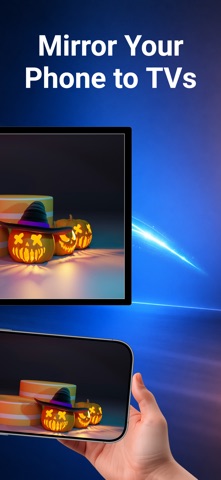


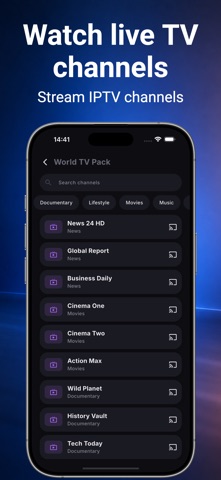
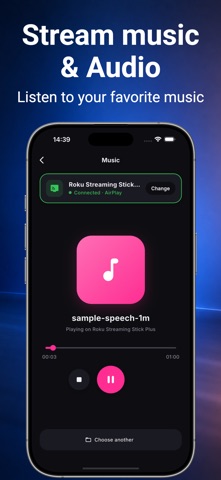
Description by HVN Studio Written by the developer, not by AppBrain. Click to read.
SEND TO YOUR TV
• Photos and videos from your camera roll, at full resolution
• Anything playing on a web page — open the site in the built-in browser and the videos and images on it become castable
• YouTube, handed to the TV's own YouTube app so it streams at full quality
• Live TV from any M3U playlist you already have
• Music from Files or iCloud Drive
PRESENTATION MODE
Something no other casting app does. Turn on Screen Mirroring from Control Centre, then open a photo here. Your TV shows it full-screen on black while your phone keeps the controls — your notifications, messages and home screen stay off the television. Nothing is re-encoded on the way, so what the TV shows is the original picture. Works with any TV or player that can receive AirPlay.
SLIDESHOW
Set 5, 10 or 30 seconds and let an album play itself on the big screen. Videos in the album play through in full instead of being cut off, and it loops when it reaches the end.
HONEST ABOUT YOUR TV
Screen mirroring on iPhone belongs to AirPlay — Apple gives no app a way around that, whatever the App Store says. So instead of pretending, this app shows you where the AirPlay switch lives on your kind of TV, then confirms on screen when mirroring is actually running. Devices that first need a receiver app installed on them are listed too, along with what they need. You find out what works before you buy, not after.
PRIVACY
No account. No sign-up. Nothing is uploaded anywhere. Your phone serves the files straight to your TV over your own Wi-Fi, and stops when you do.
WORKS WITH
Smart TVs and streaming players that receive AirPlay — most sets from 2019 onwards. Devices that support casting. Televisions that speak DLNA.
REQUIREMENTS
iPhone and TV on the same Wi-Fi network. Not a guest network — those block devices from seeing each other, which is the single most common reason a TV does not appear.
This app is not affiliated with, endorsed by or sponsored by any television or streaming-device manufacturer.
Safety and technology
Found in the app by AppBrain- Price
- Free
- App size
- 48.2 MB
- Content rating
- High
Technologies used by Screen Mirroring .
Releases
Updates seen on the App Store- Version
- 1.0.3
- Launched
- September 2026
No changelog data
Alternatives
Similar apps and more from HVN StudioAlternatives to Screen Mirroring .


More from HVN Studio




Rankings
App Store top chartsApp Store Rankings for Screen Mirroring .
About the app and developer
About Screen Mirroring .
Screen Mirroring . is an utilities app developed by HVN Studio.
What is the rating of Screen Mirroring .?
Screen Mirroring . is rated 5.00 out of 5 stars, based on 14 ratings.
Is Screen Mirroring . free?
Screen Mirroring . is free. The app size is 48.21 MB. The latest version available is 1.0.3. The last update was on October 9, 2026.
What are the requirements for Screen Mirroring .?
The app has a content rating of High Maturity. The app has been available on the App Store since September 2026.
Developer information for HVN Studio
Address: