

Screen Recorder - RecGen
Screen Recorder - RecGen is made and published by 正福 邹. AppBrain is an independent app data site and isn't affiliated with 正福 邹. The app name, icon, screenshots and description belong to 正福 邹 and are shown as published on the App Store.
AppBrain's verdict
- Rating on App Store
- 3.82
- 17 ratings
- Last updated
- August 3, 2026
It doesn't have enough ratings yet to judge what users think.
Rankings
App Store top chartsApp Store Rankings for Screen Recorder - RecGen
Competitors
Similar apps and more from 正福 邹Alternatives to Screen Recorder - RecGen


More from 正福 邹


Releases
Updates seen on the App Store- Version
- 1.3.0
- Launched
- March 2026
No changelog data
User feedback
Ratings and reviews on the App StoreComments on Screen Recorder - RecGen for iOS
We don't have enough comments to show example comments. Please check back later.
Technology
Found in the app by AppBrain- Price
- Free
- App size
- 97.9 MB
- Content rating
- Everyone
Technologies used by Screen Recorder - RecGen
About the app and developer
About Screen Recorder - RecGen
Screen Recorder - RecGen is a photo & video app developed by 正福 邹.
User Ratings
Screen Recorder - RecGen is rated 3.82 out of 5 stars. The rating is based on 17 ratings.
App Information
Screen Recorder - RecGen is freely available from the App Store. The app size is 97.89 MB. The latest version available is 1.3.0. The last update was on August 3, 2026.
Technical Requirements
The app has a content rating of Everyone. The app has been available on the App Store since March 2026.
Developer information for 正福 邹
Address:
Frequently asked questions about Screen Recorder - RecGen
Is Screen Recorder - RecGen free?
Yes. Screen Recorder - RecGen is free on the App Store.
Is Screen Recorder - RecGen still available?
Yes. Screen Recorder - RecGen is on the App Store, and the last update we saw was on August 3, 2026.
How large is Screen Recorder - RecGen?
Screen Recorder - RecGen is 97.89 MB.
Is Screen Recorder - RecGen suitable for children?
App Store rates the content of Screen Recorder - RecGen as suitable for everyone.
How do people rate Screen Recorder - RecGen?
Screen Recorder - RecGen scores 3.82 out of 5 stars, from 17 ratings on the App Store.
Who made Screen Recorder - RecGen?
Screen Recorder - RecGen was developed by 正福 邹. It is listed in the photo & video category on the App Store.
What are the best alternatives to Screen Recorder - RecGen?
People looking at Screen Recorder - RecGen also look at these photo & video apps: FaceCam - Camera Recorder, HD Face Cam Screen Recorder, Screen Recorder: Capture Audio, Record In - V Screen Recorder, iRecordScreen: Screen Recorder.
Store listing
By 正福 邹, from the App Store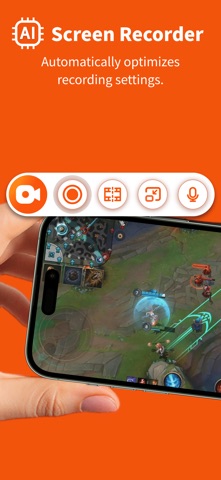


Description by 正福 邹 Written by the developer, not by AppBrain. Click to read.
This AI-powered screen recorder app is designed for both professionals and everyday users. Leveraging advanced AI models, the app automatically identifies different recording scenarios, such as gaming, remote meetings, online courses, or tutorial demos, and intelligently optimizes key parameters like resolution, frame rate, and bitrate. With no complex setup required, even beginners can effortlessly produce clear, smooth, high-quality video content.
FEATURES
- AI Screen Recorder : Automatically adjusts resolution, frame rate, and bitrate based on the scenario to provide the optimal recording configuration.
- Video Editor: Supports essential editing tools including trimming, cropping, and merging.
- Face Cam: Allows you to add a FaceCam overlay to your recordings.
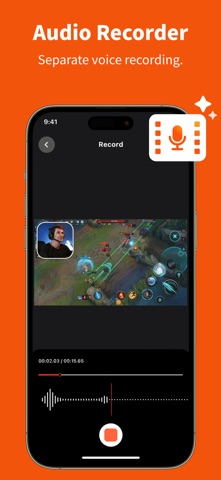
- Audio Recorder: Supports recording separate audio narrations for your videos.
- Widgets: Enable one-tap recording starts for maximum efficiency.
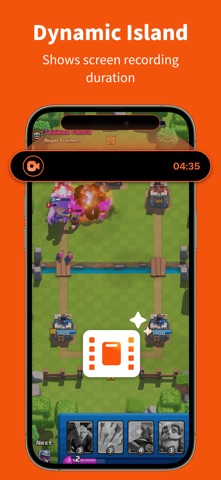
- Dynamic Island: Displays the screen recording duration in real time.
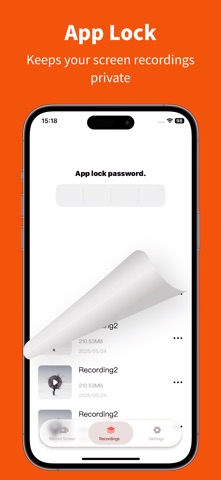
- App Lock: Keeps your screen recordings secure and private.
USE CASES
- Gaming highlights and replays
- Online courses and educational video production
- Remote meetings and work reports
- Training sessions and product walkthroughs
- YouTube content creation
Simplify your screen recording and create high-quality videos effortlessly with AI.