Download Android Apps and Games
AppBrain
  • Apps
  • Apps being viewed right now Trending apps today Most popular apps All-time most downloaded apps Top rated apps
  • Intelligence ▾
    Intelligence overview → Track any Android app or your whole market
    Track & analyze
    Keyword Tracker & OptimizerTrack & improve Play rankings App Performance ReportOne-off PDF for any app StatisticsFree Android & Play market stats
    Promote your app
    Featured Apps App Links
  • Intelligence
  • Pricing
  • Dashboard
  • Sign up
  • Log in
Last updated on: 2026-05-30
App Store Apps > Productivity > SecureSafe Password Manager
SecureSafe Password Manager icon

SecureSafe Password Manager

5.23.0
DSwiss Ltd.
4.82
19,612 reviews
Free

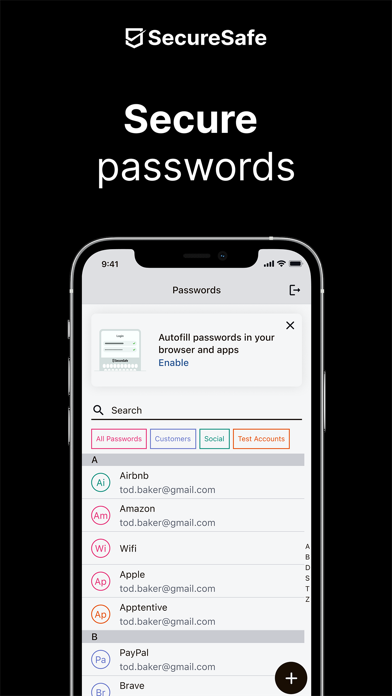
SecureSafe Password Manager Screenshot 1 of 5
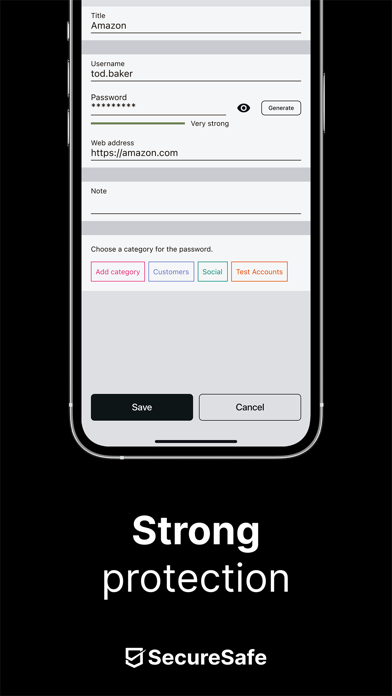
SecureSafe Password Manager Screenshot 2 of 5
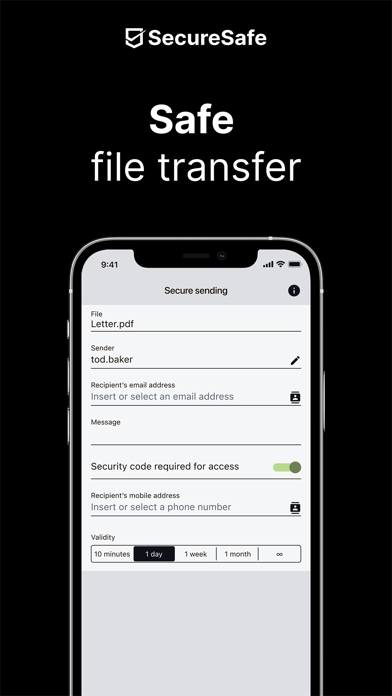
SecureSafe Password Manager Screenshot 3 of 5
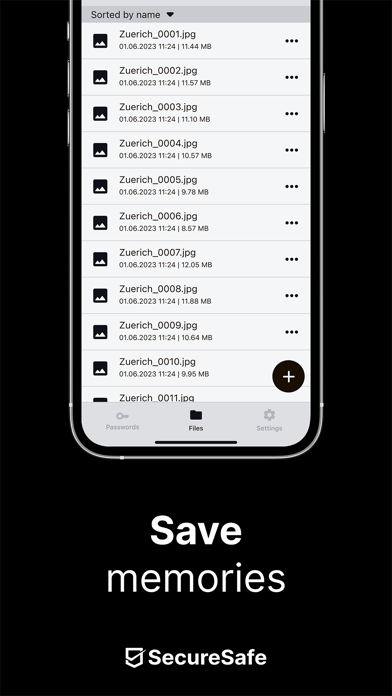
SecureSafe Password Manager Screenshot 4 of 5
SecureSafe Password Manager Screenshot 5 of 5
Download from the App Store

About SecureSafe Password Manager

SecureSafe Password Manager is an overall app developed by DSwiss Ltd..

Download Statistics

User Ratings

SecureSafe Password Manager is rated 4.82 out of 5 stars. The rating is based on 20 thousand ratings.

App Information

SecureSafe Password Manager is FREE to download. The APK download size is 318.57 MB. The latest version available is 5.23.0. The last update was on November 14, 2024.

Technical Requirements

The app has a content rating of Everyone. The app has been available on Google Play March 2010.

Description
SecureSafe – highly secure cloud storage solution with built-in password manager from DSwiss AG

Description
SecureSafe is a multiple award winning online storage solution with an integrated password manager. The service is unique because of its strong double encryption, triple data storage and zero knowledge architecture, which ensures you the very highest level of privacy protection.

Manage all your important data in your digital safe:
• Passwords
• PINs
• Credit card details
• E-banking codes
• A copy of your passport
• Images
• Videos
• Contracts
• Application documents
• ...


Security
• Highly secure AES-256 and RSA-2048 encryption
• No one but you can decrypt and access your data – not even our employees (including programmers).
• All data transferred between your device and SecureSafe is sent via HTTPS.
• Passwords are encrypted additionally for maximum security.
• 2-factor authentication (with SMS token) for PRO, SILVER and GOLD customers
• Multiple layers of data security in Swiss high security data centres, one of which is located in a former military bunker.
• 24/7 monitoring of all systems

Feature overview
• Password manager: With the free version of SecureSafe, you can store up to 10 unique passwords. Simply use the integrated password generator to help you create strong passwords. Also enjoy offline access to your PINs, PUK etc. when saved in the password manager.
• File safe: Store and edit all of your important files in your digital safe and access them anywhere, anytime.
• Data Inheritance: With the help of data inheritance, you ensure that family members or business partners can access important data such as passwords, PINs or insurance policies should you be involved in an emergency or pass away unexpectedly (this feature must be activated via our web application).
• SecureViewer: With the integrated SecureViewer feature, you can open and read PDF files without leaving a digital trace on the device used. This feature is helpful if you need to view sensitive information while using a public WLAN (for example at the airport or in a hotel).
• Mail-In: Mail-In is an email inbox, which is integrated directly in your SecureSafe. When you send emails to your unique SecureSafe address, all attached files will be saved directly in your safe. Email with no attachments are saved as text documents.
• SecureSend: Thanks to SecureSend, you can encrypt and send up to 2 GB large files to any recipient of your choice (recipient does not need SecureSafe to download file).
• SecureCapture: The integrated upload function allows you to use your phone to take a photo and save it directly to your safe.

SecureSafe is winning thousands of new customers every week.

SecureSafe extensions
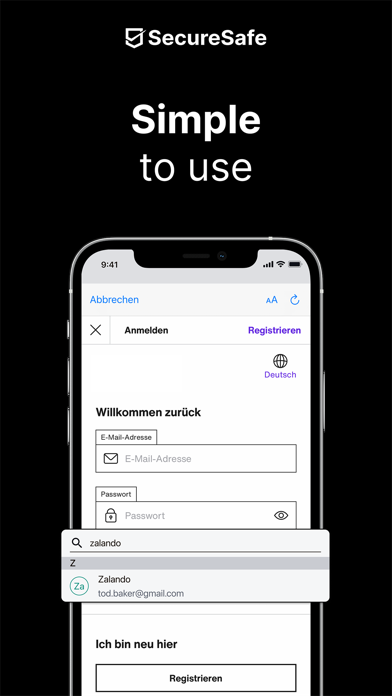
SecureSafe possesses 2 app extensions: “Camera Roll” and “Autofill”. Thanks to the two extensions, you can upload pictures directly into SecureSafe using the app “Photos”, and automatically copy passwords/user names into the appropriate login fields.
Show more Show less

More data about SecureSafe Password Manager

Price Free to download
Rating 4.82 based on 20 thousand ratings
Ranking Not ranked
Version 5.23.0
App download size 318.6 MB
Suitable for Everyone

Alternative downloads for the SecureSafe Password Manager app

Password Manager - mSecure icon Password Manager - mSecure
mSeven Software, LLC
4.8
Free
50.4K ratings
iPassworder Password Manager icon iPassworder Password Manager
Dmytro Vynokurov
4.8
Free
4.6K ratings
Password Safe and Manager icon Password Safe and Manager
Robert Ehrhardt
4.7
Free
1.6K ratings
Password Manager' icon Password Manager'
广栋 莫
4.4
Free
16.8K ratings
RememBear: Password Manager icon RememBear: Password Manager
TunnelBear, LLC
4.6
Free
2.6K ratings
Enpass Password Manager icon Enpass Password Manager
Enpass Technologies Private Limited
4.3
Free
1.3K ratings
RoboForm Password Manager icon RoboForm Password Manager
Siber Systems, Inc.
4.7
Free
47.0K ratings
Keeper Password Manager icon Keeper Password Manager
Callpod Inc.
4.9
Free
226.0K ratings

More from DSwiss Ltd.

SecureSafe icon SecureSafe
DSwiss Ltd.
1.0
Free
1 ratings

Changelog of SecureSafe Password Manager

No changelog data

Developer information for DSwiss Ltd.

DSwiss Ltd.

Address: N/A

Share SecureSafe Password Manager

Comments on SecureSafe Password Manager for iOS

We don't have enough comments to show example comments. Please check back later.

App Store Rankings for SecureSafe Password Manager

This app is not ranked

Technologies used by SecureSafe Password Manager

Password Manager - mSecure icon Password Manager - mSecure
iPassworder Password Manager icon iPassworder Password Manager
Password Safe and Manager icon Password Safe and Manager
Password Manager' icon Password Manager'
RememBear: Password Manager icon RememBear: Password Manager
Enpass Password Manager icon Enpass Password Manager
RoboForm Password Manager icon RoboForm Password Manager
Keeper Password Manager icon Keeper Password Manager

Back to top
AppBrain Intelligence premium content

Subscribe now to get full and unlimited access to AppBrain Intelligence. You'll have access to:

  • App Intelligence dashboard (performance timeline, competitor comparison, country rankings, insight cards)
  • Detailed ranking data per app
  • Full timeline per developer
  • Device market shares data per country
1 Month

$75/mo
(billed every month)

SAVE 0%
Subscribe
3 Months

$65/mo
($195 billed every 3 months)

SAVE 13%
Subscribe
1 Year

$57.50/mo
($690 billed every year)

SAVE 23%
Subscribe
Each subscription will automatically renew 3 days before the expiration date for the same time period. Subscriptions can be cancelled at any time before the renewal.

AppBrain is a directory focused on discovering great apps and games. We give statistics, rankings and search options that Google Play and the App Store don't have. All trademarks are owned by their respective owners. AppBrain doesn't offer APKs or binaries, and always lets users install the official version from Google Play or the App Store.

More apps

  • Top Android apps being viewed
  • Apex Hospital App
  • Jaumo Dating App: Flirt & Date
  • Flappy Butt (Farty Butt) for Android

Android Statistics

  • Android statistics
  • Google Play Developer stats
  • Trending Android Apps
  • Top popular Apps
  • Buy the best Android phone

About AppBrain

  • Contact
  • Privacy
  • Documentation
  • DMCA takedowns
  • Articles
  • Blog
  • Top Free Games Apps for your iPhone or iPad
© 2010-2026 - AppBrain