

SmashCut Visual Synth
SmashCut Visual Synth is made and published by Secret Base Design. AppBrain is an independent app data site and isn't affiliated with Secret Base Design. The app name, icon, screenshots and description belong to Secret Base Design and are shown as published on the App Store.
AppBrain's verdict
Established- Rating on App Store
- 4.93
- 14 ratings
- Last updated
- August 9, 2023
It doesn't have enough ratings yet to judge what users think.
Rankings
App Store top chartsApp Store Rankings for SmashCut Visual Synth
Competitors
Similar apps and more from Secret Base DesignAlternatives to SmashCut Visual Synth








More from Secret Base Design






Releases
Updates seen on the App Store- Version
- 1.1
- Launched
- May 2020
No changelog data
User feedback
Ratings and reviews on the App StoreComments on SmashCut Visual Synth for iOS
We don't have enough comments to show example comments. Please check back later.
Technology
Found in the app by AppBrain- Price
- Free
- App size
- 1.16 MB
- Content rating
- Everyone
Technologies used by SmashCut Visual Synth
About the app and developer
About SmashCut Visual Synth
SmashCut Visual Synth is a music app developed by Secret Base Design.
User Ratings
SmashCut Visual Synth is rated 4.93 out of 5 stars. The rating is based on 14 ratings.
App Information
SmashCut Visual Synth is freely available from the App Store. The app size is 1.16 MB. The latest version available is 1.1. The last update was on August 9, 2023.
Technical Requirements
The app has a content rating of Everyone. The app has been available on the App Store since May 2020.
Developer information for Secret Base Design
Address:
Store listing
By Secret Base Design, from the App Store

Description by Secret Base Design Written by the developer, not by AppBrain. Click to read.
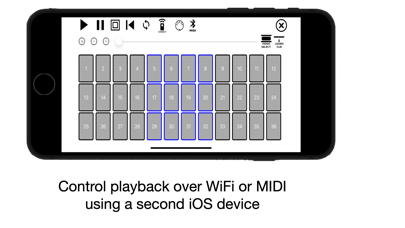
Load in any video from your camera roll, easily set cue points in the video, and you're ready to play with video in a new way. The app responds to MIDI note messages to seek to cue points, and start or stop playback. With MIDI CC messages, you can scale, rotate, and transform the video in a live and interactive way. And if you don't have a MIDI keyboard, you can still use all of the features of the app -- there's a built-in MIDI controller that you can use on a second iOS device.
What can you do with SmashCut? If you're making a presentation using video, you can trigger play and stop using the remote, and move to different cue points easily. If you stream video or podcast, you can use SmashCut to cue to a video clip with no hassle or headache. The iPad version of the app runs on a Silicon Mac, and works well with streaming software such as OBS.
If you have a band, and are putting on a show, you can sequence video to keep in time with the music. SmashCut is a great way to put together a music video, or to just cut, splice, and glitch video for fun. Instead of trimming video clips in a conventional editor, you can play with video like you would a musical instrument.
There's full support of MIDI, and also an easy Wi-Fi based connection system; if you have two devices on the same Wi-Fi network, they'll connect in seconds.
You can use the iOS built in screen recorder to capture video and audio from the app. The app is universal, running on iPad, iPhone, and Silicon Macs.
There's a watermark on-screen that can be removed with an in-app purchase.