

Speech to Text - Voice Memos
Speech to Text - Voice Memos is made and published by Sagar Rudani. AppBrain is an independent app data site and isn't affiliated with Sagar Rudani. The app name, icon, screenshots and description belong to Sagar Rudani and are shown as published on the App Store.
AppBrain's verdict
- Last updated
- June 17, 2024
Rankings
App Store top chartsApp Store Rankings for Speech to Text - Voice Memos
Competitors
Similar apps and more from Sagar RudaniAlternatives to Speech to Text - Voice Memos






More from Sagar Rudani








Releases
Updates seen on the App Store- Version
- 1.0
- Launched
- June 2024
No changelog data
User feedback
Ratings and reviews on the App StoreComments on Speech to Text - Voice Memos for iOS
We don't have enough comments to show example comments. Please check back later.
Technology
Found in the app by AppBrain- Price
- Free
- App size
- 14.7 MB
- Content rating
- Everyone
Technologies used by Speech to Text - Voice Memos
About the app and developer
About Speech to Text - Voice Memos
Speech to Text - Voice Memos is a productivity app developed by Sagar Rudani.
What is the rating of Speech to Text - Voice Memos?
Speech to Text - Voice Memos has no ratings yet.
Is Speech to Text - Voice Memos free?
Speech to Text - Voice Memos is free. The app size is 14.67 MB. The latest version available is 1.0. The last update was on June 17, 2024.
What are the requirements for Speech to Text - Voice Memos?
The app has a content rating of Everyone. The app has been available on the App Store since June 2024.
Developer information for Sagar Rudani
Address:
Frequently asked questions about Speech to Text - Voice Memos
Is Speech to Text - Voice Memos free?
Yes. Speech to Text - Voice Memos is free on the App Store.
Is Speech to Text - Voice Memos still available?
Yes. Speech to Text - Voice Memos is on the App Store, and the last update we saw was on June 17, 2024.
How large is Speech to Text - Voice Memos?
Speech to Text - Voice Memos is 14.67 MB.
Is Speech to Text - Voice Memos suitable for children?
App Store rates the content of Speech to Text - Voice Memos as suitable for everyone.
Who made Speech to Text - Voice Memos?
Speech to Text - Voice Memos was developed by Sagar Rudani. It is listed in the productivity category on the App Store.
What are the best alternatives to Speech to Text - Voice Memos?
People looking at Speech to Text - Voice Memos also look at these productivity apps: Text to Speech AI - Voice Over, Text to Natural Speech: TTS, AI.Men, To Do List : Smart Planner, AI Sound Effect Generator.
Store listing
By Sagar Rudani, from the App Store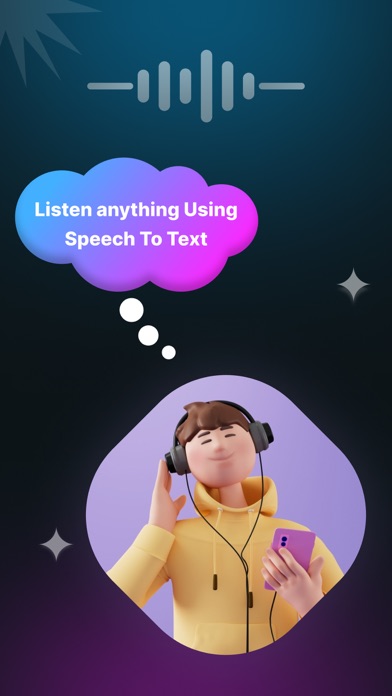



Description by Sagar Rudani Written by the developer, not by AppBrain. Click to read.
Convert voice notes to text with the 'From audio file' feature, or transcribe speech in real-time with the 'From mic' option. OCR reader supports all audio formats and multiple languages, making it simple to share both text files and audio files.
Want to convert your speech to text for writing messages and SMS? Our application offers quick voice typing and easy editing of your transcriptions. Using a Speech to text is convenient not just for writing SMS messages. You can send the transcribed text to any messenger, notes, email, or any other application that supports text input.
Features :
• Super High Accuracy in Converting Voice to Text Transcription.
• Quickly transcribe audio to text in any format with Speech to Text.
• Real-time speech to text conversion.
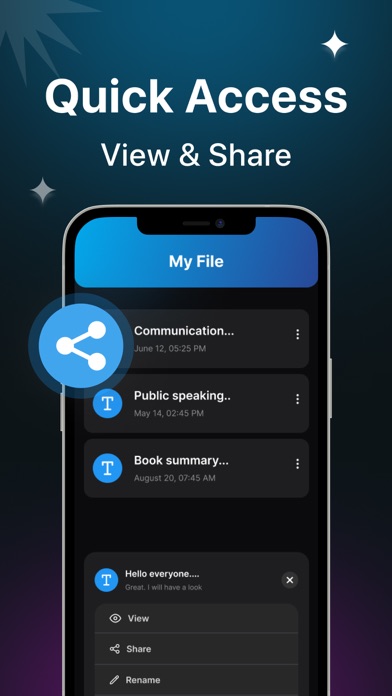
• Effortlessly export, share, and save both audio and text files.
• Simplify taking meeting minutes with our Speech To Text app.
• Experience automatic dictation accuracy comparable to manual transcription.
• Boost productivity at school, work, and in daily life.
• Supports over 100 languages.
• Organize your conversations into app.
• Selecting the font size for the entered text.
Live Transcribe :
• Use your smartphone’s mic to convert voice to text, ensuring you capture every important detail of meetings, lectures, interviews, and more.
• Text appears on your device in real-time as words are spoken.
• Type what you want to say, and let Live Transcribe handle the speech to text conversion.
Voice to Text :
• Supports multiple languages, converting speech from diverse languages into text.
• Easily share converted text across social media platforms.
• No limits on the amount of audio that can be converted to text; use Voice to Text whenever needed.
• Automatically saves converted text within the app for convenient access and viewing anytime.
Scan OCR :
• Image to Audio Capture any image containing text with a single click. Easily synchronize it to your cloud and Speech to Text will read it aloud for you. Whether it's letters from loved ones or any text of any length, turn them into audible notes effortlessly.
Human-like Text to Speech Voices :
• Experience text-to-speech voices that sound remarkably natural and fluid, surpassing other AI readers in realism.
Privacy policy : https://speechtotextprivacypolicy.blogspot.com
Terms of use : https://sites.google.com/view/srappstermsofuse/home