It doesn't have enough ratings yet to judge what users think.
Stop Scrolling is made and published by
Granular Development Limited.
AppBrain is an independent app data site and isn't affiliated with Granular Development Limited.
The app name, icon, screenshots and description belong to Granular Development Limited and are shown as
published on the App Store.
About Stop Scrolling
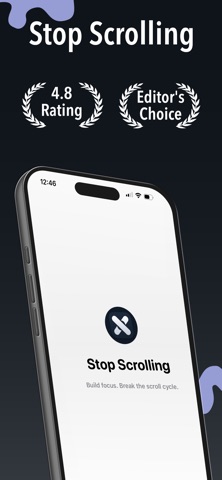
Stop Scrolling is a productivity app developed by Granular Development Limited.
What is the rating of Stop Scrolling?
Stop Scrolling is rated 5.00 out of 5 stars, based on one rating ratings.
Is Stop Scrolling free?
Stop Scrolling is free. The app size is 37.73 MB. The latest version available is 1.11. The last update was on September 22, 2026.
What are the requirements for Stop Scrolling?
The app has a content rating of Everyone. The app has been available on the App Store since April 2026.
Description by Granular Development Limited(from the App Store)
Take back control of your screen time — and help your kids do the same.
Stop Scrolling puts real limits on the apps that eat your day. And now it goes further: you can set your child's daily app limit from your own iPhone.
NEW — PARENTAL CONTROLS
Set up your child's iPhone once, then manage their limits from yours. No more borrowing their phone every time you want to change something.
• Set your child's daily app limit from your own iPhone • Turn website blocking on or off remotely • Lock their settings behind a parent PIN only you know • Link more than one child's phone • Sign in with Apple — your children are still there on any iPhone you sign in to, even after reinstalling
HOW IT WORKS
1. On your child's iPhone, install Stop Scrolling while it's signed in to their Apple Account. Run the child setup: choose which apps to limit, set a daily limit, and create a parent PIN. 2. Their phone shows a 6-digit code. 3. On your iPhone, open More → Parental controls → My children, sign in, and enter that code.
From then on, you change their daily limit from your own phone.
FOR YOUR OWN SCREEN TIME
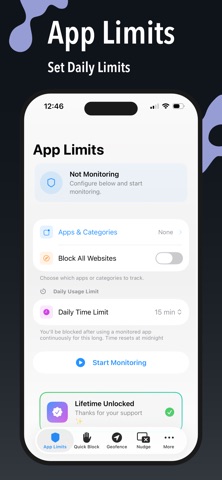
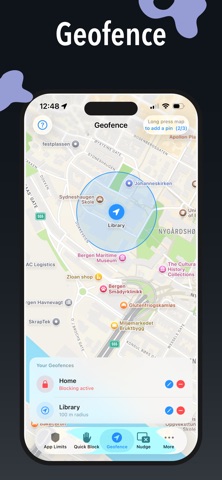
• App Limits — pick the apps that distract you and set a daily time limit • Quick Block — block distracting apps right now, for as long as you choose • Nudge — get intercepted before a distracting app opens • Geofence — block apps automatically when you arrive somewhere • Squat & Push-Up Mode — earn your way back in with real movement • Analytics — see your blocking history and focus streaks
PAY ONCE
Premium unlocks with a single one-time purchase. No subscription, ever.
PARENTAL CONTROLS — WHAT YOU NEED
• Your child's iPhone must be signed in to their own Apple Account, and that account must be a child in your Family Sharing group. • Setup runs on your child's phone and needs Screen Time permission. • Limit changes you make apply on your child's iPhone the next time the app runs there. • Parental controls are part of the one-time Premium unlock.
Stop Scrolling uses Apple's Screen Time (Family Controls) to apply limits. It never sees which apps your child uses or what they do on their phone.
Each subscription will automatically renew 3 days before the expiration date for
the same time period. Subscriptions can be cancelled at any time before the renewal.