

Surface Builder is made and published by 4Pockets.com. AppBrain is an independent app data site and isn't affiliated with 4Pockets.com. The app name, icon, screenshots and description belong to 4Pockets.com and are shown as published on the App Store.
AppBrain's verdict
- Rating on App Store
- 4.67
- 15 ratings
- Last updated
- July 10, 2026
It doesn't have enough ratings yet to judge what users think.
Rankings
App Store top chartsApp Store Rankings for Surface Builder
Competitors
Similar apps and more from 4Pockets.comAlternatives to Surface Builder






More from 4Pockets.com




Releases
Updates seen on the App Store- Version
- 1.23
- Launched
- June 2023
No changelog data
User feedback
Ratings and reviews on the App StoreComments on Surface Builder for iOS
We don't have enough comments to show example comments. Please check back later.
Technology
Found in the app by AppBrain- Price
- $14.99
- App size
- 31.6 MB
- Content rating
- Everyone
Technologies used by Surface Builder
About the app and developer
About Surface Builder
Surface Builder is a music app developed by 4Pockets.com.
User Ratings
Surface Builder is rated 4.67 out of 5 stars. The rating is based on 15 ratings.
App Information
Surface Builder costs $14.99. The app size is 31.60 MB. The latest version available is 1.23. The last update was on July 10, 2026.
Technical Requirements
The app has a content rating of Everyone. The app has been available on the App Store since June 2023.
Developer information for 4Pockets.com
Address:
Frequently asked questions about Surface Builder
Is Surface Builder free?
No. Surface Builder costs $14.99 on the App Store.
Is Surface Builder still available?
Yes. Surface Builder is on the App Store, and the last update we saw was on July 10, 2026.
How large is Surface Builder?
Surface Builder is 31.60 MB.
Is Surface Builder suitable for children?
App Store rates the content of Surface Builder as suitable for everyone.
How do people rate Surface Builder?
Surface Builder scores 4.67 out of 5 stars, from 15 ratings on the App Store.
Who made Surface Builder?
Surface Builder was developed by 4Pockets.com. It is listed in the music category on the App Store.
What are the best alternatives to Surface Builder?
People looking at Surface Builder also look at these music apps: MIDI Messenger, Pure Upright - Virtual Piano, lfoch, Auditor - Audio Editor, Dagger synth.
Store listing
By 4Pockets.com, from the App Store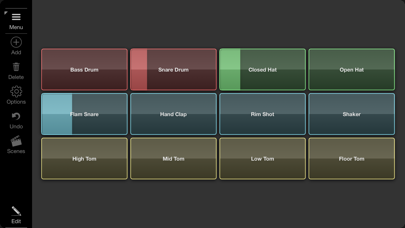

Description by 4Pockets.com Written by the developer, not by AppBrain. Click to read.
Incoming MIDI data can also be used to control or trigger elements of the interface, giving a bi-directional stream of MIDI data. Surface Builder can be added as a pure MIDI plugin which allows processing of MIDI only, or as an instrument plugin, allowing you to process audio passing through it. You can even load it as an intrument and configure a surface to start and stop audio clips either manually or remotely.
Surface Builder was designed to be used as an AUv3 plugin within your favourite DAW, but it can also be used in standalone to send MIDI directly to MIDI hardware using direct access to their MIDI ports.
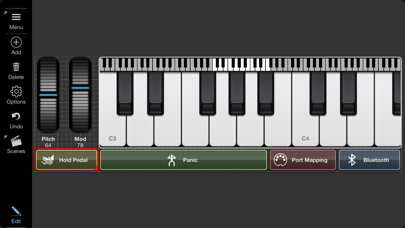
Many different object types are supported including buttons, switches, lights, rotary knobs, faders, sliders, XY-Pad, keyboards, as well as text, image and box objects. Each object has many different styles and colours, so no two surfaces look the same.
Drag and drop an audio file onto a button and that button becomes a clip player. Attach rotary knobs to control the clips volume and pan. Throw on top of that a LP/HP filter knob and you are cooking on gas. Drop PNG transparent image icons on buttons to customise the look and feel.
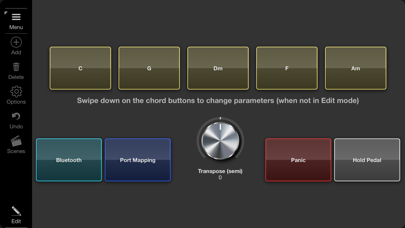
A button can record and playback bulk MIDI commands, on both button press and release. So pressing a button could send the notes of a chord when pressed, and appropriate note offs on release.
A surface can consist of up to 6 scenes for really complex designs. Buttons and switches can be used to switch scenes and also to show and hide other objects to make better use of screen space. Once your surface is complete switch to presentation mode to hide all the toolbars. Each surface can be saved with compressed audio and images all in a single surface file.
Features
○ AUv3 and standalone modes.
○ Bluetooth MIDI support.
○ Drag and Drop interface.
○ Send and Receive Note On/Off.
○ Supports all Control Change parameters.
○ Supports Program Change commands with bank support.
○ Multiple Audio Clip playback.
○ Record and playback bulk midi data.
○ Multi-Scene.
○ Multi-level undo/redo.
○ MIDI Monitor
○ Presentation Mode.
○ iPhone and iPad compatible.