It doesn't have enough ratings yet to judge what users think.
Switch Accessible Puzzles is made and published by
Marblesoft.
AppBrain is an independent app data site and isn't affiliated with Marblesoft.
The app name, icon, screenshots and description belong to Marblesoft and are shown as
published on the App Store.
About Switch Accessible Puzzles
Switch Accessible Puzzles is an education app developed by Marblesoft.
User Ratings
Switch Accessible Puzzles is rated 5.00 out of 5 stars. The rating is based on one rating ratings.
App Information
Switch Accessible Puzzles costs $7.99. The app size is 75.96 MB. The latest version available is 1.2. The last update was on December 16, 2014.
Technical Requirements
The app has a content rating of Everyone. The app has been available on the App Store since October 2012.
Description by Marblesoft(from the App Store)
Switch Accessible Puzzles is an exciting 3D puzzle matching app for ages 2 and up.
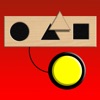
The app is modeled after the popular wooden puzzles with cutouts. The user is presented with a board that can have 2,3,4, or 5 cutouts in it. One at a time, a puzzle piece appears on top of the board and the user must place the piece in the proper cutout. When it is properly placed, a new puzzle piece appears. Once all of the pieces are placed into the correct cutouts, a new puzzle board appears.
Unlike other apps of this type, the puzzle pieces and board are large and the screen is not cluttered with distractions.
Switch Accessible Puzzles was developed by a joint effort of professionals with over 50 years of combined experience in software development for children with various needs.
PUZZLES INCLUDED WITH THE APP
Wooden shapes Food Toys Animals Colors Upper case English alphabet Lower case English alphabet Numbers School Colors & position Matching upper to lower case Letters Photo objects Matching pictures to words
APP FEATURES
Number of Puzzle Pieces: Sets the number of puzzle pieces and cutouts in the puzzle board. Valid settings are 2,3,4,and 5.
Background Music: When set to "ON", background music will play while the puzzle piece is moved around.
Precision Factor: When a puzzle piece is placed, this setting determines how close to the cutout the puzzle piece has to be in order to be considered a correct placement or incorrect placement.
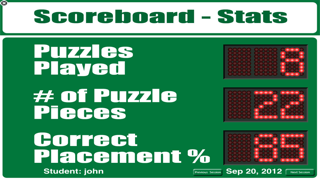
Data: Data is automatically collected and saved for each session.
MOVING THE PUZZLE PIECES
Auto Scan & Scan Seconds Interval: This setting is used for 1 switch access or one press anywhere on the screen. In this mode, the puzzle piece will appear over a cutout and remain there for the number of seconds specified in the scan seconds interval setting before moving to the next cutout. If the switch is pressed while over a cutout, the piece will descend to the cutout and determine if it fits. If it fits, a voice will announce that it is correct and a new puzzle piece will appear. If it doesn't fit, a voice will announce that it doesn't fit and the piece will move back up and continue to the next cutout.
Step Scanning: This setting is used for 2 switch access. The behavior for Step Scanning is the same as Auto Scanning except one switch is used to move the puzzle piece from one cutout to the next and the second switch is used to select the puzzle piece to see if it fits.
Direct Selection Either drag and drop the puzzle piece to the cutout on the board or just touch the cutout on the board and the puzzle piece will move to it. You can use direct selection with switches by setting up the first switch to have the puzzle piece go to the first cutout when pressed, the second switch moves the puzzle piece to the second cutout and so on.
SWITCH ADAPTERS
Switch Accessible Puzzles has been tested and will work with the AbleNet Blue2 Bluetooth Switch, Pretorian Technologies interfaces, and RJ Cooper Bluetooth Switch Interface. The App will also work with a Bluetooth wireless keyboard.
Each subscription will automatically renew 3 days before the expiration date for
the same time period. Subscriptions can be cancelled at any time before the renewal.