

Veedify: Auto Compress Video
Veedify: Auto Compress Video is made and published by TOKYOBAY K.K. AppBrain is an independent app data site and isn't affiliated with TOKYOBAY K.K. The app name, icon, screenshots and description belong to TOKYOBAY K.K. and are shown as published on the App Store.
AppBrain's verdict
- Last updated
- July 17, 2021
Rankings
App Store top chartsApp Store Rankings for Veedify: Auto Compress Video
Competitors
Similar apps and more from TOKYOBAY K.K.Alternatives to Veedify: Auto Compress Video








More from TOKYOBAY K.K.




Releases
Updates seen on the App Store- Version
- 1.1
- Launched
- July 2021
No changelog data
User feedback
Ratings and reviews on the App StoreComments on Veedify: Auto Compress Video for iOS
We don't have enough comments to show example comments. Please check back later.
Technology
Found in the app by AppBrain- Price
- Free
- App size
- 20.6 MB
- Content rating
- Everyone
Technologies used by Veedify: Auto Compress Video
About the app and developer
About Veedify: Auto Compress Video
Veedify: Auto Compress Video is an utilities app developed by TOKYOBAY K.K.
What is the rating of Veedify: Auto Compress Video?
Veedify: Auto Compress Video has no ratings yet.
Is Veedify: Auto Compress Video free?
Veedify: Auto Compress Video is free. The app size is 20.61 MB. The latest version available is 1.1. The last update was on July 17, 2021.
What are the requirements for Veedify: Auto Compress Video?
The app has a content rating of Everyone. The app has been available on the App Store since July 2021.
Developer information for TOKYOBAY K.K.
Address:
Frequently asked questions about Veedify: Auto Compress Video
Is Veedify: Auto Compress Video free?
Yes. Veedify: Auto Compress Video is free on the App Store.
Is Veedify: Auto Compress Video still available?
Yes. Veedify: Auto Compress Video is on the App Store, and the last update we saw was on July 17, 2021.
How large is Veedify: Auto Compress Video?
Veedify: Auto Compress Video is 20.61 MB.
Is Veedify: Auto Compress Video suitable for children?
App Store rates the content of Veedify: Auto Compress Video as suitable for everyone.
Who made Veedify: Auto Compress Video?
Veedify: Auto Compress Video was developed by TOKYOBAY K.K. It is listed in the utilities category on the App Store.
What are the best alternatives to Veedify: Auto Compress Video?
People looking at Veedify: Auto Compress Video also look at these utilities apps: Customize Search Engine, FileConvert.xyz, Grazing 3, Compress video -compress image, Fix It Edmonds.
Store listing
By TOKYOBAY K.K., from the App Store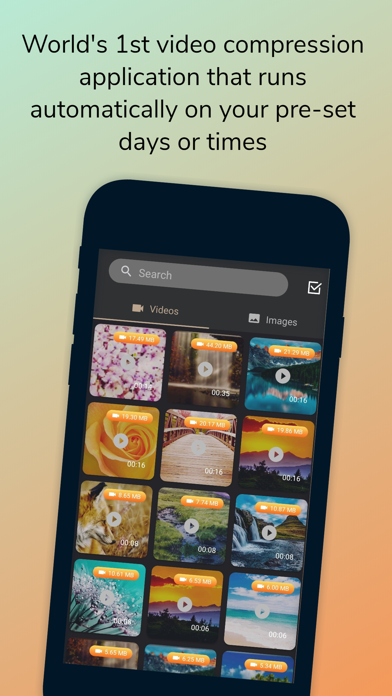
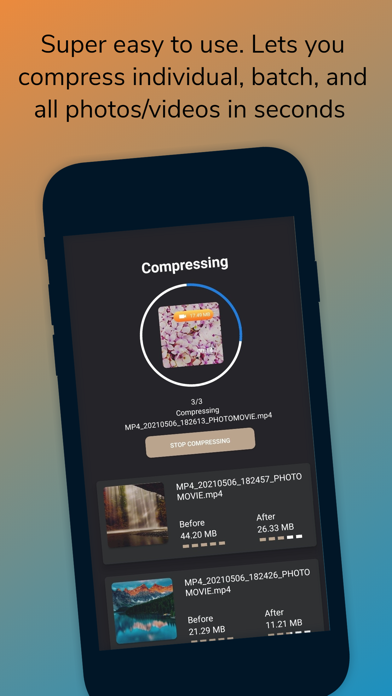
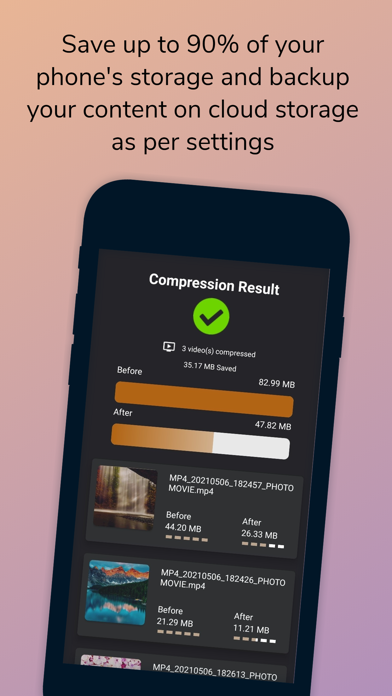


Description by TOKYOBAY K.K. Written by the developer, not by AppBrain. Click to read.
Handling or managing Laptop/Mobile storage is quite a challenging task, especially when you are short on time and storage both. Veedify has come up with an effective solution to this problem. Veedify can compress your images and videos without affecting their quality.
You can also use our Veedify web application that has similar features as our mobile application. You just need to scan the QR code through our mobile application to enjoy the premium subscription. Subscribe to any of the packages varying from 3 months to lifetime subscriptions according to your needs.
How to use:
Select your desired photos and videos that are present in your internal storage and slide the compress bar to perform the action. The best part is that you can compress your images and videos automatically as well by choosing the desired time. For compressing more than five items, you need to subscribe to our premium features which are extremely affordable.
Features:
Veedify recreates great quality in your images and videos with the smallest file size possible.
Veedify saves the compressed images and videos to their desired folders.
You can share the compressed images and videos with your friends and family.
Supported image formats:
PNG, JPG, JPEG, BMP, WEBP, HEIC.
Supported video formats:
MP4, M4V, MKV.
Support us:
You can email us to give your valuable feedback and suggestions as we are always open to them. Please rate our app. If you like it, do share it with your friends and family.
Privacy Policy
https://veedify.com/privacy
Terms of Use
https://veedify.com/TermOfUse