WifiLink: Share WiFi is an utilities app developed by TOKYOBAY K.K.
What is the rating of WifiLink: Share WiFi?
WifiLink: Share WiFi is rated 3.20 out of 5 stars, based on 25 ratings.
Is WifiLink: Share WiFi free?
WifiLink: Share WiFi is free. The app size is 35.29 MB. The latest version available is 3.0. The last update was on April 14, 2025.
What are the requirements for WifiLink: Share WiFi?
The app has a content rating of Everyone. The app has been available on the App Store since May 2020.
Description by TOKYOBAY K.K.(from the App Store)
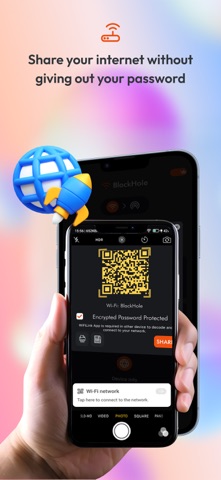
Need to share your Internet? Don’t give out your password. Simply scan the QR code from this app and let others connect to your Internet without the password!
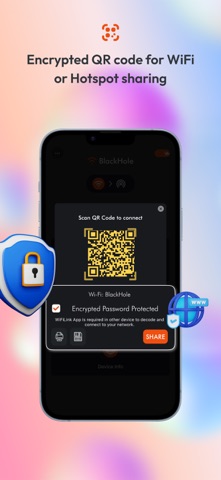
WiFiLink is the first app to offer encrypted QR codes for sharing Internet connections. It lets you easily share your Wi-Fi or hotspot connection without giving out your password! The connection can be shared by scanning the QR code.
The QR code is encrypted so that only the app can decode it. No other third-party scanner can intercept or reveal your password. This is especially great for business owners, offices, restaurants, coffee shops, and other venues that offer Wi-Fi. Visitors can simply scan the QR code placed out by the business to connect to the Wi-Fi.
WiFiLink is a better, smarter, and simpler way to connect and share. Whether you have a business or are just someone who wants to share the connection with those around you, this is a must-have service.
How WiFiLink Works: When you connect to Wi-Fi or a mobile hotspot for the first time, you just add a password, and you are ready to share your connection with others. 1. Add a password for the connected Wi-Fi or mobile hotspot (first time only). 2. Click on the QR code. In order for others to decode the QR code encryption and connect to your Internet without revealing your password, a WiFiLink App is required on both phones.
App Features WiFiLink is the most secure and easy-to-use app, packed with the best features to help you share your Internet connection. Features of the app that make it most useful include: • Encrypted QR code Share your Wi-Fi or mobile hotspot with a friend or colleague using the QR code. Simply let them scan the QR code, and they can connect to your Internet without your password.
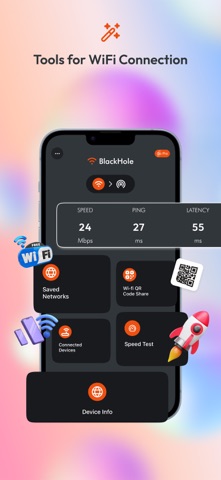
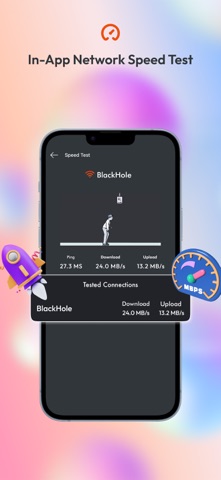
• Speedtest Check the speed of connected Internet with a finger tap without needing to exit the app!
• Save or print QR code Save or print QR code label for your Wi-Fi and display in your business premises, restaurant, hotel, or even at home.
WiFiLink is the most useful app to share your Wi-Fi or mobile hotspot. Download the app and stop giving out your password. ONLY with WiFiLink!
Support Us Our app is constantly undergoing improvement. If you have any feedback for us to improve, please send us an email with your feedback or suggestions. If you like our app, please rate us on the App Store and share it with your friends.
Information about the auto-renewable nature of the Premium Subscription
- You can enjoy No Ads experience with month subscriptions. - Payment will be charged at confirmation of purchase - Subscription automatically renews unless auto-renew is turned off at least 24-hours before the end of the current period
- Privacy Policy https://mywifilink.com/privacy.aspx - Term of use https://mywifilink.com/privacy.aspx -You can cancel your subscription via this URL https://support.apple.com/en-us/HT202039
Each subscription will automatically renew 3 days before the expiration date for
the same time period. Subscriptions can be cancelled at any time before the renewal.