

Video Collage: Grid Maker
Video Collage: Grid Maker is made and published by Ihar Shaduryn. AppBrain is an independent app data site and isn't affiliated with Ihar Shaduryn. The app name, icon, screenshots and description belong to Ihar Shaduryn and are shown as published on the App Store.
AppBrain's verdict
- Last updated
- August 18, 2026
Rankings
App Store top chartsApp Store Rankings for Video Collage: Grid Maker
Competitors
Similar apps and more from Ihar ShadurynAlternatives to Video Collage: Grid Maker


More from Ihar Shaduryn


Releases
Updates seen on the App Store- Version
- 1.0
- Launched
- August 2026
No changelog data
User feedback
Ratings and reviews on the App StoreComments on Video Collage: Grid Maker for iOS
We don't have enough comments to show example comments. Please check back later.
Technology
Found in the app by AppBrain- Price
- Free
- App size
- 14.6 MB
- Content rating
- Everyone
Technologies used by Video Collage: Grid Maker
About the app and developer
About Video Collage: Grid Maker
Video Collage: Grid Maker is a photo & video app developed by Ihar Shaduryn.
User Ratings
The app has no ratings yet.
App Information
Video Collage: Grid Maker is freely available from the App Store. The app size is 14.56 MB. The latest version available is 1.0. The last update was on August 18, 2026.
Technical Requirements
The app has a content rating of Everyone. The app has been available on the App Store since August 2026.
Developer information for Ihar Shaduryn
Address:
Store listing
By Ihar Shaduryn, from the App Store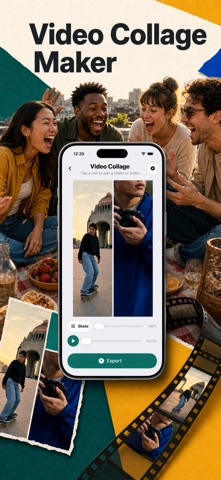


Description by Ihar Shaduryn Written by the developer, not by AppBrain. Click to read.
Start with a layout that suits the moment. Use Two Columns for a simple side-by-side view, Two Rows for a horizontal split, Four Squares for an even grid, or Picture in Picture when one clip should remain the focus. You can also choose Five Moments, Three Story, Hero + Two, or Adaptive Grid. The layout picker shows how each composition is arranged before you use it, so you can select the structure that fits the media you have.
Build the collage slot by slot. Import a video or photo from your library, or bring in a compatible file from Files. Replace a source when you change your mind, clear a single slot without losing the rest of the collage, mute an individual video, and choose where a clip begins. For each item, position the visible crop so important subjects stay in frame. Portrait media supports top, center, and bottom placement; landscape media supports left, center, and right placement. The same crop choice is used for preview and export.
Make the output yours. Select square, portrait, landscape, or 9:16 story dimensions. Choose whether the collage follows the shortest clip, the longest clip, or a fixed duration. Set the spacing between frames, choose a background, and export as MP4 or MOV. The app uses the selected aspect ratio for the canvas, so the layout you preview reflects the frame you are making.
Need a structure that is not in the built-in list? Create and save your own layout. Add between two and six frames, move and resize them independently, give the layout a name, and reuse it later. Your saved layouts stay available in My Layouts and work through the same preview and export flow as the built-in options. You can edit a saved layout or delete it when it is no longer useful.
Preview before export. The editor gives you a direct view of the active composition and lets you inspect the video timing as you work. When the collage is ready, export it on your device. You can cancel an export while keeping your edits, then try again. After export, play the finished video, scrub through it, review its duration and file size, save it to Photos, or send it using the share sheet. Photo-only collages can be saved as a finished image.
Video Collage is designed to stay focused. There are no accounts, ads, analytics, or cloud editing. Processing happens locally on your device. Three successful video exports are free in total; failed or canceled attempts do not use the allowance. A yearly Video Collage Plus subscription unlocks unlimited exports. The app requests Photos access only when you select media or save a result.
Use Video Collage for a before-and-after, a family moment, a travel recap, a side-by-side comparison, or any collection of clips that works better together than alone. Begin with the layout, add your media, choose the frame and duration, then make one clear result from the moments you want to keep.
Keep the process simple from start to finish. The welcome demo shows how clips become one composition. Settings collect language, aspect ratio, duration, spacing, background, source, and format. Reset restores defaults, while confirmations protect your edits.
Arrange your media, set the output, and make one clear result you control.
Additional information
- Three successful video exports are free in total. A yearly Video Collage Plus subscription unlocks unlimited exports.
- The yearly subscription renews automatically unless canceled at least 24 hours before the end of the current period. Payment is charged to your Apple ID.
- Video Collage processes the media you select locally on your device; it does not provide a cloud editing service.
Terms of Use (EULA): https://www.apple.com/legal/internet-services/itunes/dev/stdeula/
Privacy Policy: https://yumcut.com/mobile/privacy