

Video Compressor: Resize Crop
Video Compressor: Resize Crop is made and published by Ha Do Thi Thu. AppBrain is an independent app data site and isn't affiliated with Ha Do Thi Thu. The app name, icon, screenshots and description belong to Ha Do Thi Thu and are shown as published on the App Store.
AppBrain's verdict
- Last updated
- July 24, 2026
Rankings
App Store top chartsApp Store Rankings for Video Compressor: Resize Crop
Competitors
Similar apps and more from Ha Do Thi ThuAlternatives to Video Compressor: Resize Crop


More from Ha Do Thi Thu







Releases
Updates seen on the App Store- Version
- 1.0.2
- Launched
- June 2026
No changelog data
User feedback
Ratings and reviews on the App StoreComments on Video Compressor: Resize Crop for iOS
We don't have enough comments to show example comments. Please check back later.
Technology
Found in the app by AppBrain- Price
- Free
- App size
- 6.96 MB
- Content rating
- Everyone
Technologies used by Video Compressor: Resize Crop
About the app and developer
About Video Compressor: Resize Crop
Video Compressor: Resize Crop is a photo & video app developed by Ha Do Thi Thu.
User Ratings
The app has no ratings yet.
App Information
Video Compressor: Resize Crop is freely available from the App Store. The app size is 6.96 MB. The latest version available is 1.0.2. The last update was on July 24, 2026.
Technical Requirements
The app has a content rating of Everyone. The app has been available on the App Store since June 2026.
Developer information for Ha Do Thi Thu
Address:
Frequently asked questions about Video Compressor: Resize Crop
Is Video Compressor: Resize Crop free?
Yes. Video Compressor: Resize Crop is free on the App Store.
Is Video Compressor: Resize Crop still available?
Yes. Video Compressor: Resize Crop is on the App Store, and the last update we saw was on July 24, 2026.
How large is Video Compressor: Resize Crop?
Video Compressor: Resize Crop is 6.96 MB.
Is Video Compressor: Resize Crop suitable for children?
App Store rates the content of Video Compressor: Resize Crop as suitable for everyone.
Who made Video Compressor: Resize Crop?
Video Compressor: Resize Crop was developed by Ha Do Thi Thu. It is listed in the photo & video category on the App Store.
What are the best alternatives to Video Compressor: Resize Crop?
People looking at Video Compressor: Resize Crop also look at these photo & video apps: Video Resizer : Resize, Video Framer - Add Borders, Video Compressor - ViiDeo, FFhub: Video Compressor, BOKKI Encoder.
Store listing
By Ha Do Thi Thu, from the App Store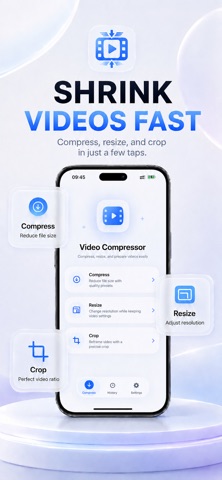


Description by Ha Do Thi Thu Written by the developer, not by AppBrain. Click to read.
Video Compressor makes it easy to compress, resize, and crop videos on your iPhone or iPad. Reduce video file size, save storage space, change resolution, or adjust the frame for easier sharing.
COMPRESS VIDEOS
Shrink large video files with simple compression controls. Choose the balance between smaller file size and visual quality that works best for you.
Use Video Compressor to:
• Reduce large video file sizes
• Save storage space on your device
• Prepare smaller videos for email and messaging
• Make videos faster and easier to share
• Keep your original video unchanged
RESIZE VIDEO
Change video resolution to reduce file size or create an output better suited to your needs. Resize large videos without using a complicated editing timeline.
CROP VIDEO
Crop videos and adjust the visible frame for different layouts, including:
• Portrait video
• Square video
• Landscape video
• Stories and reels
• Social media posts
• Custom aspect ratios
SIMPLE AND EASY TO USE
Select a video, choose the tool you need, configure the output, and export. Clear controls make video compression, resizing, and cropping accessible without complicated editing settings.
SUPPORTED TOOLS
• Video compressor
• Video size reducer
• Video resizer
• Video cropper
• Resolution adjustment
• Quality adjustment
• File size reduction
• MP4 and MOV processing
• H.264 and HEVC support
PRIVATE, ON-DEVICE PROCESSING
Your videos are processed directly on your device. No account is required, and your video files are not uploaded for compression.
SAVE SPACE. SHARE FASTER.
Whether you need to compress a large video, reduce video size, resize a clip, or crop a video to a different aspect ratio, Video Compressor gives you the essential tools in one simple app.
Download Video Compressor and take control of your video file sizes.