

VirtualTablet: Bluetooth
VirtualTablet: Bluetooth is made and published by Eunjin Joo. AppBrain is an independent app data site and isn't affiliated with Eunjin Joo. The app name, icon, screenshots and description belong to Eunjin Joo and are shown as published on the App Store.
AppBrain's verdict
- Rating on App Store
- 2.25
- 8 ratings
- Last updated
- September 11, 2026
- Size
- 87.8 MB
It doesn't have enough ratings yet to judge what users think.
User feedback
Ratings and reviews on the App StoreComments on VirtualTablet: Bluetooth for iOS
We don't have enough comments to show example comments. Please check back later.
Store listing
By Eunjin Joo, from the App Store
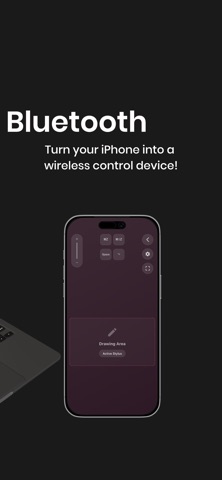
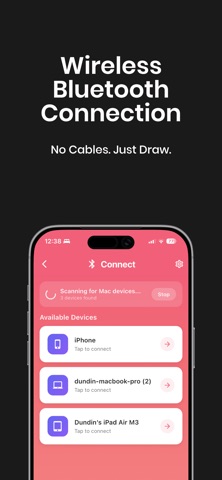


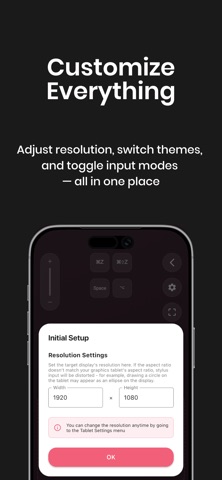
Description by Eunjin Joo Written by the developer, not by AppBrain. Click to read.
Draw, write, and control your PC with Apple Pencil—just like a professional graphic tablet.
VirtualTablet lets you use your iOS device as a high-precision input tablet for desktop apps. It’s perfect for digital artists, osu players, and anyone who needs accurate cursor control without buying expensive hardware.
WHAT YOU CAN DO
• Draw directly into desktop creative apps
• Control your computer cursor with Apple Pencil or touch
• Annotate PDFs, slides, and documents for teaching or presentations
• Play rhythm games like osu with precise, low-latency input
-------
CHOOSE YOUR SETUP: SCREEN MAPPING OR MOUSE MODE
VirtualTablet lets you decide how your cursor moves on your device.
• Screen Mapping (Absolute Positioning)
Your iPad maps directly to your computer display, similar to a traditional pen tablet. Ideal for artists and osu players.
• Mouse Mode (Relative Positioning)
Use your iPad like a large trackpad. Cursor movement follows your hand regardless of position.
-------
APPLE PENCIL SUPPORT
• Pressure and tilt sensitivity
• Double-tap gesture support
• Hover cursor control on supported Apple Pencil models
Finger or passive stylus input is supported with basic functionality.
-------
WORKS WITH YOUR FAVORITE APPS
Compatible with popular desktop software such as Photoshop, Affinity, Krita, Clip Studio, Illustrator, and more.
-------
GETTING STARTED WITH VIRTUALTABLET
• Download VirtualTablet on your iPhone or iPad
• On macOS, download the companion agent from https://www.sunnysidesoft.com/virtualtablet-bluetooth/download
• No extra agent required for Windows and Linux.
• Launch the app and follow the on-screen instructions
• Connect your device via Bluetooth
• Use Apple Pencil or touch to control your computer
Need help? Visit our website or contact support from the app.
https://www.sunnysidesoft.com/support/
-------
Stop paying for expensive drawing tablets.
Use the device you already own—download VirtualTablet and start creating.
HELP
• Support page: https://www.sunnysidesoft.com/support/
• Email us: support@sunnysidesoft.com
• Terms of Use (EULA): https://www.apple.com/legal/internet-services/itunes/dev/stdeula/
Safety and technology
Found in the app by AppBrain- Price
- Free
- App size
- 87.8 MB
- Content rating
- Everyone
Technologies used by VirtualTablet: Bluetooth
Releases
Updates seen on the App Store- Version
- 1.16.3
- Launched
- March 2026
No changelog data
Alternatives
Similar apps and more from Eunjin Joo


Rankings
App Store top chartsApp Store Rankings for VirtualTablet: Bluetooth
About the app and developer
About VirtualTablet: Bluetooth
VirtualTablet: Bluetooth is a graphics & design app developed by Eunjin Joo.
User Ratings
VirtualTablet: Bluetooth is rated 2.25 out of 5 stars. The rating is based on 8 ratings.
App Information
VirtualTablet: Bluetooth is freely available from the App Store. The app size is 87.80 MB. The latest version available is 1.16.3. The last update was on September 11, 2026.
Technical Requirements
The app has a content rating of Everyone. The app has been available on the App Store since March 2026.
Developer information for Eunjin Joo
Address: