






AppBrain's verdict
- Rating on App Store
- 5.00
- 1 ratings
- Last updated
- June 27, 2024
- Size
- 119.8 MB
It doesn't have enough ratings yet to judge what users think.
User feedback
Ratings and reviews on the App StoreComments on Holo.Draw Lite for iOS
We don't have enough comments to show example comments. Please check back later.
Store listing
By P&D Capital OU, from the App StoreDescription by P&D Capital OU Written by the developer, not by AppBrain. Click to read.
Whether you're a developer, analyst, tech writer, artist, educator, presenter or content creator – Holo.Draw elevates your work experience to the next level.
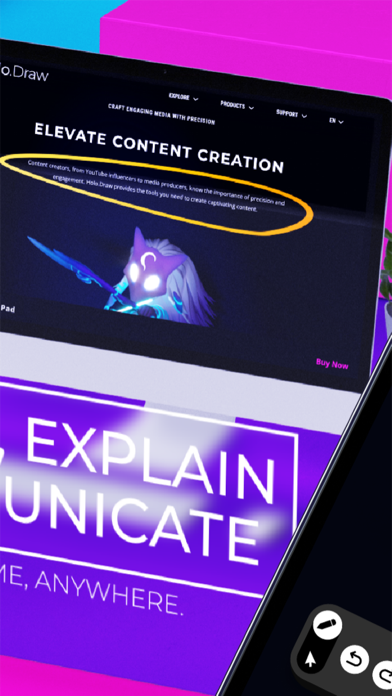
Imagine presenting a complex business strategy in a Zoom call. Start Holo.Draw, share your screen and start annotating and highlighting valuable facts on your laptop screen, making presentations dynamic and engaging.
Collaborate Anywhere: Adaptable for home offices or collaboration across continents, Holo.Draw fits your needs.
Picture app developers having a crucial call in Teams. Actively discuss a part of the codebase causing a bug. One developer connects Holo.Draw, illustrating ideas and solutions visually for more effective discussions.
Interactive Learning: Revolutionize teaching with interactive tools. Share screens, annotate presentations, and create engaging lessons.
Create a dynamic classroom experience by connecting your laptop to a projector and activating Holo.Draw. Explain topics with additional highlighting and annotations directly on top of slides for an interactive and enjoyable learning experience.
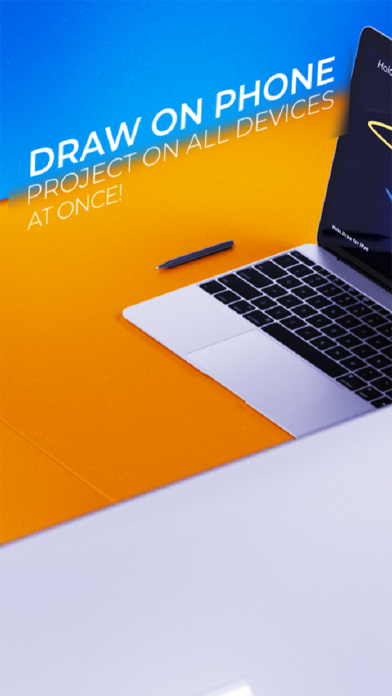
Effortless Connectivity: Seamlessly link your iPhone or iPad to Mac or PC for a world of collaborative possibilities.
Versatile Compatibility: Compatible with both PC and Mac, ensuring flexibility in your collaborative endeavors.
Remote Control at Your Fingertips: Connect your iPhone or iPad to any Mac or PC, perfect for presentations, remote video playback, or switching between applications.
Customizable Settings: Tailor your creative process with customizable settings for brush, annotations, and more. Your creative journey, your way.
User-Friendly Interface: Designed with Apple Pencil in mind, the intuitive interface ensures a smooth and responsive experience.
Experience the Future of Collaboration – Get Holo.Draw Now!
Safety and technology
Found in the app by AppBrain- Price
- Free
- App size
- 119.8 MB
- Content rating
- Everyone
Technologies used by Holo.Draw Lite
Releases
Updates seen on the App Store- Version
- 2024.6.21
- Launched
- January 2024
No changelog data
Alternatives
Similar apps and more from P&D Capital OUAlternatives to Holo.Draw Lite





More from P&D Capital OU


Rankings
App Store top chartsApp Store Rankings for Holo.Draw Lite
About the app and developer
About Holo.Draw Lite
Holo.Draw Lite is a graphics & design app developed by P&D Capital OU.
User Ratings
Holo.Draw Lite is rated 5.00 out of 5 stars. The rating is based on one rating ratings.
App Information
Holo.Draw Lite is freely available from the App Store. The app size is 119.77 MB. The latest version available is 2024.6.21. The last update was on June 27, 2024.
Technical Requirements
The app has a content rating of Everyone. The app has been available on the App Store since January 2024.
Holo.Draw Lite is made and published by P&D Capital OU. AppBrain is an independent app data site and isn't affiliated with P&D Capital OU. The app name, icon, screenshots and description belong to P&D Capital OU and are shown as published on the App Store.
Developer information for P&D Capital OU
Address: