

VivaCut - AI Video Editor
VivaCut - AI Video Editor is made and published by Hangzhou Quwei Technology Co., Ltd. AppBrain is an independent app data site and isn't affiliated with Hangzhou Quwei Technology Co., Ltd. The app name, icon, screenshots and description belong to Hangzhou Quwei Technology Co., Ltd and are shown as published on the App Store.
AppBrain's verdict
EstablishedLoved by users- Rating on App Store
- 4.54
- 222,437 ratings
- Last updated
- June 11, 2026
- Size
- 318.7 MB
Users love it: 4.5 stars from 222,437 ratings. Its best ranking is #45 in Top Free, Photo & Video in Saudi Arabia.
User feedback
Ratings and reviews on the App StoreComments on VivaCut - AI Video Editor for iOS
We don't have enough comments to show example comments. Please check back later.
Store listing
By Hangzhou Quwei Technology Co., Ltd, from the App Store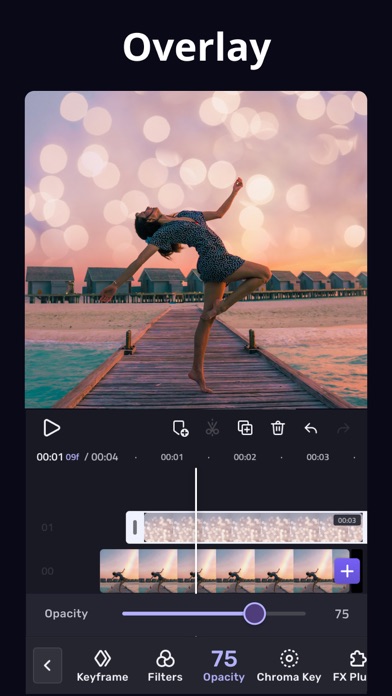
Description by Hangzhou Quwei Technology Co., Ltd Written by the developer, not by AppBrain. Click to read.
* Powerful Video Editing App
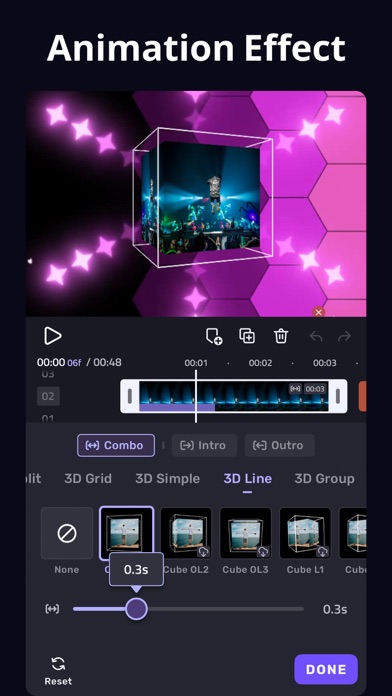
[Cool Transition] Create amazing with cinematic overlay video editor with transition effects in VivaCut
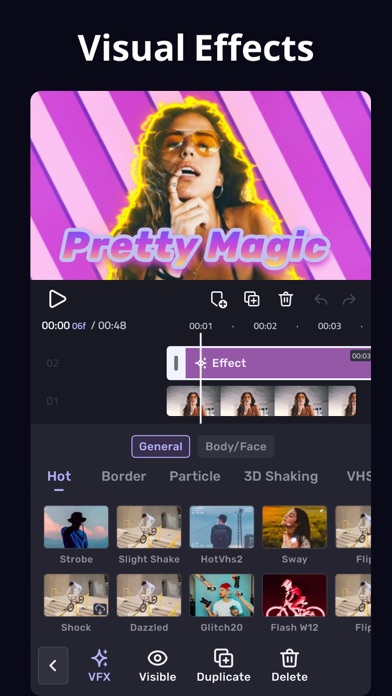
[visual effects] VHS, RGB, Trippy, Glitch, GB, Grainy, Fisheye
[Music Marker] Mark the track and add effects according to the music rhythm.
[Audio Extraction] Aesthetic video editor with transition effects, extract music from any video
* Video Editor with All Features
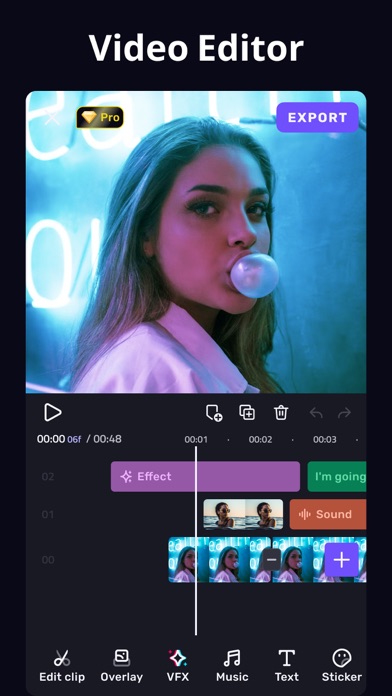
[Multi-layer timeline] An intuitive and sleek editing interface with zoom for frame by frame precision with overlay video editor app
[Video Transition] Create amazing with cinematic overlay video editor with transition effects in VivaCut
[Video Adjustment] Control Brightness, contrast, saturation, hue, color temperature, vignetting and enhance video quality
[Music] Add music to video free and use overlay video editor with transitions for it
[Glitch Effects] Coolest video editing app with glitch effects and transitions!
* Video Clip Editing
[Trim and cut videos] Professional tools developed for precise Video Editing App
[Splice videos] Split videos and optimize for sharing on your stories
[Combine video clips] Merge clips into a stunning video with transitions effects, combine video clips into one video
[Speed Control] Fast & slow motion alight your video like the best video editor with all features, only with VivaCut Video!
* Advanced Tools
[Picture in Picture] Combine clips together to create double exposures and eye-catching YouTube videos with transitions for free.
[Collage] Add pictures to your clips and edit videos that will go viral with VivaCut!
[Overlay options] Customize layers with tools such as opacity and blending
[Blend videos] Mix videos to try out powerful blending modes such as Color Burn, Multiply, Screen, Soft Light, Hard Light and many more.
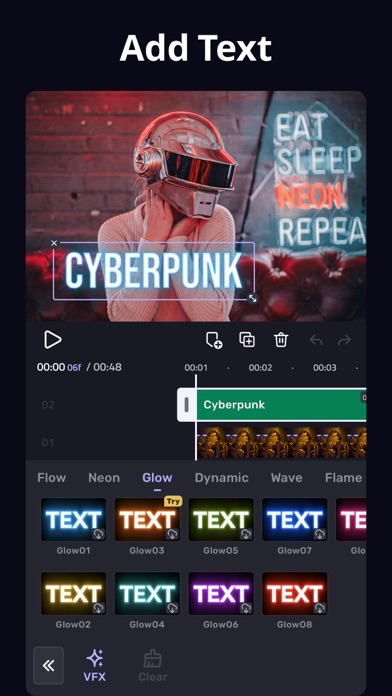
[Animated text] A simple and fast tool for as a better multi layer video editor for youtube.
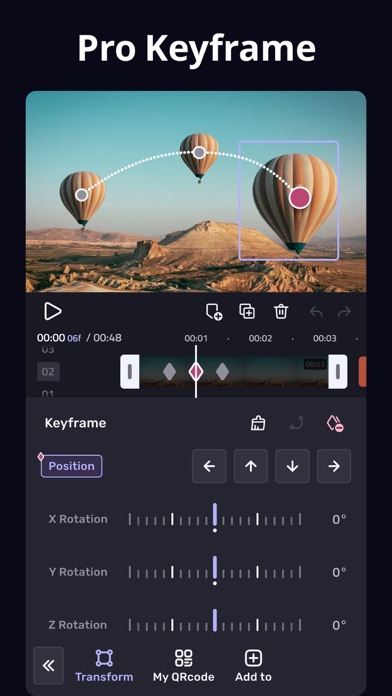
[Keyframe Animation] Apply to Mask, Video Collage, Text, Stickers, Emoji, etc. Pro aesthetic video editor app.
[Mask] Linear, mirror, radial, rectangle and oval, all for the scene. Full screen video editor for youtube.
[Undo & Redo] Back to any step that you took!
* Save and Share
[Custom video resolution] Export your videos in 1080p and 4K quality.
[Rename] Rename your work and mark your memory with PRO aesthetic video editor lifetime.
Viva Cut is a video editor with all features you need! It is a pro video editor with music just for cool transitions, VFX, Glitch effects, cutting, trimming and splitting videos. You may also use its multi-layer timeline to create beautiful video collages for social media.
VivaCut Subscription:
- You can subscribe for unlimited access to all features and content offered for purchase within VivaCut.
- Subscriptions are billed monthly or annually at the rate selected depending on the subscription plan.
- Payments will be charged to iTunes Account at the point of purchase confirmation. Subscriptions automatically renew unless auto-renew is turned off at least 24 hours before the end of the current period. Your account will be charged for renewal within 24 hours prior to the end of the current period, and you will be charged according to your payment plan selection. Subscriptions may be managed by the user and auto-renewal may be turned off by going to the user's Account Settings after purchase. Any unused portion of a free trial period will be annulled when the user purchases a subscription to that publication.
Terms of Use: https://rc.vccresource.com/web/h5template/d9777a66-f606-448d-ba2b-a521aa4b025e-language=en/dist/index.html
Privacy: https://rc.vccresource.com/web/h5template/282b7828-8d0b-43fc-b4a0-95d65e5e146b-language=en/dist/index.html
Acknowledgements:
Music by audionautix.com and https://icons8.com/music/
Safety and technology
Found in the app by AppBrain- Price
- Free
- App size
- 318.7 MB
- Content rating
- Low
Technologies used by VivaCut - AI Video Editor
Releases
Updates seen on the App Store- Version
- 4.6.0
- Launched
- November 2019
No changelog data
Alternatives
Similar apps and more from Hangzhou Quwei Technology Co., LtdAlternatives to VivaCut - AI Video Editor


Rankings
App Store top charts- Highest rank
- #45
- Chart
- Top Free
- Photo & Video
- Country
- Saudi Arabia
App Store Rankings for VivaCut - AI Video Editor
Top rankings
| Rank | Country | Category | List |
|---|---|---|---|
| 45 | Saudi Arabia | Photo & Video | Top Free |
| 49 | Saudi Arabia | Photo & Video | Top Grossing |
Ranking history in Saudi Arabia
About the app and developer
About VivaCut - AI Video Editor
VivaCut - AI Video Editor is a photo & video app developed by Hangzhou Quwei Technology Co., Ltd.
User Ratings
VivaCut - AI Video Editor is rated 4.54 out of 5 stars. The rating is based on 220 thousand ratings.
App Information
VivaCut - AI Video Editor is freely available from the App Store. The app size is 318.73 MB. The latest version available is 4.6.0. The last update was on June 11, 2026.
Technical Requirements
The app has a content rating of Low Maturity. The app has been available on the App Store since November 2019.
Developer information for Hangzhou Quwei Technology Co., Ltd
Hangzhou Quwei Technology Co., Ltd
Address:
Frequently asked questions about VivaCut - AI Video Editor
Is VivaCut - AI Video Editor free?
Yes. VivaCut - AI Video Editor is free on the App Store.
Is VivaCut - AI Video Editor still available?
Yes. VivaCut - AI Video Editor is on the App Store, and the last update we saw was on June 11, 2026.
How large is VivaCut - AI Video Editor?
VivaCut - AI Video Editor is 318.73 MB.
Is VivaCut - AI Video Editor suitable for children?
App Store gives VivaCut - AI Video Editor a low maturity rating, so it is meant for older children and up.
How do people rate VivaCut - AI Video Editor?
VivaCut - AI Video Editor scores 4.54 out of 5 stars, from 222,437 ratings on the App Store.
Who made VivaCut - AI Video Editor?
VivaCut - AI Video Editor was developed by Hangzhou Quwei Technology Co., Ltd. It is listed in the photo & video category on the App Store.
What are the best alternatives to VivaCut - AI Video Editor?
People looking at VivaCut - AI Video Editor also look at these photo & video apps: Collage Maker Grid Layout, Alight Motion, Andalusi AI Design Photo Video, MovStash - Blur Video Editor, VideoShow AI Video Editor.