


AppBrain's verdict
- Rating on App Store
- 1.00
- 1 ratings
- Last updated
- January 14, 2026
- Size
- 13.8 MB
It doesn't have enough ratings yet to judge what users think.
User feedback
Ratings and reviews on the App StoreComments on Watch Accuracy Checker for iOS
We don't have enough comments to show example comments. Please check back later.
Store listing
By Cogniter Technologies Pvt Ltd, from the App StoreDescription by Cogniter Technologies Pvt Ltd Written by the developer, not by AppBrain. Click to read.
Features of the app:
- Take a snap and add a watch you want to check for accuracy.
- Edit Watch if needed.
- No restrictions on number of watches that can be added and tracked.
- Check accuracy of your watch in against current global time.
- Start and Stop timer as per your requirement.
- Timer runs in foreground and background as well.
- Ability to run tracker for multiple watches.
- Ability to reset the timer in case it is needed.
- Screenshot is captured when timer is stopped which makes it easy to
compare seconds lost or gained.
- History of tracking is maintained in the app.
- Time elapsed along with time stamp is shown in tracking history.
- Notifications to the user about running tracker so user knows how long
tracker has been on.
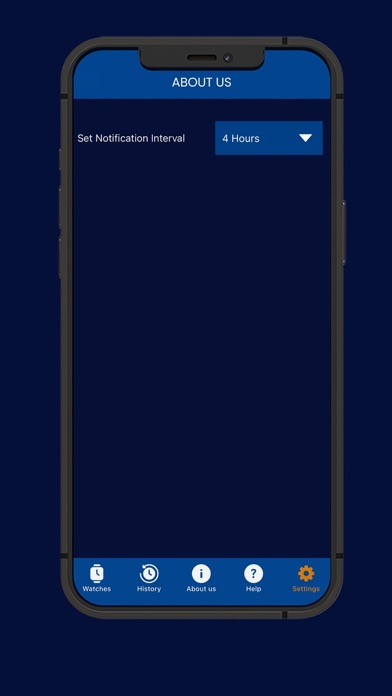
- Settings available to set the notification interval for the tracker.
How to use this app?
Objective of this app is to give you the ability to check accuracy of your wrist watch.
Our app has an accurate system watch which is used as the reference.
You need to perform following steps to achieve the objective.
1. Add your Watch
2. Track Watch
3. View track history to check watch accuracy
How to Add Watch?
- Click on ‘My Watches’ in footer menu.
- The click + icon.
- Enter name of watch.
- Take picture of the watch.
- Click ‘Add’.
- It will be added in My Watch List.
How to Track Watch?
- Click on ‘My Watches’ in footer menu.
- Click on ‘History’ button for the watch.
- Tracker screen will open with phone’s camera on and app’s reference
watch with only Seconds hand in it.
- Start and Restart button is there on tracker screen.
- Clicking on Start button starts the tracking and button changes to “Stop”.
- Before starting tracking, you need to super impose the app’s reference
watch on to your wrist watch.
- As soon as your wrist watch’s second hand reaches zero and matches the
static second hand of the app you need to start tracking.
- After a few hours have passed, when you are ready to stop the tracking,
then again, you need to super impose the app’s reference watch on to your
wrist watch.
- Clicking on “Stop” button will stop the tracking.
- When tracking is stopped, a screenshot is taken by the app and is saved in
history of the watch.
- This screenshot show app’s reference watch along with your wrist watch. It
will show time of tracking and elapsed time of tracking.
- Based on position of ‘Seconds hand’ of your wrist watch and app’s watch
in the screenshot, you can check the accuracy of your watch.
- If both are on same position, your watch is accurate.
How to view Tracking History of a Watch?
- Click on ‘My Watches’ in footer menu.
- Click on ‘History’ button for the watch.
- Tracking History of the Watch will be displayed.
- Record will show time of tracking and elapsed time of tracking.
Safety and technology
Found in the app by AppBrain- Price
- Free
- App size
- 13.8 MB
- Content rating
- Everyone
Technologies used by Watch Accuracy Checker
Releases
Updates seen on the App Store- Version
- 1.3
- Launched
- March 2024
No changelog data
Alternatives
Similar apps and more from Cogniter Technologies Pvt LtdAlternatives to Watch Accuracy Checker






More from Cogniter Technologies Pvt Ltd


Rankings
App Store top chartsApp Store Rankings for Watch Accuracy Checker
About the app and developer
About Watch Accuracy Checker
Watch Accuracy Checker is an utilities app developed by Cogniter Technologies Pvt Ltd.
User Ratings
Watch Accuracy Checker is rated 1.00 out of 5 stars. The rating is based on one rating ratings.
App Information
Watch Accuracy Checker is freely available from the App Store. The app size is 13.79 MB. The latest version available is 1.3. The last update was on January 14, 2026.
Technical Requirements
The app has a content rating of Everyone. The app has been available on the App Store since March 2024.
Watch Accuracy Checker is made and published by Cogniter Technologies Pvt Ltd. AppBrain is an independent app data site and isn't affiliated with Cogniter Technologies Pvt Ltd. The app name, icon, screenshots and description belong to Cogniter Technologies Pvt Ltd and are shown as published on the App Store.
Developer information for Cogniter Technologies Pvt Ltd
Address: