

WidgetWeaver
WidgetWeaver is made and published by Conor Nolan. AppBrain is an independent app data site and isn't affiliated with Conor Nolan. The app name, icon, screenshots and description belong to Conor Nolan and are shown as published on the App Store.
AppBrain's verdict
- Last updated
- March 27, 2026
Rankings
App Store top chartsApp Store Rankings for WidgetWeaver
Competitors
Similar apps and more from Conor NolanMore from Conor Nolan


Releases
Updates seen on the App Store- Version
- 1.5.1
- Launched
- February 2026
No changelog data
User feedback
Ratings and reviews on the App StoreComments on WidgetWeaver for iOS
We don't have enough comments to show example comments. Please check back later.
Technology
Found in the app by AppBrain- Price
- Free
- App size
- 23.6 MB
- Content rating
- Everyone
Technologies used by WidgetWeaver
About the app and developer
About WidgetWeaver
WidgetWeaver is a graphics & design app developed by Conor Nolan.
User Ratings
The app has no ratings yet.
App Information
WidgetWeaver is freely available from the App Store. The app size is 23.61 MB. The latest version available is 1.5.1. The last update was on March 27, 2026.
Technical Requirements
The app has a content rating of Everyone. The app has been available on the App Store since February 2026.
Developer information for Conor Nolan
Address:
Store listing
By Conor Nolan, from the App Store



Description by Conor Nolan Written by the developer, not by AppBrain. Click to read.
Start with a Photo, Clock or Countdown starter, make a few quick edits, save it, then add WidgetWeaver to your Home Screen and choose the saved widget for that spot. The idea is simple: make one real widget fast, get it live, then keep refining the widgets worth keeping.
MAKE WIDGETS YOU’LL ACTUALLY USE
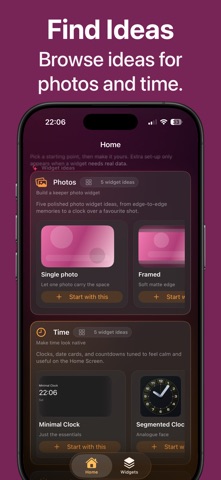
• Photo widgets, including album shuffle, On This Day and On This Week
• Clock widgets and clock faces
• Countdown widgets
• Next-hour rain widget (available in select countries)
• Next Up calendar widgets
• Steps widgets
• Noise Machine widgets (Pro)
• Lock Screen Weather and Steps where supported
KEEP FAVOURITES ORGANISED
• Save widgets you actually want to keep
• Search, sort, preview, duplicate, share, export and import
• Assign different saved widgets to different Home Screen spots
• Come back to any saved widget later to refine its content, style and layout
DESIGNED TO STAY SIMPLE
• Fresh installs start with one guided widget path
• No surprise permission prompts on launch
• Add one real widget first, then explore more ideas after first success
• Curated widget ideas open up as you go
• Free includes up to three saved widgets
GO FURTHER WITH PRO
• Build matched Home Screen sets
• Keep unlimited saved widgets
• Unlock premium photo finishing, crop and richer styles
• Bring favourite moments back with album shuffle, On This Day and On This Week
• Explore more starter packs and premium looks
• Use AI tools to create a new widget from a prompt or refine the current widget
• AI runs on-device where available, with review-first controls and no account required
PRIVATE BY DESIGN
• Widgets render from cached on-device state for fast, predictable loading
• Photos, Weather, Calendar, Health and other access are only requested when you choose a feature that needs them
• No accounts. No ads. Data stays on-device
Privacy Policy: https://widgetweaver.com/privacy.html
Terms of Use (EULA): https://www.apple.com/legal/internet-services/itunes/dev/stdeula/