

WithVoice is made and published by jaehyun jang. AppBrain is an independent app data site and isn't affiliated with jaehyun jang. The app name, icon, screenshots and description belong to jaehyun jang and are shown as published on the App Store.
AppBrain's verdict
- Last updated
- October 15, 2026
Rankings
App Store top chartsApp Store Rankings for WithVoice
Competitors
Similar apps and more from jaehyun jangAlternatives to WithVoice


More from jaehyun jang

Releases
Updates seen on the App Store- Version
- 1.2.0
- Launched
- June 2026
No changelog data
User feedback
Ratings and reviews on the App StoreComments on WithVoice for iOS
We don't have enough comments to show example comments. Please check back later.
Technology
Found in the app by AppBrain- Price
- Free
- App size
- 1.91 MB
- Content rating
- Everyone
Technologies used by WithVoice
About the app and developer
About WithVoice
WithVoice is a productivity app developed by jaehyun jang.
User Ratings
The app has no ratings yet.
App Information
WithVoice is freely available from the App Store. The app size is 1.91 MB. The latest version available is 1.2.0. The last update was on October 15, 2026.
Technical Requirements
The app has a content rating of Everyone. The app has been available on the App Store since June 2026.
Developer information for jaehyun jang
Address:
Frequently asked questions about WithVoice
Is WithVoice free?
Yes. WithVoice is free on the App Store.
Is WithVoice still available?
Yes. WithVoice is on the App Store, and the last update we saw was on October 15, 2026.
How large is WithVoice?
WithVoice is 1.91 MB.
Is WithVoice suitable for children?
App Store rates the content of WithVoice as suitable for everyone.
Who made WithVoice?
WithVoice was developed by jaehyun jang. It is listed in the productivity category on the App Store.
What are the best alternatives to WithVoice?
People looking at WithVoice also look at these productivity apps: VoiceInk:Voice to Text, OLVA:Live AI Meeting Assistant, Quick Memo+ToDo - PinDeck, otu.ai, Ticka – Routines & Habits.
Store listing
By jaehyun jang, from the App Store


Description by jaehyun jang Written by the developer, not by AppBrain. Click to read.
browser, anywhere. It supports both Korean and English input.
Powered by Google Gemini, WithVoice does more than transcribe. It cleans up filler words, fixes punctuation, and formats your speech into text that's ready to send—so you spend less time editing and more time getting things done.
WHY WITHVOICE
• Speak, don't type. Dictate emails, notes, and messages 3x faster than thumb-typing.
• Clean output, not raw transcript. Gemini removes "um," "uh," and false starts, then adds proper punctuation and capitalization.
• One keyboard for Korean and English. Switch languages with the "한/A" key—no need to change keyboards. The standard Dubeolsik layout composes final and compound consonants and vowels naturally, and the mic stays in the same spot in both.
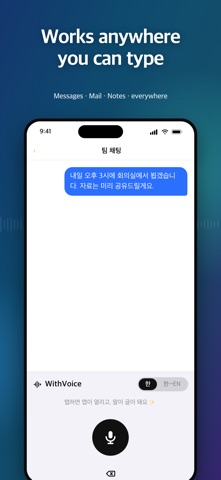
• Works everywhere. As a system keyboard, WithVoice drops text into any app with a text field.
• Your key, your control. Bring your own Google Gemini API key. Audio and text go straight to Google's API and nowhere else.
• No accounts, no tracking. There are no logins, no ads, and no third-party analytics.
HOW IT WORKS
1. Get a free Google Gemini API key and paste it into WithVoice's settings (stored securely in your device Keychain).
2. Enable the WithVoice keyboard in Settings and allow microphone access.
3. Switch to the WithVoice keyboard, pick your language with the "한/A" key, tap the mic, and speak.
4. Your words appear as clean text at the cursor.
PRIVACY FIRST
WithVoice uses your own Gemini API key. Your recorded audio and the resulting text are sent only to Google's Gemini API to perform transcription and cleanup. WithVoice does not store your recordings, does not keep your transcripts, and includes no
third-party analytics or tracking. See our Privacy Policy for full details.
BUILT FOR iPHONE
WithVoice is designed for iOS 26 and iPhone, with a fast, minimal keyboard and a single clear settings screen. No clutter—just talk and type.
NOTE: WithVoice requires your own Google Gemini API key, which you can obtain for free from Google AI Studio. Transcription is performed by Google's Gemini API and is subject to Google's terms and pricing for that service. An internet connection is required.