

Zipper: Archive Manager
Zipper: Archive Manager is made and published by Aliaksei Bychkou. AppBrain is an independent app data site and isn't affiliated with Aliaksei Bychkou. The app name, icon, screenshots and description belong to Aliaksei Bychkou and are shown as published on the App Store.
AppBrain's verdict
- Last updated
- September 29, 2026
Rankings
App Store top chartsApp Store Rankings for Zipper: Archive Manager
Competitors
Similar apps and more from Aliaksei BychkouAlternatives to Zipper: Archive Manager


More from Aliaksei Bychkou


Releases
Updates seen on the App Store- Version
- 1.0.2
- Launched
- August 2026
No changelog data
User feedback
Ratings and reviews on the App StoreComments on Zipper: Archive Manager for iOS
We don't have enough comments to show example comments. Please check back later.
Technology
Found in the app by AppBrain- Price
- Free
- App size
- 4.67 MB
- Content rating
- Everyone
Technologies used by Zipper: Archive Manager
About the app and developer
About Zipper: Archive Manager
Zipper: Archive Manager is an utilities app developed by Aliaksei Bychkou.
What is the rating of Zipper: Archive Manager?
Zipper: Archive Manager has no ratings yet.
Is Zipper: Archive Manager free?
Zipper: Archive Manager is free. The app size is 4.67 MB. The latest version available is 1.0.2. The last update was on September 29, 2026.
What are the requirements for Zipper: Archive Manager?
The app has a content rating of Everyone. The app has been available on the App Store since August 2026.
Developer information for Aliaksei Bychkou
Address:
Store listing
By Aliaksei Bychkou, from the App Store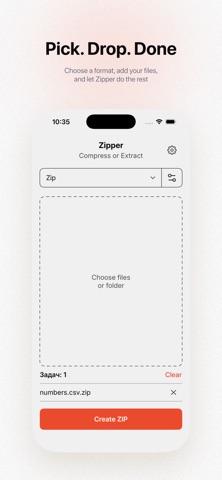

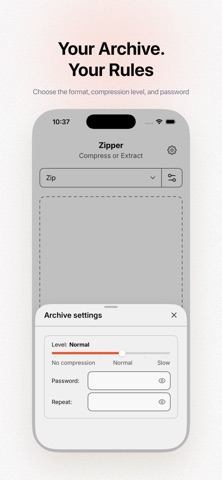
Description by Aliaksei Bychkou Written by the developer, not by AppBrain. Click to read.
Create archives:
– ZIP, 7Z, TAR, GZIP, BZIP2, and XZ
– choose a compression level
– protect ZIP and 7Z archives with a password
– add multiple files or an entire folder
Extract archives:
– ZIP, 7Z, RAR, TAR, GZIP, BZIP2, and XZ
– support for TAR.GZ, TAR.BZ2, and TAR.XZ
– open password-protected archives
– verify the integrity of extracted files
– protection against unsafe archive paths
Made for everyday use:
– automatic compress-or-extract detection
– a queue for multiple tasks
– drag and drop on iPad
– light and dark appearance
– English and Russian interface
– layouts for iPhone and iPad in portrait and landscape
Archives are processed on your device. Your original files remain unchanged.