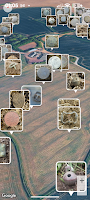
Tect O Trak is a tools app developed by Mark Seeley.
Download Statistics
Tect O Trak has been downloaded 5.7 thousand times. In the last 30 days, the app was downloaded 61 times.
User Ratings
Tect O Trak is rated 4.45 out of 5 stars. The rating is based on 230 ratings.
App Information
Tect O Trak is FREE to download. The APK download size is 17.96 MB. The latest version available is 9.1. The last update was on August 30, 2026.
Technical Requirements
Tect O Trak requires Android 4.2+ or higher. The app has a content rating of Everyone. The app has been available on Google Play October 2013.
Description
Tect O Trak is a multi-mode Android GPS Track and Find recording application.
This application enables users to track and record their movements within a predefined area. Searches can be saved and resumed. Additionally, you can mark/revisit find spots and make detailed photo and text records of your finds. You can also view and interact with your files on Google Earth using the KML export tool.
GPS Mode — Traditional standard GPS tracking.
Bearing Mode — This enables the user to pre-plan their tracks. GPS is only used to track progress along the defined path and guarantees perfectly accurate straight lines.
Fog of War — This mode covers the entire search area with fog. The user's mission is to reveal the ground underneath, Command and Conquer style. It is a combination of normal GPS tracking with the option to set a single-leg bearing line to help you accurately aim for particular areas not yet done. This is my own personal favourite mode. I find it frees me up from always walking straight lines just to create clear and neat track lines, mainly for appearance's sake. FoW mode allows you to wander freely and follow your instincts. It's very satisfying to clear a patch knowing you haven't missed a single inch. It also has the added bonus that you can set the span of the swing, adding even more accuracy to your coverage.
Subscriber Version vs Non-subscriber
Non-subscribers receive the complete, improved classic legacy version of Tect O Trak — exactly the experience that earned it 5,363 users and a 4.7-star rating, now rebuilt and enhanced for modern Android.
Subscribers unlock two additional precision track recording modes — Bearing Mode and Fog of War — as well as access to ToT Central, the Tect O Trak user community hub, where you can chat with fellow detectorists, share finds, report bugs, request features, and securely back up and restore your data remotely.
Specifically designed for metal detectorists, by a detectorist. I would greatly appreciate any feedback and support.
For detailed instructions on how to use Tect O Trak, please visit https://totai-2f15c.web.app/user-guide
For legacy users looking to import and restore their old database: Open the app and immediately make a backup (of nothing). This creates a folder called ToTai, stored in the Documents folder of your phone. Open the ToTai folder, and you will see specific folders for Finds, Gallery, Export, etc. Drop the appropriate files from your legacy database into the relevant folders. The application-database.sqlite file should be placed in the ToTai main folder. When finished, reopen the app and click Restore. You will find it just as you left it.
Important next step: After restoring, it is highly recommended to create a fresh backup using the new V8 build. This will assimilate your old database format into the modern V8 structure, which semi-automates all future backup and restore processes.
With over 5,300 users, Tect O Trak has proven itself to be a solid, reliable, and trusted companion. If you have the slightest problem, please don't hesitate to message me: MarkSeeleyUK@gmail.com
Pro Tip:- ideally, you should turn on both GPS and Tect O Trak at least five minutes before you actually start detecting/recording. Let it track you moving around for a while. This will give the GPS time to get a good fix on you. You will benefit from a more accurate starting point.
The Future of Tect O Trak
The next major version, V9, will introduce Augmented Reality. Point your phone across your search area, and see your tracks and find markers overlaid directly onto the real world in front of you. Stand at the edge of your permission and see exactly where you've been and — more importantly — where you haven't.
It's ambitious. It may take a while to get it right. But the technology is there, and when it works as well as I believe it can, it will change the way you detect.
Improved stability during search sessions for a smoother tracking experience Fixed a rare issue affecting the photo camera on some devices General performance and reliability improvements
Get a detailed PDF report for Tect O Trak with download trends, rating history,
and key performance statistics — useful for competitive research or tracking your own app.
Learn more
Are you the developer of this app? Join us for free to see more information about your app and learn how we can help you promote and earn money with your app.
Fantastic app Mark love it got the full version and tried it today, and it worked a treat my mates were impressed too it's definitely part of my metal detecting kit now once again thank you
★★★★☆Neil Cleveland· Dec 2, 2018
Needs to be used with GPS locker App for improvement to GPS position but on the whole very useful App.
★★★★★A Google user· Mar 25, 2018
So handy for the hobby and a great way to record your finds and Trak your progress, especially on your permissions. I love it and recommend it to all metal Detectors
★☆☆☆☆Adventures In Metal Detecting· Mar 25, 2020
When this app first came out I used it all the time. It was okay, not great but okay. Did a pretty fair job tracking your path. But over the course of all the updates and tweaks, it has just quit working entirely on my devices. And yes I said devices with an S. I've tried it on four different devices all Android, and some that work very, very well with my drone with GPS, so I know the problem is not with the device. I don't know what's going on with this app, but it's totally unusable for me now.
★☆☆☆☆Tony Woolmington· Aug 24, 2016
This looks like a good app but it doesn't work on my S5 the only thing that works is the torch won't let me start tracking record find or anything else for that matter. So if anyone out there that know why please get in touch or if IOUs reading this Mark Seeley please tell me what I'm doing wrong. Thanks, Mark, I'll try tonight and let you know how I get on.
★☆☆☆☆Jeremy Willis· Sep 9, 2017
I was really looking forward to this app, but it has been a complete failure for me. The GPS marker is off by about 50 yards even after letting my phone sit for 5 minutes like the app suggests. I finally got it close by restarting the app over and over. When tracking me it was wandering off in directions I never went. I tried recording a couple finds and the option to manually set location wouldn't work, so it placed my finds out in the middle of a 4 lane road because that's where the app thought I was. About halfway through the app just decided to stop so even if it did work half my trip wasn't recorded. I tested my phones GPS with Google Earth, and it pinpointed my perfectly so this is an app problem for sure.
Google Play Rankings for Tect O Trak
This app is not ranked
Technologies used by Tect O Trak
19 permissions·21 libraries
Subscribe to see full permission and library details
Frequently asked questions about Tect O Trak
Is Tect O Trak free?
Yes. Tect O Trak is free to download from Google Play.
Is Tect O Trak still available?
Yes. Tect O Trak is on Google Play, and the last update we saw was on August 30, 2026.
Does Tect O Trak contain ads?
No. Google Play does not list Tect O Trak as containing ads.
What Android version does Tect O Trak require?
Tect O Trak runs on Android 4.2 and higher.
How large is the Tect O Trak APK?
The Tect O Trak APK is 17.96 MB.
Is Tect O Trak suitable for children?
Google Play rates the content of Tect O Trak as suitable for everyone.
How many times has Tect O Trak been downloaded?
Google Play lists 5,000+ downloads for Tect O Trak.
How do people rate Tect O Trak?
Tect O Trak scores 4.45 out of 5 stars, from 231 ratings on Google Play.
Who made Tect O Trak?
Tect O Trak was developed by Mark Seeley. It is listed in the tools category on Google Play.
Each subscription will automatically renew 3 days before the expiration date for
the same time period. Subscriptions can be cancelled at any time before the renewal.