

Creator Cam Pro
Creator Cam Pro is made and published by Kirill Edelman. AppBrain is an independent app data site and isn't affiliated with Kirill Edelman. The app name, icon, screenshots and description belong to Kirill Edelman and are shown as published on the App Store.
AppBrain's verdict
- Rating on App Store
- 5.00
- 6 ratings
- Last updated
- June 26, 2024
- Size
- 4.11 MB
It doesn't have enough ratings yet to judge what users think.
User feedback
Ratings and reviews on the App StoreComments on Creator Cam Pro for iOS
We don't have enough comments to show example comments. Please check back later.
Store listing
By Kirill Edelman, from the App Store



Description by Kirill Edelman Written by the developer, not by AppBrain. Click to read.
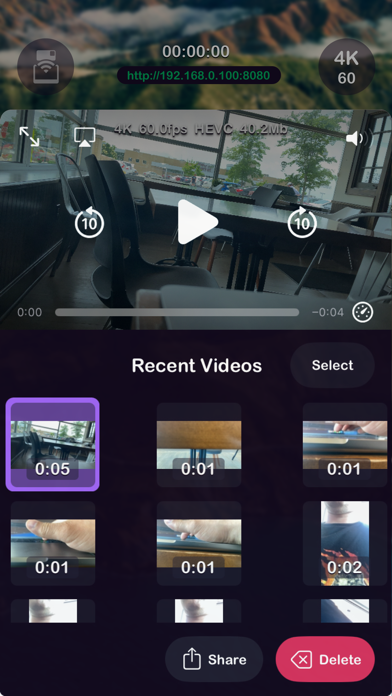
Designed for those who use the iPhone as the primary camera for content creation to see live feed, change settings, and start/stop recording, all without disturbing the camera.
◉ One tap to start remote control
◉ Control one or more cameras on the same Wi-Fi from one screen
◉ Recorded videos saved to Photos
◉ Quickly change resolution, frame rate, HDR on/off, grid, stabilization, and quality options
◉ Lock video rotation to portrait/landscape
◉ Familiar controls: tap to focus, swipe up/down to adjust exposure, long press to lock focus/exposure
Safety and technology
Found in the app by AppBrain- Price
- Free
- App size
- 4.11 MB
- Content rating
- Everyone
Technologies used by Creator Cam Pro
Releases
Updates seen on the App Store- Version
- 1.7
- Launched
- April 2024
No changelog data
Alternatives
Similar apps and more from Kirill EdelmanAlternatives to Creator Cam Pro


Rankings
App Store top chartsApp Store Rankings for Creator Cam Pro
About the app and developer
About Creator Cam Pro
Creator Cam Pro is a photo & video app developed by Kirill Edelman.
User Ratings
Creator Cam Pro is rated 5.00 out of 5 stars. The rating is based on 6 ratings.
App Information
Creator Cam Pro is freely available from the App Store. The app size is 4.11 MB. The latest version available is 1.7. The last update was on June 26, 2024.
Technical Requirements
The app has a content rating of Everyone. The app has been available on the App Store since April 2024.
Developer information for Kirill Edelman
Address: