Doc OCR - Book PDF Scanner is made and published by
IFUNPLAY CO., LTD.
AppBrain is an independent app data site and isn't affiliated with IFUNPLAY CO., LTD.
The app name, icon, screenshots and description belong to IFUNPLAY CO., LTD. and are shown as
published on the App Store.
About Doc OCR - Book PDF Scanner
Doc OCR - Book PDF Scanner is a business app developed by IFUNPLAY CO., LTD.
User Ratings
Doc OCR - Book PDF Scanner is rated 4.76 out of 5 stars. The rating is based on 630 ratings.
App Information
Doc OCR - Book PDF Scanner is freely available from the App Store. The app size is 244.78 MB. The latest version available is 6.0.7. The last update was on October 16, 2026.
Technical Requirements
The app has a content rating of Everyone. The app has been available on the App Store since September 2016.
Description by IFUNPLAY CO., LTD.(from the App Store)
DocOCR – Smart PDF Scanner & OCR Tool for Education
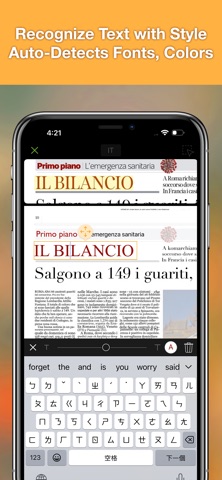
Turn your iPhone or iPad into a powerful document scanner and text recognizer with DocOCR.
Whether you’re a student, teacher, or school administrator, DocOCR helps you scan, recognize, organize, and share documents easily and securely — all on your device. No internet required for OCR or image processing, ensuring complete privacy and data protection.
- OCR & Document Scanning Made Simple
Scan and recognize text from: • Printed documents • Books & whiteboards • Receipts & business cards • Posters, coupons, and more
Save scans as searchable PDFs and annotate or sign them directly within the app.
Photo Collage Mode
Combine multiple pages (e.g., front and back of ID cards) onto a single A4/Letter page — perfect for printing or sharing.
- Smart Image Processing
DocOCR automatically: • Detects document edges • Corrects perspective and curved surfaces • Removes shadows and enhances clarity Ideal for low-light conditions or quick classroom captures.
- Powerful Document Management
Organize your scans with ease: • Create, rename, merge, split, or move files and folders • Drag and drop to group documents • Full-text search on OCR results (Bronze Plan) • iCloud Drive sync for access across devices (Bronze Plan)
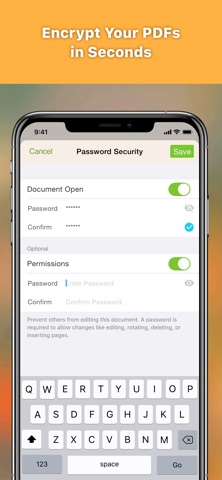
Import, Export & Share • Support PDF encryption and decryption • Email as PDF or JPEG • Export OCR text as TXT or DOCX • Fax to 100+ countries (via in-app purchase) • Print via AirPrint • Upload/download with: iCloud Drive, Dropbox, Google Drive, OneDrive, Box, SMB, WebDAV (Bronze Plan) • “Open In” support for apps like iBooks and Adobe Reader
File Import • Import PDFs or images via “Open In” from other apps • Import files from your favorite cloud services
Fax Anywhere • Send/receive faxes directly from the app • Get notified when fax is sent or received • Subscribe to a personal fax number for inbound faxes • Block incoming faxes when not needed
- Bronze Plan Subscription
Unlock advanced features like cloud sync, full-text search, and cloud storage support. • Billed monthly or annually • Auto-renews unless canceled 24 hours before the end of the current period • Manage subscriptions in your App Store account • Unused trial periods are forfeited upon subscription
Each subscription will automatically renew 3 days before the expiration date for
the same time period. Subscriptions can be cancelled at any time before the renewal.