

Keynote: Design Presentations
Keynote: Design Presentations is made and published by Apple. AppBrain is an independent app data site and isn't affiliated with Apple. The app name, icon, screenshots and description belong to Apple and are shown as published on the App Store.
AppBrain's verdict
EstablishedWell rated- Rating on App Store
- 4.40
- 83,369 ratings
- Last updated
- September 29, 2026
Users rate it well: 4.4 stars from 83,369 ratings.
Rankings
App Store top chartsApp Store Rankings for Keynote: Design Presentations
Competitors
Similar apps and more from AppleAlternatives to Keynote: Design Presentations


More from Apple


Releases
Updates seen on the App Store- Version
- 15.4
- Launched
- April 2010
No changelog data
User feedback
Ratings and reviews on the App StoreComments on Keynote: Design Presentations for iOS
We don't have enough comments to show example comments. Please check back later.
Technology
Found in the app by AppBrain- Price
- Free
- App size
- 662.0 MB
- Content rating
- Everyone
Technologies used by Keynote: Design Presentations
About the app and developer
About Keynote: Design Presentations
Keynote: Design Presentations is a productivity app developed by Apple.
User Ratings
Keynote: Design Presentations is rated 4.40 out of 5 stars. The rating is based on 83 thousand ratings.
App Information
Keynote: Design Presentations is freely available from the App Store. The app size is 661.99 MB. The latest version available is 15.4. The last update was on September 29, 2026.
Technical Requirements
The app has a content rating of Everyone. The app has been available on the App Store since April 2010.
Developer information for Apple
Address:
Store listing
By Apple, from the App Store




Description by Apple Written by the developer, not by AppBrain. Click to read.
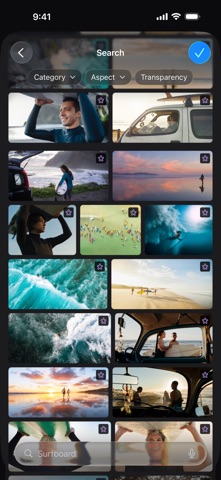
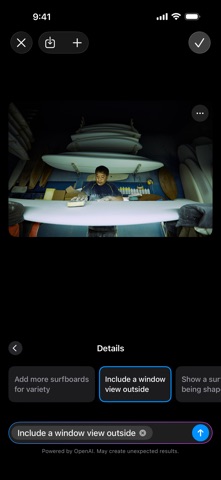
Create memorable presentations on iPhone, iPad, Mac, and Apple Vision Pro. Start with an Apple-designed theme and add text, images, charts, and shapes. Bring it all to life with cinematic animations and transitions. Confidently present from anywhere, in person or virtually, and take turns controlling a presentation in multi-presenter slideshows.
Get Started Quickly
• Work from iPhone, iPad, Mac, Apple Vision Pro, or even a PC with iCloud.com
• Select from a wide variety of Apple-designed themes
• Import and edit Microsoft PowerPoint presentations
Create Stunning Presentations
• Easily change slide layouts and backgrounds
• Add recorded audio, live video, and image galleries
• Use powerful graphics tools including background removal and masking
• Draw or write with Apple Pencil on iPad
Cinema-Quality Animations
• Beautiful cinematic slide transitions and impressive animations
• Emphasis builds and Magic Move let you effortlessly add impact
• See live on-canvas previews as you animate your slides
• Draw a motion path with Apple Pencil on iPad
Present to Your Audience
• Rehearse with a customizable presenter display
• Practice in an immersive Conference Room or Theater environment on Apple Vision Pro
• Highlight with Apple Pencil or with your finger while presenting on iPad
• Control your slideshow from an iPhone, iPad, or Apple Watch
Share with Anyone
• Share your presentation publicly or collaborate with specific people using iCloud or Box
• Make changes from any device and see a list of changes from others in real-time
• Export presentations to Microsoft PowerPoint, PDF, HTML, movies, and image files
Apple Intelligence
• Use Writing Tools to proofread, rewrite, summarize, and compose text
• Create your own fun images with Image Playground based on a description
Some features of Apple Creator Studio require an Apple Intelligence–capable device. For full system requirements and usage limits for Apple Creator Studio intelligence features, see Apple Support article 125029.