


AppBrain's verdict
Established- Rating on App Store
- 4.43
- 7 ratings
- Last updated
- November 6, 2025
- Size
- 3.77 MB
It doesn't have enough ratings yet to judge what users think.
User feedback
Ratings and reviews on the App StoreComments on MyBase - Simple notepad app - for iOS
We don't have enough comments to show example comments. Please check back later.
Store listing
By fumio ueda, from the App StoreDescription by fumio ueda Written by the developer, not by AppBrain. Click to read.
(1) Notepad function
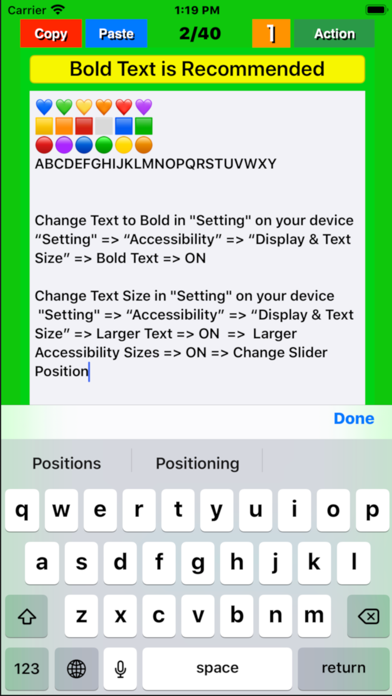
● This app“My Base” will be displayed from the page that ended last time and will be editable.
● Swipe the screen left / right or tap the left / right frame to page forward/backward. If the mode has been set to “5” with the “Mode” button, the page is turned 5 pages at a time, and if it has been set to “1”, the page is turned 1 page at a time.
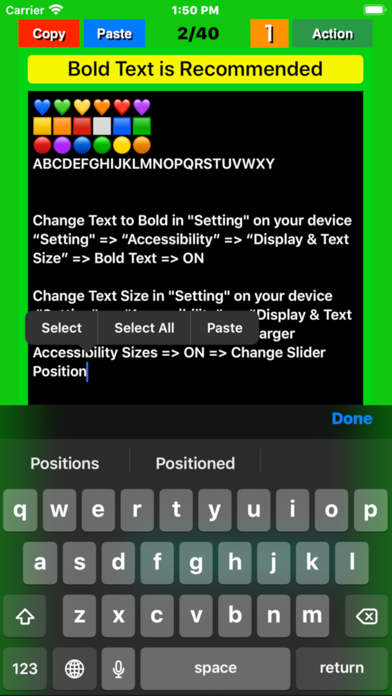
● On each page, tap the position in the title / body where you want to enter text and set the cursor there. Type characters using the keyboard that pops up. The cursor will automatically move to the next position each time you enter a character.
● The entered text is stored in the memory of the device (iPhone/iPad) by pressing the "Done” button.
(2) Character number display function
● The number of characters in the text of each page is displayed in the light blue label at the bottom of the screen. The number of characters is counted again when the "Done" button is tapped or the page is turned, and the display is updated.
● The display / non-display of the number of characters with the label can be switched by pressing a few seconds the "mode" button . (v1.4)
(3) "Copy" function
By tapping the “Copy” button in a page, the entered title and text will be stored in the device memory. The text is also copied to the clipboard.
(4) "Paste" function
● Tapping the “Paste” button in a page overwrites the title and text stored in the memory into the title and body field of that page, respectively. If you tap "Overwrite" on the pop upped confirmation screen that appears before overwriting, that will be executed.
● Copying a blank page and pasting it on any other page to delete all characters at once.
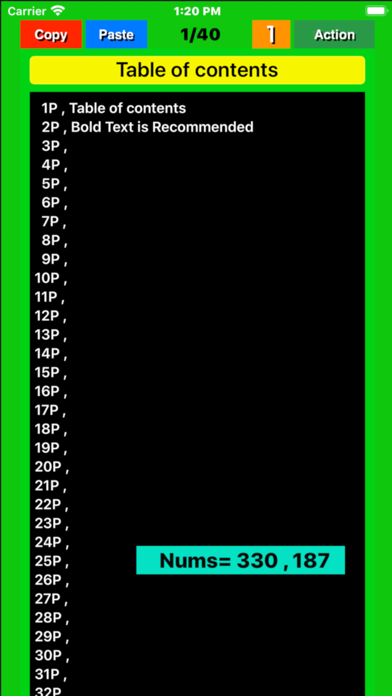
(5) Table of contents creation function
Pressing a few seconds the “Paste” button, a message pops up asking if you want to create a table of contents. Select "Create" to create a table of contents.
(6) "Mail" function
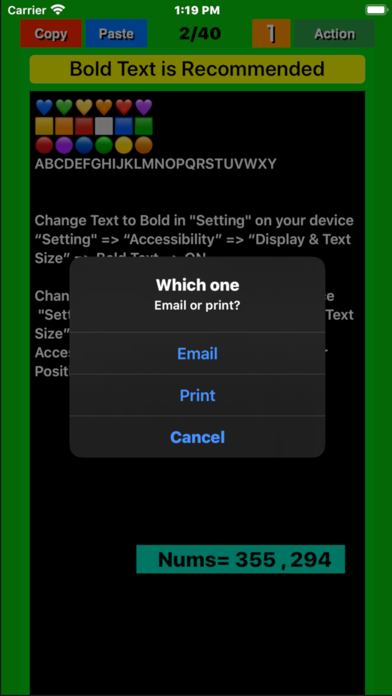
On any page, pressing a few seconds the “Action” button, a screen pops up to select email or print . Select “E-Mail” and follow its instructions on the email control screen that will popup next.
(7) "Print" function (Supported in v1.4)
On any page, pressing a few seconds the “Action” button, a screen pops up to select email or print.
Select “Print” and follow its instructions on the print control screen that will popup next.
(8) Support Dynamic Type Text. (v1.4)
The text size for the title and body can dynamically be changeable through device's “Settings” .
"Setting" => “Accessibility” => “Display & Text Size” => Larger Text => ON => Larger Accessibility Sizes => ON => Change Slider Position
"Setting" => “Accessibility” => “Display & Text Size” => Bold Text => ON
(9) Text size temporary change function
The text size can be temporarily enlarged / reduced by pinching (v2.3,v2.5).
Safety and technology
Found in the app by AppBrain- Price
- Free
- App size
- 3.77 MB
- Content rating
- Everyone
Technologies used by MyBase - Simple notepad app -
Releases
Updates seen on the App Store- Version
- 3.6
- Launched
- October 2018
No changelog data
Alternatives
Similar apps and more from fumio uedaAlternatives to MyBase - Simple notepad app -




More from fumio ueda


Rankings
App Store top chartsApp Store Rankings for MyBase - Simple notepad app -
About the app and developer
About MyBase - Simple notepad app -
MyBase - Simple notepad app - is an utilities app developed by fumio ueda.
User Ratings
MyBase - Simple notepad app - is rated 4.43 out of 5 stars. The rating is based on 7 ratings.
App Information
MyBase - Simple notepad app - is freely available from the App Store. The app size is 3.77 MB. The latest version available is 3.6. The last update was on November 6, 2025.
Technical Requirements
The app has a content rating of Everyone. The app has been available on the App Store since October 2018.
MyBase - Simple notepad app - is made and published by fumio ueda. AppBrain is an independent app data site and isn't affiliated with fumio ueda. The app name, icon, screenshots and description belong to fumio ueda and are shown as published on the App Store.
Developer information for fumio ueda
Address:
Frequently asked questions about MyBase - Simple notepad app -
Is MyBase - Simple notepad app - free?
Yes. MyBase - Simple notepad app - is free on the App Store.
Is MyBase - Simple notepad app - still available?
Yes. MyBase - Simple notepad app - is on the App Store, and the last update we saw was on November 6, 2025.
How large is MyBase - Simple notepad app -?
MyBase - Simple notepad app - is 3.77 MB.
Is MyBase - Simple notepad app - suitable for children?
App Store rates the content of MyBase - Simple notepad app - as suitable for everyone.
How do people rate MyBase - Simple notepad app -?
MyBase - Simple notepad app - scores 4.43 out of 5 stars, from 7 ratings on the App Store.
Who made MyBase - Simple notepad app -?
MyBase - Simple notepad app - was developed by fumio ueda. It is listed in the utilities category on the App Store.
What are the best alternatives to MyBase - Simple notepad app -?
People looking at MyBase - Simple notepad app - also look at these utilities apps: Words & Character Counter, Super Simplest Note, Text Extractor : OCR Scan, Start Assessor Tool, Plain Text Editor - PlainText.