

Notes Writer: PDF, AI, Markup
Notes Writer: PDF, AI, Markup is made and published by Kairoos Solutions SL. AppBrain is an independent app data site and isn't affiliated with Kairoos Solutions SL. The app name, icon, screenshots and description belong to Kairoos Solutions SL and are shown as published on the App Store.
AppBrain's verdict
EstablishedWell rated- Rating on App Store
- 4.48
- 7,330 ratings
- Last updated
- October 28, 2026
- Size
- 659.9 MB
Users rate it well: 4.5 stars from 7,330 ratings.
User feedback
Ratings and reviews on the App StoreComments on Notes Writer: PDF, AI, Markup for iOS
We don't have enough comments to show example comments. Please check back later.
Store listing
By Kairoos Solutions SL, from the App Store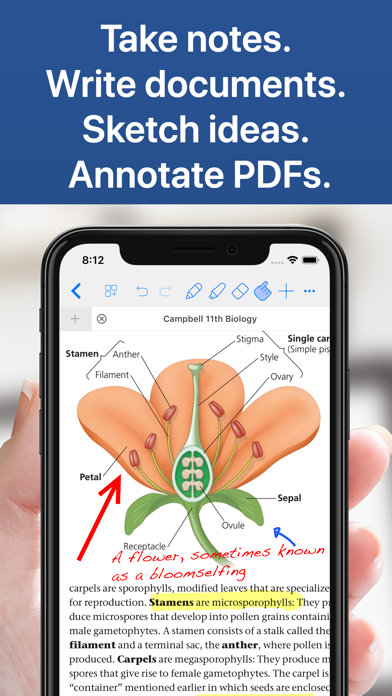

Description by Kairoos Solutions SL Written by the developer, not by AppBrain. Click to read.
Unlimited Digital Notebooks.
Like paper, but better.
Take lecture notes, prepare for exams and develop your research. Bring the same tools to manuscripts, interviews, lesson plans, meetings and creative projects. Notes Writer keeps your work together on iPad, iPhone and compatible Apple silicon Macs.
Designed for students and anyone who wants to learn, create and stay organized—including teachers, writers, journalists, doctors, architects, illustrators, mathematicians, researchers and business professionals.
WRITE & CAPTURE
• Handwriting, sketching & painting
Take handwritten notes with Apple Pencil, type a document or explore a concept through drawing. Use dedicated sketching, watercolor and oil painting tools for illustrations and creative work.
• PDF annotation
Review lecture slides, medical literature and professional reports. Highlight PDFs, add comments, images and shapes, fill forms and sign documents. Keep your annotations beside the source material.
• Recording & transcription
Record lectures, business meetings and interviews, transcribe the audio and search the transcript for the detail you need. Add recordings to PDF notes and whiteboards, then listen back at your own pace.
STUDY & RESEARCH
• Courses, manuscripts & research projects
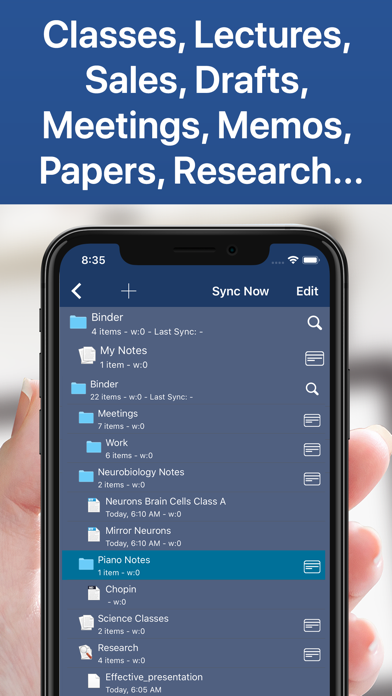
Choose an optional project tree to arrange topics, sources and drafts in a Study Project. Use the Binder for structure, the Corkboard to plan sections and compilation to assemble a document or ebook.
• Whiteboards, diagrams & outlines
Create whiteboards with notes, images, recordings and tables. Build flowcharts and diagrams to explain a process, compare findings or plan a lesson or project. Use Outline Notes when your ideas need a hierarchy.
• Flashcards & review
Create flashcards with text, handwriting and images, or generate them from notes and PDFs with optional AI tools. Review with spaced repetition, answer by typing or speaking, and track your progress.
MATH & SCIENCE
• Calculations, Python & charts
Math Notebooks combine written reasoning, symbolic calculations and Python cells. Plot results, explore a model and present your data in editable Chart documents.
• LaTeX & technical PDFs
Write technical papers in LaTeX and compile them to PDF with a preview of the result. For plans and technical drawings, set a scale and measure distances, perimeters and areas directly on the PDF.
ORGANIZE & SHARE
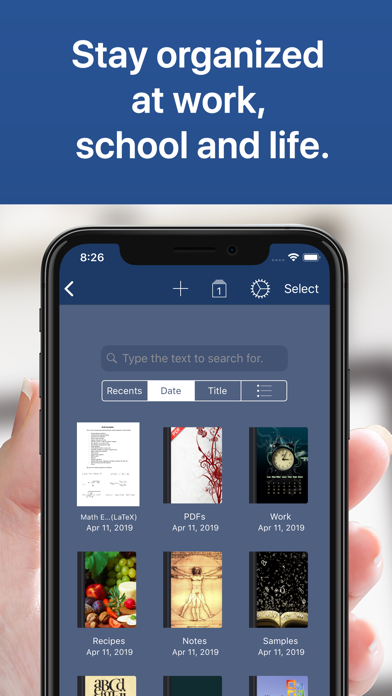
• Notebooks, folders & templates
Create and customize folders, subfolders and notebooks. Choose names, covers and paper templates that suit each course or project. Scan handouts, search your collection and manage documents with sorting, moving and grouping tools.
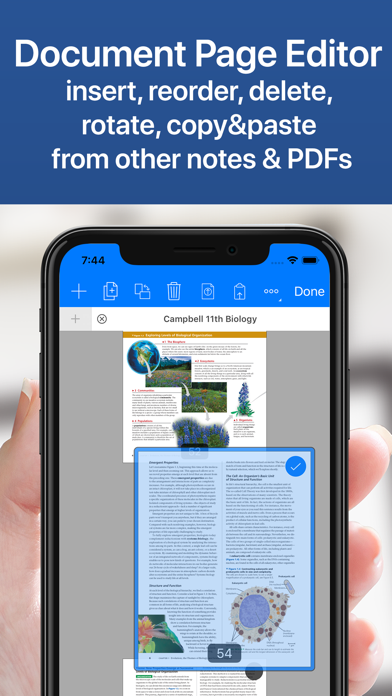
• Documents side by side
Open documents in tabs and work with your reading and draft side by side. Create a study planner, lesson plan, research journal or manuscript within the same library.
• Formats for your work
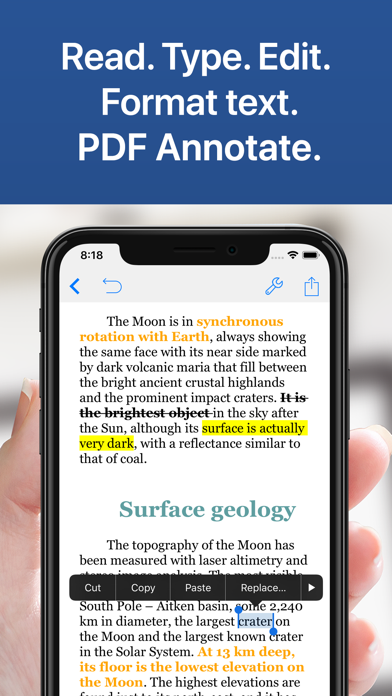
Work across PDF, Microsoft Word (DOCX), EPUB, RTF, Markdown, plain text (TXT), HTML, LaTeX and OPML outlines. Edit formatted documents, read ebooks and export supported documents as PDF, DOCX, RTF, HTML or EPUB. Export options vary by document type.
• Sync, backup & privacy
Sync with iCloud and work with Dropbox and Google Drive files through the Files app, with changes synced by your provider. Set up automatic document backups, use autosave and recovery, and protect the app and folders with a passcode.
OPTIONAL AI ASSISTANT
Ask questions about your notes and documents, simplify an explanation, summarize a reading or refine your writing. Use translation, grammar and tone tools when they help. Review every suggestion and decide what belongs in your work.
Start a notebook. Study, create and work your way.
Privacy Policy
http://www.noteswriter.com/Kairoos_Privacy_Policy.html
Terms of Use
https://www.apple.com/legal/internet-services/itunes/dev/stdeula/
Safety and technology
Found in the app by AppBrain- Price
- Free
- App size
- 659.9 MB
- Content rating
- Everyone
Technologies used by Notes Writer: PDF, AI, Markup
Releases
Updates seen on the App Store- Version
- 27.1.8
- Launched
- August 2018
No changelog data
Alternatives
Similar apps and more from Kairoos Solutions SLAlternatives to Notes Writer: PDF, AI, Markup


More from Kairoos Solutions SL


Rankings
App Store top chartsApp Store Rankings for Notes Writer: PDF, AI, Markup
About the app and developer
About Notes Writer: PDF, AI, Markup
Notes Writer: PDF, AI, Markup is a productivity app developed by Kairoos Solutions SL.
What is the rating of Notes Writer: PDF, AI, Markup?
Notes Writer: PDF, AI, Markup is rated 4.48 out of 5 stars, based on 7.3 thousand ratings.
Is Notes Writer: PDF, AI, Markup free?
Notes Writer: PDF, AI, Markup is free. The app size is 659.88 MB. The latest version available is 27.1.8. The last update was on October 28, 2026.
What are the requirements for Notes Writer: PDF, AI, Markup?
The app has a content rating of Everyone. The app has been available on the App Store since August 2018.
Developer information for Kairoos Solutions SL
Address:
Frequently asked questions about Notes Writer: PDF, AI, Markup
Is Notes Writer: PDF, AI, Markup free?
Yes. Notes Writer: PDF, AI, Markup is free on the App Store.
Is Notes Writer: PDF, AI, Markup still available?
Yes. Notes Writer: PDF, AI, Markup is on the App Store, and the last update we saw was on October 28, 2026.
How large is Notes Writer: PDF, AI, Markup?
Notes Writer: PDF, AI, Markup is 659.88 MB.
Is Notes Writer: PDF, AI, Markup suitable for children?
App Store rates the content of Notes Writer: PDF, AI, Markup as suitable for everyone.
How do people rate Notes Writer: PDF, AI, Markup?
Notes Writer: PDF, AI, Markup scores 4.48 out of 5 stars, from 7,330 ratings on the App Store.
Who made Notes Writer: PDF, AI, Markup?
Notes Writer: PDF, AI, Markup was developed by Kairoos Solutions SL. It is listed in the productivity category on the App Store.
What are the best alternatives to Notes Writer: PDF, AI, Markup?
People looking at Notes Writer: PDF, AI, Markup also look at these productivity apps: QuickNotes X: Notes, AI & PDF, MyScript Notes: AI Handwriting, CollaNote: Notes & PDF Markup, Noteful: Notes & PDF Markup, LiquidText.