AppBrain
AppBrain
  • Apps
  • Apps being viewed right now Trending apps today Most popular apps All-time most installed apps Top rated apps iPhone and iPad apps
  • Intelligence ▾
    Intelligence overview → Track any Android app or your whole market
    Track & analyze
    Keyword Tracker & OptimizerTrack & improve Play rankings App Performance ReportOne-off PDF for any app StatisticsFree Android & Play market stats
    Promote your app
    Featured Apps App Links
  • Intelligence
  • Pricing
  • Dashboard
  • Sign up
  • Log in
App Store Apps > Utilities > PDF Scanner - Scan Edit Docs
PDF Scanner - Scan Edit Docs icon

PDF Scanner - Scan Edit Docs

1.1.7
Xiaoyou Interactive
5.00
10 reviews
Free

PDF Scanner - Scan Edit Docs Screenshot 1 of 10
PDF Scanner - Scan Edit Docs Screenshot 2 of 10
PDF Scanner - Scan Edit Docs Screenshot 3 of 10
PDF Scanner - Scan Edit Docs Screenshot 4 of 10
PDF Scanner - Scan Edit Docs Screenshot 5 of 10
PDF Scanner - Scan Edit Docs Screenshot 6 of 10
PDF Scanner - Scan Edit Docs Screenshot 7 of 10
PDF Scanner - Scan Edit Docs Screenshot 8 of 10
PDF Scanner - Scan Edit Docs Screenshot 9 of 10
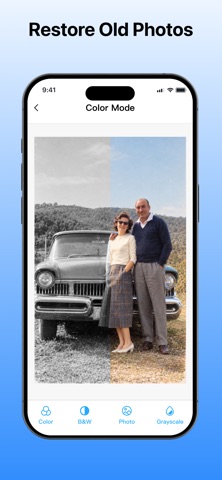
PDF Scanner - Scan Edit Docs Screenshot 10 of 10
Screenshots by Xiaoyou Interactive, from the the App Store listing
View on the App Store

About PDF Scanner - Scan Edit Docs

PDF Scanner - Scan Edit Docs is an utilities app developed by Xiaoyou Interactive.

User Ratings

PDF Scanner - Scan Edit Docs is rated 5.00 out of 5 stars. The rating is based on 10 ratings.

App Information

PDF Scanner - Scan Edit Docs is freely available from the App Store. The app size is 33.96 MB. The latest version available is 1.1.7. The last update was on October 23, 2026.

Technical Requirements

The app has a content rating of Everyone. The app has been available on the App Store since September 2026.

Description by Xiaoyou Interactive (from the App Store)
This app is an AI-powered document scanner that transforms your iPhone into a powerful mobile scanning tool with OCR recognition, PDF conversion, editing, and e-signature features. It helps you quickly scan documents, extract text, create PDFs, and manage files anytime, anywhere.
Designed for office work, business tasks, studying, and daily document management, the app supports offline OCR and local file processing. Your scanned documents are stored securely on your device and are never automatically uploaded to the cloud, helping protect sensitive files such as IDs, contracts, receipts, and personal documents.
Key Features
1. AI HD Document Scanning:
Automatically detect document edges, correct perspective distortion, and remove backgrounds. Scan receipts, contracts, business cards, notes, and other documents while preserving original text clarity and layout.
2. Multi-mode Scanning:
Supports standard documents, ID cards, and batch scanning modes. Capture multiple pages, automatically merge them, and quickly create organized PDF files.
3. Smart Image Enhancement:
Improve scan quality with brightness adjustment, shadow removal, noise reduction, and detail enhancement. Create clear, print-ready scans even in challenging lighting conditions.
4. Flexible PDF Conversion:
Convert images into PDF files instantly. Manage documents with features like PDF merging, splitting, page rearranging, and format conversion for easier workflow.
5. Offline Multilingual OCR:
Recognize printed and handwritten text in multiple languages, including Chinese, English, Japanese, and Korean. Extracted text can be copied, edited, and reused without manual typing.
6. PDF Signing & Annotation:
Sign documents directly from your device with handwritten signatures or digital stamps. Add highlights, notes, and marks to contracts and important files without printing.
7. Complete PDF Editing Tools:
Edit PDFs with cropping, rotation, page adding, page deletion, watermark insertion, and page numbering. All operations are processed locally on your device.
8. Easy Export & Sharing:
Save files locally and share documents through email, messaging apps, cloud storage, or other platforms. Adjust export quality and file size based on your needs.
9. Secure Local Storage:
Scanned and edited files remain on your device without automatic cloud uploads. Keep sensitive documents such as financial records, contracts, receipts, and IDs protected.
Use Cases
Perfect for office workers managing expense reports, invoices, and meeting documents; HR teams organizing employee records and contracts; business professionals scanning, signing, and sharing agreements on the go; students extracting text from notes and study materials; field workers digitizing documents remotely; and merchants organizing receipts and business records.
Whether for studying, office productivity, business operations, or everyday document management, this app provides a complete mobile scanning solution.
Premium Subscription Information。
Upgrade to PDF Scanner Premium and remove daily limits to unlock the full power of our document scanner! ► Unlimited document scanning & offline multilingual OCR
► Higher scan precision, enhanced image optimization engine
► Full access to all PDF editing, conversion and annotation features
► Batch scanning, advanced PDF tools without restrictions
► No watermarks on exported files
Subscription Plans
• Weekly Subscription: $4.99
• Standard Annual Subscription: $39.99
• Limited-Time Discount Annual Subscription: $29.99 (Best Value)
Contact Information
For more information or app support, please contact us at:
fengtao56@sina.com
Terms of Use:
https://www.xiaoyouhd.com/xypdf_user.html
Privacy Policy:
https://www.xiaoyouhd.com/xypdf_privacy.html
Show more Show less

Alternatives to PDF Scanner - Scan Edit Docs

PDF Scanner:Scan for Documents icon PDF Scanner:Scan for Documents
Quke Technology
4.6
Free
215 ratings
HP Smart Printer app FREE icon HP Smart Printer app FREE
FREE MOBILE APPS STUDIO ONE MEMBER COMPANY LIMITED
4.2
Free
100 ratings
PDF Scan & Sign icon PDF Scan & Sign
Sparktonic, LLC
5.0
Free
3 ratings
Scanner App: PDF Scan icon Scanner App: PDF Scan
DIVYESH BHANDERI
0.0
Free
Doc Scanner OCR & PDF scan icon Doc Scanner OCR & PDF scan
Nexora LLC
4.5
Free
136 ratings
Document PDF Scanner. icon Document PDF Scanner.
Majin FX
4.4
Free
41 ratings
CleanNow: AI Storage Cleaner icon CleanNow: AI Storage Cleaner
Wanwei Tech Co., Ltd.
4.7
Free
180 ratings
MasterCleaner · AI ClearSpace icon MasterCleaner · AI ClearSpace
THREE TIGER NETWORK TECHNOLOGY LIMITED
4.7
Free
1.0K ratings

More from Xiaoyou Interactive

Scan QR Code&Barcode Scanner icon Scan QR Code&Barcode Scanner
Xiaoyou Interactive
4.3
Free
943 ratings
Translate Up:TOP AI Translator icon Translate Up:TOP AI Translator
Xiaoyou Interactive
4.4
Free
172 ratings
Tattoo AI:INKS Tattoo Stencil icon Tattoo AI:INKS Tattoo Stencil
Xiaoyou Interactive
5.0
Free
5 ratings
ChatNow AI:All-Round Assistant icon ChatNow AI:All-Round Assistant
Xiaoyou Interactive
2.6
Free
5 ratings
AI Cleaner pro:Photo Cleaner icon AI Cleaner pro:Photo Cleaner
Xiaoyou Interactive
4.0
Free
2 ratings
Finder Air:Find My Device icon Finder Air:Find My Device
Xiaoyou Interactive
0.0
Free

Changelog of PDF Scanner - Scan Edit Docs

No changelog data

Developer information for Xiaoyou Interactive

Xiaoyou Interactive

Address:

Share PDF Scanner - Scan Edit Docs

Comments on PDF Scanner - Scan Edit Docs for iOS

We don't have enough comments to show example comments. Please check back later.

App Store Rankings for PDF Scanner - Scan Edit Docs

This app is not ranked

Technologies used by PDF Scanner - Scan Edit Docs

Top new apps Apps other people are watching Price drops on Google Play Today's trending apps Popular Utilities Apps
PDF Scanner:Scan for Documents icon PDF Scanner:Scan for Documents
HP Smart Printer app FREE icon HP Smart Printer app FREE
PDF Scan & Sign icon PDF Scan & Sign
Scanner App: PDF Scan icon Scanner App: PDF Scan
Doc Scanner OCR & PDF scan icon Doc Scanner OCR & PDF scan
Document PDF Scanner. icon Document PDF Scanner.
CleanNow: AI Storage Cleaner icon CleanNow: AI Storage Cleaner
MasterCleaner · AI ClearSpace icon MasterCleaner · AI ClearSpace
AppBrain Intelligence premium content

Subscribe now to get full and unlimited access to AppBrain Intelligence. You'll have access to:

  • App Intelligence dashboard (performance timeline, competitor comparison, country rankings, insight cards)
  • Detailed ranking data per app
  • Full timeline per developer
  • Device market shares data per country
  • Unlimited keyword tracking
1 Month

$75/mo
(billed every month)

SAVE 0%
Subscribe
3 Months

$65/mo
($195 billed every 3 months)

SAVE 13%
Subscribe
1 Year

$57.50/mo
($690 billed every year)

SAVE 23%
Subscribe
Each subscription will automatically renew 3 days before the expiration date for the same time period. Subscriptions can be cancelled at any time before the renewal.

AppBrain is an app data site, we track rankings, ratings, installs for all apps and games on Google Play and the App Store. AppBrain doesn't host app files or APKs, all install links go directly to the official store. All trademarks are owned by their respective owners.

More apps

  • Top Android apps being viewed
  • My DVD Collection & Organizer
  • View Titanium Browser
  • MyCostco Employee Portal

App statistics

  • Android statistics
  • Google Play Developer stats
  • Trending Android Apps
  • Trending iOS apps
  • Top popular Apps
  • Buy the best Android phone
  • Buy & sell app businesses

About AppBrain

  • Contact
  • Privacy
  • Documentation
  • DMCA takedowns
  • Blog
  • How to improve the earnings of your ad units
© 2010-2026 - AppBrain