

PDF Utility: Convert Edit Scan
PDF Utility: Convert Edit Scan is made and published by Dropouts Technologies LLP. AppBrain is an independent app data site and isn't affiliated with Dropouts Technologies LLP. The app name, icon, screenshots and description belong to Dropouts Technologies LLP and are shown as published on the App Store.
AppBrain's verdict
- Rating on App Store
- 1.00
- 1 ratings
- Last updated
- September 24, 2026
It doesn't have enough ratings yet to judge what users think.
Rankings
App Store top chartsApp Store Rankings for PDF Utility: Convert Edit Scan
Competitors
Similar apps and more from Dropouts Technologies LLPAlternatives to PDF Utility: Convert Edit Scan


More from Dropouts Technologies LLP


Releases
Updates seen on the App Store- Version
- 1.1
- Launched
- April 2026
No changelog data
User feedback
Ratings and reviews on the App StoreComments on PDF Utility: Convert Edit Scan for iOS
We don't have enough comments to show example comments. Please check back later.
Technology
Found in the app by AppBrain- Price
- Free
- App size
- 19.9 MB
- Content rating
- Everyone
Technologies used by PDF Utility: Convert Edit Scan
About the app and developer
About PDF Utility: Convert Edit Scan
PDF Utility: Convert Edit Scan is an utilities app developed by Dropouts Technologies LLP.
User Ratings
PDF Utility: Convert Edit Scan is rated 1.00 out of 5 stars. The rating is based on one rating ratings.
App Information
PDF Utility: Convert Edit Scan is freely available from the App Store. The app size is 19.91 MB. The latest version available is 1.1. The last update was on September 24, 2026.
Technical Requirements
The app has a content rating of Everyone. The app has been available on the App Store since April 2026.
Developer information for Dropouts Technologies LLP
Address:
Store listing
By Dropouts Technologies LLP, from the App Store




Description by Dropouts Technologies LLP Written by the developer, not by AppBrain. Click to read.
PDF is Love gives you 19 powerful tools to convert, scan, sign, organize, protect, and compress your documents. Everything works right on your device. Fast. Private. Simple.
CONVERT ANYTHING
Transform PDFs to Word, Excel, and PowerPoint. Go the other way too. Turn images into PDFs instantly. No quality loss. No waiting.
SCAN LIKE A PRO
Your iPhone becomes a document scanner. Smart edge detection finds your document automatically. Scan multiple pages in one session. Crisp, clean results every time.
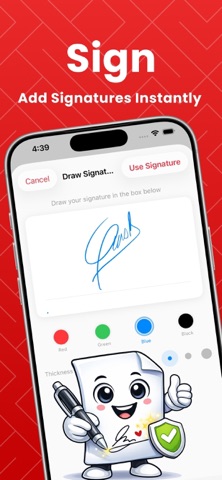
SIGN DOCUMENTS
Draw your signature once, use it forever. Place it anywhere on any PDF. Contracts, forms, agreements. Done in seconds.
ORGANIZE YOUR WAY
Merge multiple PDFs into one file. Split large documents into smaller pieces. Drag pages to reorder. Delete what you don't need. You're in control.
LOCK IT DOWN
Add password protection to sensitive files. Unlock PDFs when you have the password. Your documents, your rules.
SHRINK FILE SIZE
Compress PDFs without destroying quality. Send large files over email. Save storage space. Keep everything readable.
MORE TOOLS
Rotate pages. Add watermarks. Extract text with OCR. Create PDFs from scratch. Edit and annotate. Everything you need is here.
BUILT FOR PRIVACY
Your files never leave your device unless you want them to. No uploads to random servers. No tracking. Just tools that work.
PDF is Love. Because documents should be easy.
Free Usage Access :
Without Subscription the user can only View PDFs or Files Generated and Cannot Export Them
Pro User Access ( Subscription )
With Subscription the user can do unlimited operations and export the files for further usage
Privacy Policy : https://www.pdfislove.com/privacy.html
Terms of Use : https://www.pdfislove.com/terms.html