

Phone Scanner: Scan PDF file
Phone Scanner: Scan PDF file is made and published by Joy Sarkar. AppBrain is an independent app data site and isn't affiliated with Joy Sarkar. The app name, icon, screenshots and description belong to Joy Sarkar and are shown as published on the App Store.
AppBrain's verdict
EstablishedWell rated- Rating on App Store
- 4.23
- 146 ratings
- Last updated
- November 14, 2020
Users rate it well: 4.2 stars from 146 ratings.
Rankings
App Store top chartsApp Store Rankings for Phone Scanner: Scan PDF file
Competitors
Similar apps and more from Joy SarkarAlternatives to Phone Scanner: Scan PDF file








More from Joy Sarkar





Releases
Updates seen on the App Store- Version
- 4.1.1
- Launched
- May 2018
No changelog data
User feedback
Ratings and reviews on the App StoreComments on Phone Scanner: Scan PDF file for iOS
We don't have enough comments to show example comments. Please check back later.
Technology
Found in the app by AppBrain- Price
- Free
- App size
- 159.3 MB
- Content rating
- Everyone
Technologies used by Phone Scanner: Scan PDF file
About the app and developer
About Phone Scanner: Scan PDF file
Phone Scanner: Scan PDF file is a business app developed by Joy Sarkar.
User Ratings
Phone Scanner: Scan PDF file is rated 4.23 out of 5 stars. The rating is based on 150 ratings.
App Information
Phone Scanner: Scan PDF file is freely available from the App Store. The app size is 159.35 MB. The latest version available is 4.1.1. The last update was on November 14, 2020.
Technical Requirements
The app has a content rating of Everyone. The app has been available on the App Store since May 2018.
Developer information for Joy Sarkar
Address:
Frequently asked questions about Phone Scanner: Scan PDF file
Is Phone Scanner: Scan PDF file free?
Yes. Phone Scanner: Scan PDF file is free on the App Store.
Is Phone Scanner: Scan PDF file still available?
Yes. Phone Scanner: Scan PDF file is on the App Store, and the last update we saw was on November 14, 2020.
How large is Phone Scanner: Scan PDF file?
Phone Scanner: Scan PDF file is 159.35 MB.
Is Phone Scanner: Scan PDF file suitable for children?
App Store rates the content of Phone Scanner: Scan PDF file as suitable for everyone.
How do people rate Phone Scanner: Scan PDF file?
Phone Scanner: Scan PDF file scores 4.23 out of 5 stars, from 146 ratings on the App Store.
Who made Phone Scanner: Scan PDF file?
Phone Scanner: Scan PDF file was developed by Joy Sarkar. It is listed in the business category on the App Store.
What are the best alternatives to Phone Scanner: Scan PDF file?
People looking at Phone Scanner: Scan PDF file also look at these business apps: ScanCam: Scanner for iPhone, eScanner : PDF Easy Scanner, PDF Scanner・Doc Scanner App, PDF Edit: Document Editor, Scanner Plus - PDF Scanner App.
Store listing
By Joy Sarkar, from the App Store
Description by Joy Sarkar Written by the developer, not by AppBrain. Click to read.
* Designed for iOS 12 & both iPhone X series
* Scan documents, photos, receipts, or just about anything
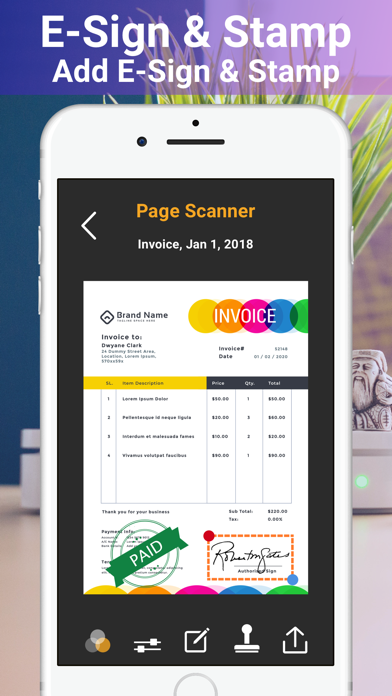
* Add your e-signature onto each page and share it in PDF or JPEG format.
Key Features:
◉ Scans any document including receipts, images, cards, paper notes, book pages etc
◉ Fast, easy & perfectly designed for both iPhone and iPad
◉ Has both signature & stamp features.
Advanced PDF Scanner app:
◉ Scan by camera or choose photos from library
◉ Save scans in grey scale, black & white or colour
◉ Automatic shutter& border detection for any scannable object
◉ Multipage scanning - scan as many pages as you like
Document Editor:
◉ E-sign any document by adding your signature to scans within the app.
◉ Add suitable stamps on your documents.
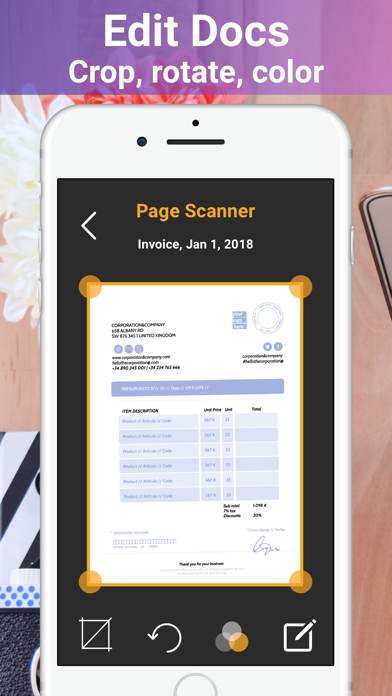
◉ Re-size, rename & rotate pages by Biz Scanner.
◉ Change effect by adding grayscale, B&W or color.
Document Sharing Tools:
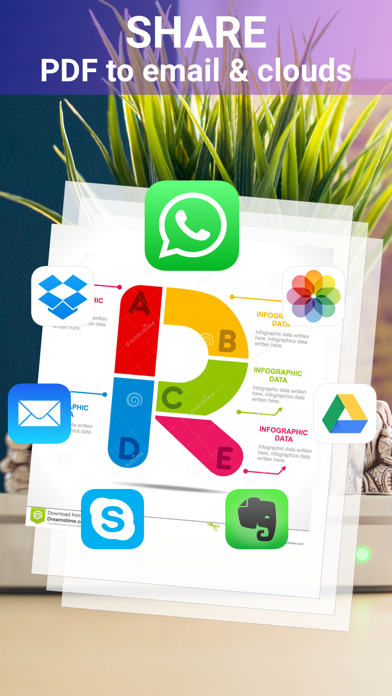
◉ Share and upload scanned documents to cloud services like Dropbox, Evernote, Yandex Disk, Box, Google Drive or OneDrive.
◉ Easy print your scans with any Wi-Fi printer
◉ Export files as PDF
◉ Save files to Camera Roll
# Subscription Information:
Please note: Phone Scanner contains 1 Week, 1 Month, 3 Months, 6 Months & 1 year Pro Subscription.
* Your subscription will automatically renew unless auto-renew is turned off at least 24-hours before the end of the current period
* You can cancel subscription anytime cancelling your subscription through your iTunes account settings. This must be done 24 hours before the end of subscription period to avoid being charged. The cancellation will take effect the day after the last day of the current subscription period, and you will be downgraded to the free service.
* Payment will be charged to your iTunes Account at confirmation of purchase
* Your account will be charged for renewal within 24-hours prior to the end of the current period and the cost will be identified.
* Subscriptions may be managed by the user and auto-renewal may be turned off by going to the user’s Account Settings after purchase
EULA: http://www.kinggamesstudio.net/Privacy_policy/terms_and_conditions.html
Privacy Policy: http://www.kinggamesstudio.net/Privacy_policy/pricacy_policy.html
Got questions or suggestions? Please don’t hesitate to email us at kinggamesstudio.com@gmail.com
Or reach us on Facebook to get immediate support
Facebook : https://www.facebook.com/kinggamesstudio/
We've been working hard to keep the Phone Scanner up to date for our users by adding new features & fixing bugs, so please write your review & rate us, it will help us to improve the Phone Scanner.