

Polaris Office - PDF & Docs
Polaris Office - PDF & Docs is made and published by Polaris Office Corp. AppBrain is an independent app data site and isn't affiliated with Polaris Office Corp. The app name, icon, screenshots and description belong to Polaris Office Corp. and are shown as published on the App Store.
AppBrain's verdict
EstablishedWell rated- Best rank
- #13
- Top Grossing, South Korea
- Rating on App Store
- 4.43
- 2,476 ratings
- Last updated
- September 16, 2026
Users rate it well: 4.4 stars from 2,476 ratings. Its best ranking is #13 in Top Grossing, Productivity in South Korea.
Rankings
App Store top charts- Highest rank
- #13
- Chart
- Top Grossing
- Productivity
- Country
- South Korea
App Store Rankings for Polaris Office - PDF & Docs
Top rankings
| Rank | Country | Category | List |
|---|---|---|---|
| 13 | South Korea | Productivity | Top Grossing |
| 29 | South Korea | Productivity | Top Free |
Ranking history in South Korea
Competitors
Similar apps and more from Polaris Office Corp.Alternatives to Polaris Office - PDF & Docs






More from Polaris Office Corp.




Releases
Updates seen on the App Store- Version
- 9.8.33
- Launched
- December 2013
No changelog data
User feedback
Ratings and reviews on the App StoreComments on Polaris Office - PDF & Docs for iOS
We don't have enough comments to show example comments. Please check back later.
Technology
Found in the app by AppBrain- Price
- Free
- App size
- 243.0 MB
- Content rating
- Everyone
Technologies used by Polaris Office - PDF & Docs
About the app and developer
About Polaris Office - PDF & Docs
Polaris Office - PDF & Docs is a productivity app developed by Polaris Office Corp.
What is the rating of Polaris Office - PDF & Docs?
Polaris Office - PDF & Docs is rated 4.43 out of 5 stars, based on 2.5 thousand ratings.
Is Polaris Office - PDF & Docs free?
Polaris Office - PDF & Docs is free. The app size is 243.00 MB. The latest version available is 9.8.33. The last update was on September 16, 2026.
What are the requirements for Polaris Office - PDF & Docs?
The app has a content rating of Everyone. The app has been available on the App Store since December 2013.
Developer information for Polaris Office Corp.
Address:
Frequently asked questions about Polaris Office - PDF & Docs
Is Polaris Office - PDF & Docs free?
Yes. Polaris Office - PDF & Docs is free on the App Store.
Is Polaris Office - PDF & Docs still available?
Yes. Polaris Office - PDF & Docs is on the App Store, and the last update we saw was on September 16, 2026.
How large is Polaris Office - PDF & Docs?
Polaris Office - PDF & Docs is 243.00 MB.
Is Polaris Office - PDF & Docs suitable for children?
App Store rates the content of Polaris Office - PDF & Docs as suitable for everyone.
How do people rate Polaris Office - PDF & Docs?
Polaris Office - PDF & Docs scores 4.43 out of 5 stars, from 2,476 ratings on the App Store.
Who made Polaris Office - PDF & Docs?
Polaris Office - PDF & Docs was developed by Polaris Office Corp. It is listed in the productivity category on the App Store.
What are the best alternatives to Polaris Office - PDF & Docs?
People looking at Polaris Office - PDF & Docs also look at these productivity apps: 한컴오피스 Viewer, WPS Office-AI Doc, PDF, Sheet, PDF Reader – PDFelement, OpenDocument Reader - view ODT, PDF Pro - Reader Editor Forms.
Store listing
By Polaris Office Corp., from the App Store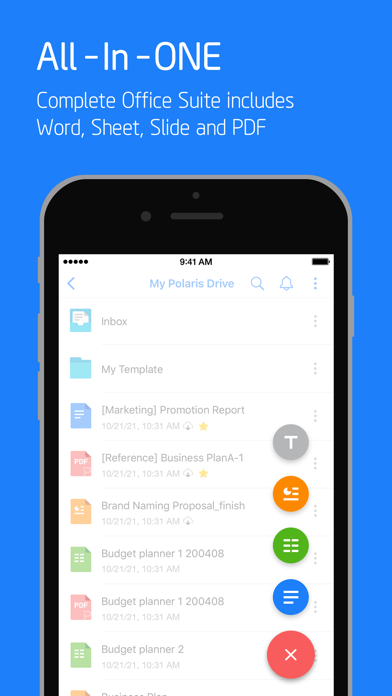
Description by Polaris Office Corp. Written by the developer, not by AppBrain. Click to read.
Experience New All-in-One Complete Office Suite compatible with Word, Excel, PowerPoint and Adobe PDF "Best App" awarded by iTunes App Store.
[ Features ]
• Edit and save documents in various file formats
Under 100 MB size. Just one application enough for all different type of documents.
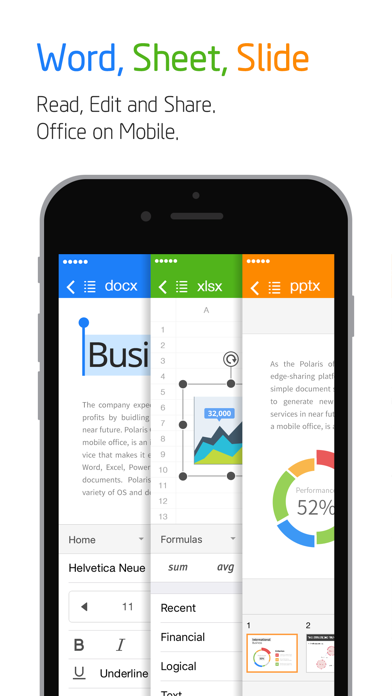
- Open, edit, save and share all kinds of office documents such as Word, Excel, Power Point, and Google Docs with one iOS app.
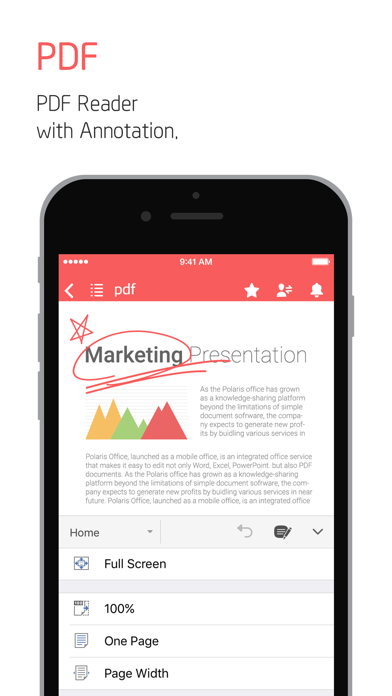
- View PDFs right from your iPhone and iPad. Convert PDF into Office documents and edit them.
• Convenient usability
Quick and Easy Access for Anytime, Anywhere and Any device.
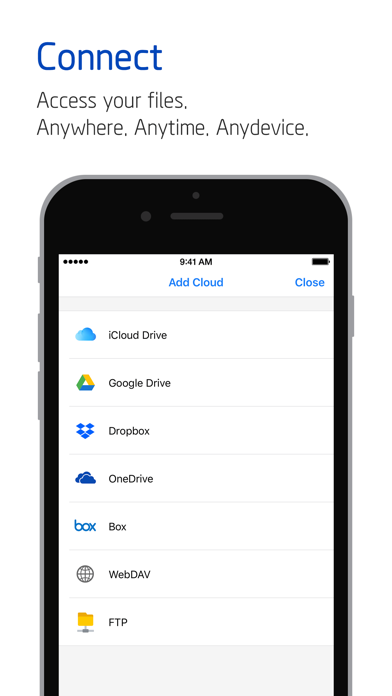
- Across all devices like Desktop, iPhone and iPad, Keep your all documents always up-to-date in sync via Polaris Drive, iCloud and other cloud service.
- Edit file easily with Split View.
- Powerful search function will save your time to expand your search terms not just filename.
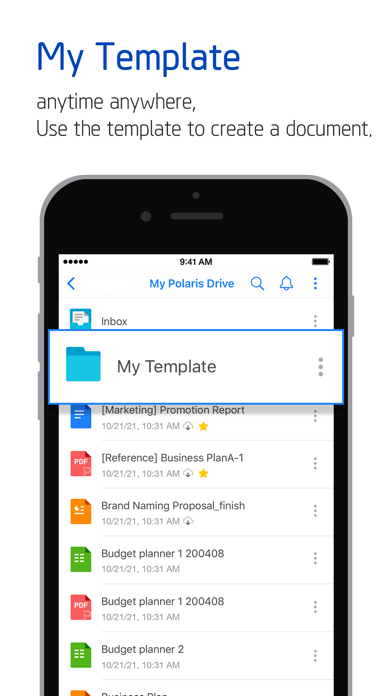
- Save frequent template in My Template folder. You can make your own template anytime.
- Without extracting zip files on iPhone and iPad, you can easily open and read all type of documents.
• Share documents quickly, easily
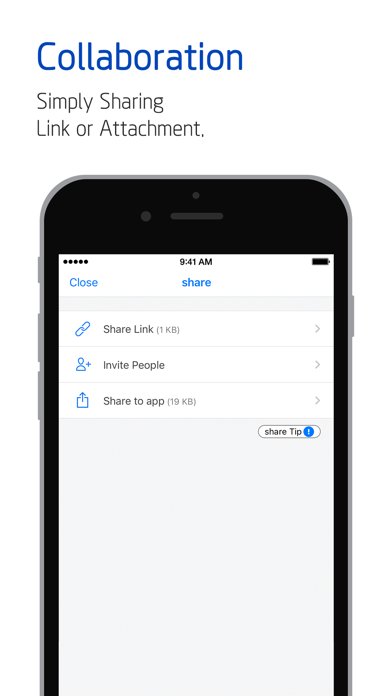
Share documents easily and invite others quickly to edit or view documents.
- Just simply sharing the link of documents with our cloud storage via SMS, email, Facebook and other channels.
• Other support available
- Supported File Formats : DOC, DOCX, XLS, XLSX, PPT, PPTX, PPS, PPSX, TXT, HWP, HWPX, ODT and PDF.
(NEW) Now we support CSV format.
- Free Available for 33 templates, 20 various 2D/3D charts, 37 slide transition effects, 173 different shapes and 300 formulas for spreadsheet.
- Supporting 18 global languages including English, French, Simplified Chinese, Japanese, Russian, German, Italian, Spanish, Polish, Portuguese (Europe, Brazil), etc.
- Polaris Drive is a default cloud but also available other cloud service such as iCloud, Google Drive, Dropbox, OneDrive, Box, WebDAV, FTP for 24 hours, 365 days.
- Polaris Office has earned ISO 27001 certification for International Cloud Privacy Standard.
[Payment plan and auto-subscription]
• Polaris Office is free all-in-one office suite but some features can be limited by your cloud usage or your subscription option.
• Smart Plan : $3.99/month & $39.99/year
• Pro Plan : $5.99/month & $59.99/year
• AI Plan ($12.99/month & $129.99/year)
• AI-Plus Plan ($20.99/month & $209.99/year)
• Remove Ads : $10.99
• Recurring payment and plan subscriptions are charged to Apple Store account. Subscription automatically renews unless auto-renew is turned off at least 24-hours before the end of the current period.
• Subscriptions can be managed at App Store account setting. Auto-renewal may be turned off by going to user’s Account Settings.
[Note]
• Support : [Application] -[Settings] - [Customer Support] or [Official Site] – [Support]
• Customer Support : support@polarisoffice.com
• Terms of Service : https://www.polarisoffice.com/en/terms
• Privacy Policy : https://www.polarisoffice.com/en/privacy
* How to change sharing option
Settings > Privacy > Allow additional permissions
Select category > Revoke access to Polaris Office