

QuickEditor - Text & Code
QuickEditor - Text & Code is made and published by KAZUHIRO KAKIMOTO. AppBrain is an independent app data site and isn't affiliated with KAZUHIRO KAKIMOTO. The app name, icon, screenshots and description belong to KAZUHIRO KAKIMOTO and are shown as published on the App Store.
AppBrain's verdict
Established- Rating on App Store
- 3.00
- 2 ratings
- Last updated
- August 25, 2026
It doesn't have enough ratings yet to judge what users think.
Rankings
App Store top chartsApp Store Rankings for QuickEditor - Text & Code
Competitors
Similar apps and more from KAZUHIRO KAKIMOTO







Releases
Updates seen on the App Store- Version
- 5.6.29
- Launched
- January 2019
No changelog data
User feedback
Ratings and reviews on the App StoreComments on QuickEditor - Text & Code for iOS
We don't have enough comments to show example comments. Please check back later.
Technology
Found in the app by AppBrain- Price
- Free
- App size
- 64.9 MB
- Content rating
- Everyone
Technologies used by QuickEditor - Text & Code
About the app and developer
About QuickEditor - Text & Code
QuickEditor - Text & Code is a productivity app developed by KAZUHIRO KAKIMOTO.
What is the rating of QuickEditor - Text & Code?
QuickEditor - Text & Code is rated 3.00 out of 5 stars, based on 2 ratings.
Is QuickEditor - Text & Code free?
QuickEditor - Text & Code is free. The app size is 64.94 MB. The latest version available is 5.6.29. The last update was on August 25, 2026.
What are the requirements for QuickEditor - Text & Code?
The app has a content rating of Everyone. The app has been available on the App Store since January 2019.
Developer information for KAZUHIRO KAKIMOTO
Address:
Store listing
By KAZUHIRO KAKIMOTO, from the App Store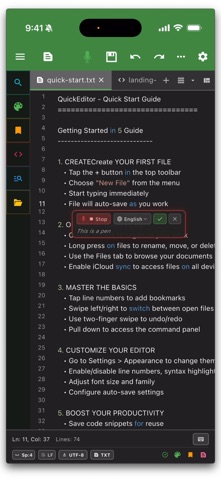





Description by KAZUHIRO KAKIMOTO Written by the developer, not by AppBrain. Click to read.
WORKSPACE & FILE EXPLORATION:
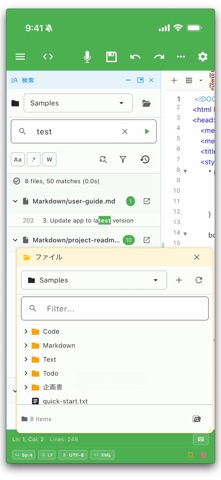
• Advanced file manager • Full-fledged organization for your local, cloud, and remote directories
• Unified global search • Recursive full-text search and replace across entire folders and active tabs
• Floating & dockable UI • Build your ideal layout with floating panels and dockable tool windows
• Multiple workspaces • Organize complex projects efficiently with a flexible tabbed interface
• Diff & Merge tools • Visually compare text files or entire folders, navigate differences, and merge changes side-by-side.
CODING & TEXT CONTROL:
• Syntax highlighting • Robust support for major programming languages and scripts
• Command palette • Instantly access all editor commands, pin your favorites, and review command history for rapid navigation.
• Speech & audio • Instantly capture ideas using voice-to-text input, and listen to documents with built-in text-to-speech (Read Aloud) features.
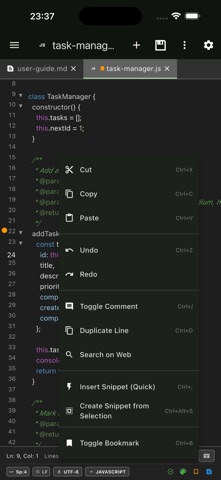
• Code assist • Accelerate your workflow with autocomplete, reusable snippets, and global bookmarks
• Rectangular selection • Edit columns of text with precision for advanced formatting
• Built-in terminal • Run shell commands without leaving the editor (xterm-based)
• Markdown preview • Live preview of selected text or full files
• Find & replace • Powerful search with regex support across files and tabs
AI AGENT & ASSISTANT:
• AI Agent & MCP Server • Empower your workflow with an autonomous AI Agent that can read, write, and manage your local files via Model Context Protocol (MCP).
• Persistent AI Memory • Manage long-term context and Agent Tasks seamlessly within your workspace.
• AI integration • Connect with leading AI models, including local LLMs, to enhance your writing and coding productivity.
REMOTE & CLOUD MANAGEMENT:
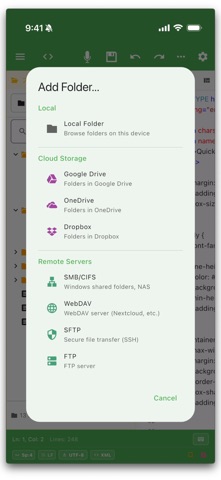
• Remote direct editing • Connect and edit seamlessly on SMB/CIFS (Windows shares, Synology/QNAP NAS), SFTP/SSH, WebDAV, and FTP servers
• Cloud integration • Access, manage, and sync your files anywhere via iCloud and external cloud providers
• Cross-platform sync • A unified, fluid experience across your iPhone, iPad, and Mac
CUSTOMIZATION & ACCESSIBILITY:
• Automation & Deep links • Integrate seamlessly with Apple Shortcuts and automation tools using custom URL schemes to open specific files or workspaces.
• Home screen widgets • Quick access to your most important files, recents, and bookmarks
• Global encoding support • Read and write safely using 50+ encodings across 100+ languages
• Theme colors • Customize with 20+ colors and dark/light mode support
SUPPORTED LANGUAGES:
• Python, JavaScript, Java, Kotlin
• HTML, CSS, PHP, SQL
• C, C++, C#, Swift
• And many more...
PERFECT FOR:
• Programming, coding, and codebase management
• Deep analysis of system logs and large text files
• Quick edits to remote server configuration files
• Distraction-free writing and note-taking
QUICK TOOLS & WORKFLOWS:
• Snippets Workspace • Reuse templates, variable sets, presets, and batch generation for repeatable text.
• Bookmarks Workspace • Track code locations, inspect stale targets, and jump back to important lines.
• Commands Workspace • Pin commands, customize header/footer toolbars, and audit palette visibility.
• QuickSticky • Keep lightweight scratch notes beside your editor with theme colors and pinning.
QuickEditor Pro unlocks:
• Ad-free experience
• Unlimited tabs
• Advanced text operations
• Priority support
Terms of Use: https://kakitiro.com/quickapps/quickeditor/terms/