

Speech to Text Pro
Speech to Text Pro is made and published by Bhavika Vora. AppBrain is an independent app data site and isn't affiliated with Bhavika Vora. The app name, icon, screenshots and description belong to Bhavika Vora and are shown as published on the App Store.
AppBrain's verdict
- Rating on App Store
- 3.50
- 2 ratings
- Last updated
- February 10, 2026
It doesn't have enough ratings yet to judge what users think.
Rankings
App Store top chartsApp Store Rankings for Speech to Text Pro
Competitors
Similar apps and more from Bhavika VoraAlternatives to Speech to Text Pro


More from Bhavika Vora


Releases
Updates seen on the App Store- Version
- 1.0
- Launched
- February 2026
No changelog data
User feedback
Ratings and reviews on the App StoreComments on Speech to Text Pro for iOS
We don't have enough comments to show example comments. Please check back later.
Technology
Found in the app by AppBrain- Price
- Free
- App size
- 36.5 MB
- Content rating
- Everyone
Technologies used by Speech to Text Pro
About the app and developer
About Speech to Text Pro
Speech to Text Pro is a productivity app developed by Bhavika Vora.
User Ratings
Speech to Text Pro is rated 3.50 out of 5 stars. The rating is based on 2 ratings.
App Information
Speech to Text Pro is freely available from the App Store. The app size is 36.55 MB. The latest version available is 1.0. The last update was on February 10, 2026.
Technical Requirements
The app has a content rating of Everyone. The app has been available on the App Store since February 2026.
Developer information for Bhavika Vora
Address:
Frequently asked questions about Speech to Text Pro
Is Speech to Text Pro free?
Yes. Speech to Text Pro is free on the App Store.
Is Speech to Text Pro still available?
Yes. Speech to Text Pro is on the App Store, and the last update we saw was on February 10, 2026.
How large is Speech to Text Pro?
Speech to Text Pro is 36.55 MB.
Is Speech to Text Pro suitable for children?
App Store rates the content of Speech to Text Pro as suitable for everyone.
How do people rate Speech to Text Pro?
Speech to Text Pro scores 3.50 out of 5 stars, from 2 ratings on the App Store.
Who made Speech to Text Pro?
Speech to Text Pro was developed by Bhavika Vora. It is listed in the productivity category on the App Store.
What are the best alternatives to Speech to Text Pro?
People looking at Speech to Text Pro also look at these productivity apps: Speech Notes: Voice Note Taker, Voice Reader: Text to Audio AI, Hovor: Voice to Text Keyboard, PDF To Word – Doc Converter, Voice to Text - Speech Typing.
Store listing
By Bhavika Vora, from the App Store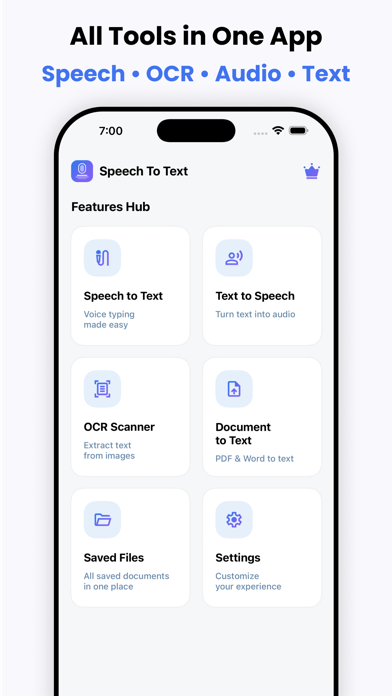



Description by Bhavika Vora Written by the developer, not by AppBrain. Click to read.
Speech to Text Pro is a powerful all-in-one productivity app for iPhone and iPad that helps you convert speech, text, images, and documents into editable content instantly. Designed for students, professionals, creators, and business users, this smart tool offers fast and accurate speech recognition, natural text to speech voice output, advanced OCR scanning, and document-to-text conversion — all in one easy-to-use iOS app.
Boost your productivity, save time, and simplify your daily workflow with one of the best voice typing and OCR scanner apps available on the App Store.
Features :
- Speech to Text
- Text to Speech
- OCR Scanner
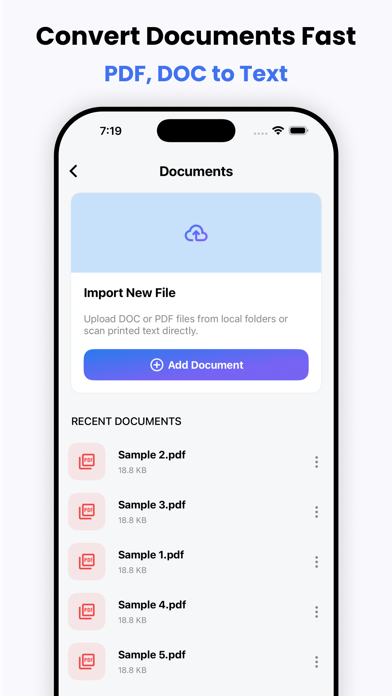
- Document to Text
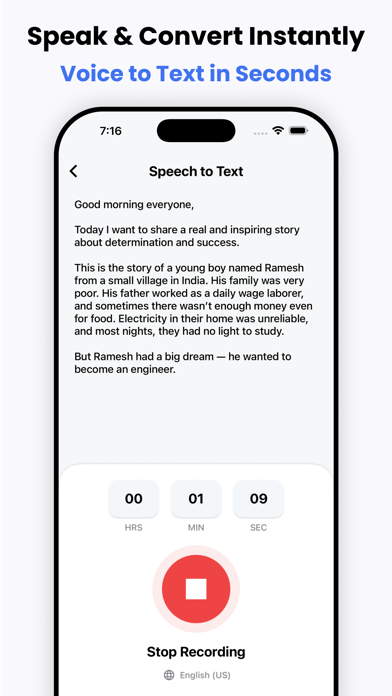
Speech to Text – Accurate Voice Typing
Turn your voice into text instantly with advanced speech recognition technology. Speech to Text Pro helps you write faster without typing. Perfect for notes, emails, messages, meetings, lectures, and content creation.
- Real-time speech to text conversion
- Fast and accurate voice typing
- Multi-language speech recognition
- Edit, copy, and share text easily
- Ideal for students, writers, and professionals
Use voice typing anytime, anywhere and convert spoken words into accurate written text within seconds.
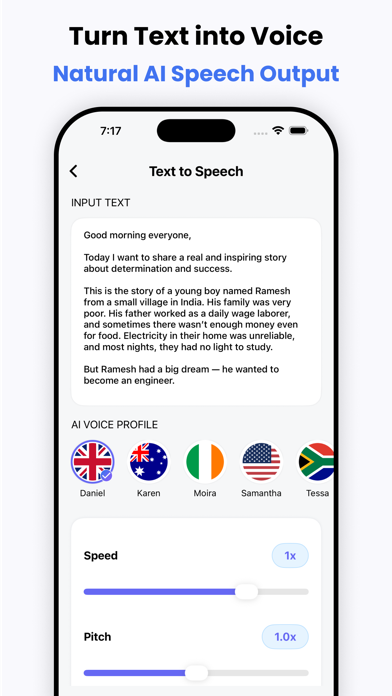
Text to Speech – Natural Voice Reader
Convert text into high-quality natural sounding speech. Listen to documents, notes, and articles on the go with powerful text-to-speech technology.
- Realistic voice reader
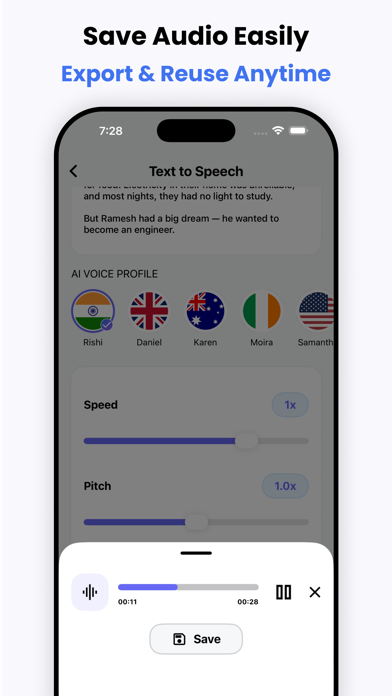
- Adjustable speed and pitch
- Multiple languages and voices
- Listen to documents and text files
- Great for learning and accessibility
Text to Speech Pro helps you read hands-free and improve productivity while multitasking.
OCR Scanner – Image to Text
Scan printed documents, photos, notes, receipts, and images to extract text instantly with advanced OCR (Optical Character Recognition).
- Scan images and convert to text
- Extract text from photos and screenshots
- High accuracy OCR scanning
- Edit and share scanned text
- Perfect for students and office work
Turn any image into editable text within seconds using the powerful OCR scanner.
Document to Text – PDF & File Converter
Convert documents into editable text quickly. Import and scan PDF, DOC, DOCX, and TXT files and extract text easily.
- PDF to text converter
- DOC/DOCX to text
- Fast document scanning
- Easy editing and sharing
- Supports multiple file formats
Manage all your documents and convert them into text effortlessly.
Why Choose Speech to Text Pro?
- All-in-one voice and text converter
- Fast, accurate, and reliable
- User-friendly interface
- Supports multiple languages
- Secure and private processing
- Perfect for work, study, and daily use
Speech to Text Pro is the ultimate voice typing, OCR scanner, and text reader app for iOS users.
Download now and experience the smartest way to convert speech, text, images, and documents into editable content.
Privacy Policy: https://sites.google.com/view/softiosapps/privacypolicy
Terms of use: https://sites.google.com/view/softiosapps/termsofuse
Keywords included naturally:
- speech to text
- voice typing
- text to speech
- voice to text
- audio to text
- speech recognition
- voice recorder to text
- ocr scanner
- image to text
- photo to text
- pdf to text
- document scanner
- text reader
- voice notes
- voice typing app
- dictation app
- scan to text
- convert speech to text
- voice translator
- ai speech to text
- voice typing keyboard
- ocr text scanner
- text scanner
- document to text
- pdf converter
- voice memo to text
- speech converter
- ai voice typing
- voice typing ios
- speech to text ios
- text to speech ios