

System Designer
System Designer is made and published by Erwan Carriou. AppBrain is an independent app data site and isn't affiliated with Erwan Carriou. The app name, icon, screenshots and description belong to Erwan Carriou and are shown as published on the App Store.
AppBrain's verdict
Established- Rating on App Store
- 4.41
- 17 ratings
- Last updated
- January 28, 2024
It doesn't have enough ratings yet to judge what users think.
Rankings
App Store top chartsApp Store Rankings for System Designer
Competitors
Similar apps and more from Erwan CarriouAlternatives to System Designer







Releases
Updates seen on the App Store- Version
- 5.4.0
- Launched
- July 2016
No changelog data
User feedback
Ratings and reviews on the App StoreComments on System Designer for iOS
We don't have enough comments to show example comments. Please check back later.
Technology
Found in the app by AppBrain- Price
- Free
- App size
- 7.32 MB
- Content rating
- Everyone
Technologies used by System Designer
About the app and developer
About System Designer
System Designer is a productivity app developed by Erwan Carriou.
User Ratings
System Designer is rated 4.41 out of 5 stars. The rating is based on 17 ratings.
App Information
System Designer is freely available from the App Store. The app size is 7.32 MB. The latest version available is 5.4.0. The last update was on January 28, 2024.
Technical Requirements
The app has a content rating of Everyone. The app has been available on the App Store since July 2016.
Developer information for Erwan Carriou
Address:
Frequently asked questions about System Designer
Is System Designer free?
Yes. System Designer is free on the App Store.
Is System Designer still available?
Yes. System Designer is on the App Store, and the last update we saw was on January 28, 2024.
How large is System Designer?
System Designer is 7.32 MB.
Is System Designer suitable for children?
App Store rates the content of System Designer as suitable for everyone.
How do people rate System Designer?
System Designer scores 4.41 out of 5 stars, from 17 ratings on the App Store.
Who made System Designer?
System Designer was developed by Erwan Carriou. It is listed in the productivity category on the App Store.
What are the best alternatives to System Designer?
People looking at System Designer also look at these productivity apps: XDiagram Create flowcharts, Lekh: Diagram & Flowchart App, PureFlow, Grafio 4 - Diagram Maker, JSitor - JS, HTML & CSS Editor.
Store listing
By Erwan Carriou, from the App Store
Description by Erwan Carriou Written by the developer, not by AppBrain. Click to read.
No matter the frameworks you use and the code you write, the most important is the model that you define to create your system.
System Designer helps you to design this model and to generate the classes and components to build your system.
DESIGN YOUR SYSTEM WITH EASE
If you look at the different JavaScript frameworks on the market, you will notice that they all have their own way to define a model, generally only with code.
System Designer uses UML, a standard, to define your model. So you probably already know how to design in System Designer even if you have never run it.
The definition of the model is stored on a JSON format called MSON. With MSON you can define types, classes, one to one / one to many relationships and multi inheritance between classes.
CODE THE BEHAVIOR OF YOUR SYSTEM
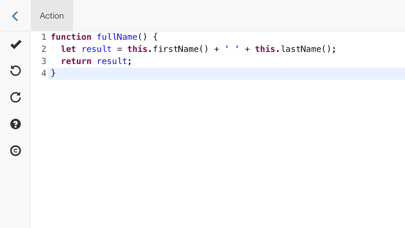
Once you have created your model, System Designer generates the skeletons of all your methods. You only have then to add your code to implement them.
System Designer provides you helpers to manage your components. You can easily navigate threw your components to create your application.
CREATE COMPONENTS GRAPHICALLY
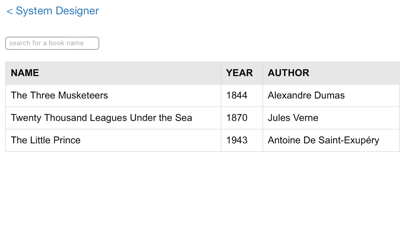
There is no need to code to instantiate a component. Create a component in System Designer is like creating a document in a NoSQL Database.
In fact, System Designer acts as an ODM (Object-Document Mapper) to manage your components as NoSQL Documents.
RUN YOUR SYSTEM
You can run your system directly from System Designer.
Because you have defined a model for your application, a Dynamic Type Check is done on every action of your system. All warnings are send and shown in System Designer.
DESIGN ON THE GO
System Designer can be used on macOS, iPad or any browsers.
System Designer has a Github module to synchronize your work between all these apps. You can begin your design on your Mac and then continue it on your iPad.