

PDF Scan: Sign, OCR & Merge
PDF Scan: Sign, OCR & Merge is made and published by Phuc Pham. AppBrain is an independent app data site and isn't affiliated with Phuc Pham. The app name, icon, screenshots and description belong to Phuc Pham and are shown as published on the App Store.
AppBrain's verdict
- Last updated
- August 19, 2026
Rankings
App Store top chartsApp Store Rankings for PDF Scan: Sign, OCR & Merge
Competitors
Similar apps and more from Phuc PhamAlternatives to PDF Scan: Sign, OCR & Merge


More from Phuc Pham


Releases
Updates seen on the App Store- Version
- 1.1
- Launched
- July 2026
No changelog data
User feedback
Ratings and reviews on the App StoreComments on PDF Scan: Sign, OCR & Merge for iOS
We don't have enough comments to show example comments. Please check back later.
Technology
Found in the app by AppBrain- Price
- Free
- App size
- 6.11 MB
- Content rating
- Everyone
Technologies used by PDF Scan: Sign, OCR & Merge
About the app and developer
About PDF Scan: Sign, OCR & Merge
PDF Scan: Sign, OCR & Merge is a productivity app developed by Phuc Pham.
What is the rating of PDF Scan: Sign, OCR & Merge?
PDF Scan: Sign, OCR & Merge has no ratings yet.
Is PDF Scan: Sign, OCR & Merge free?
PDF Scan: Sign, OCR & Merge is free. The app size is 6.11 MB. The latest version available is 1.1. The last update was on August 19, 2026.
What are the requirements for PDF Scan: Sign, OCR & Merge?
The app has a content rating of Everyone. The app has been available on the App Store since July 2026.
Developer information for Phuc Pham
Address:
Frequently asked questions about PDF Scan: Sign, OCR & Merge
Is PDF Scan: Sign, OCR & Merge free?
Yes. PDF Scan: Sign, OCR & Merge is free on the App Store.
Is PDF Scan: Sign, OCR & Merge still available?
Yes. PDF Scan: Sign, OCR & Merge is on the App Store, and the last update we saw was on August 19, 2026.
How large is PDF Scan: Sign, OCR & Merge?
PDF Scan: Sign, OCR & Merge is 6.11 MB.
Is PDF Scan: Sign, OCR & Merge suitable for children?
App Store rates the content of PDF Scan: Sign, OCR & Merge as suitable for everyone.
Who made PDF Scan: Sign, OCR & Merge?
PDF Scan: Sign, OCR & Merge was developed by Phuc Pham. It is listed in the productivity category on the App Store.
What are the best alternatives to PDF Scan: Sign, OCR & Merge?
People looking at PDF Scan: Sign, OCR & Merge also look at these productivity apps: Folio: Scanner ID & PDF Editor, Scanbox: PDF Doc Scanner, Kiwi PDF: Editor & Scanner, Scanner App Scan PDF & Docs, Scanner PDF: Doc Scan & OCR.
Store listing
By Phuc Pham, from the App Store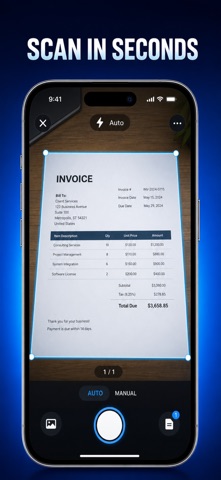


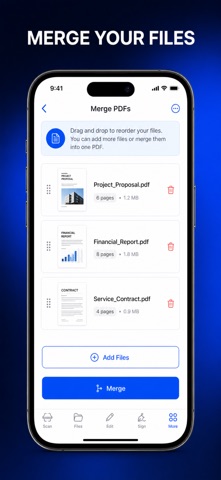


Description by Phuc Pham Written by the developer, not by AppBrain. Click to read.
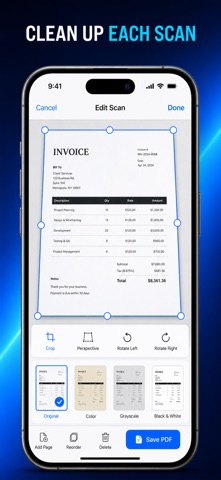
Most scanner apps stop at the capture. This one finishes the job entirely on your device: automatic page detection squares and straightens the paper, on-device text recognition turns every scan into words you can search, copy, and export, and your saved handwritten signature goes straight onto the page. No account, no upload, no internet connection at any step.
WHAT YOU GET
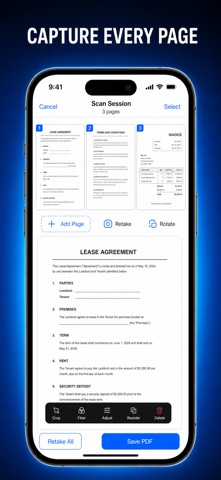
- Clean multi-page PDFs straight from the camera, with automatic page detection and perspective correction
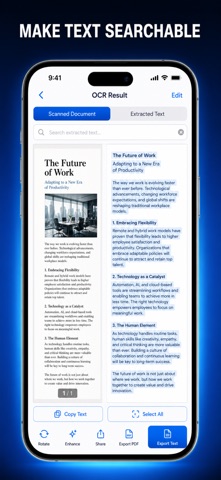
- Searchable, copyable text lifted off any scan by on-device recognition, page by page, exported as TXT or PDF
- Your handwritten signature drawn once, saved, then placed on any page and written back into the document
- A business card reader that pulls out name, email and phone, and a receipt reader for merchant, date, total and line items
- A QR and barcode reader, plus converters that turn photos from your library or typed text into a PDF
- A tidy library: folders, favorites, search, sorting, rename, page reorder, rotate and delete, then share or AirDrop as PDF
PERFECT FOR
- Freelancers and small businesses turning contracts and invoices into signed PDFs
- Students digitizing handouts, notes, and printed chapters
- Anyone filing receipts, IDs, and paperwork for taxes or personal records
- Remote workers who need to scan, sign, and send a document from their phone
WHY NOT JUST PHOTOGRAPH THE PAPER?
A camera photo is crooked, shadowed, oversized, and buried in your camera roll. This app squares the page, builds a proper multi-page PDF, makes the words searchable, lets you sign it, and hands you one file you can actually email.
PRIVACY
No account, no sign-up, no cloud upload, no tracking. Every scan, every text recognition pass, and every PDF is created and stored locally on your device, and the app works with no internet connection at all.
FULL ACCESS
The free version gives you 5 scans per day plus the QR and barcode reader and the photo-to-PDF and text-to-PDF converters. Full Access removes the daily scan limit and unlocks text extraction from your scans, saved signatures and document signing, and the business card and receipt readers. Choose a weekly plan, a yearly plan, or a one-time lifetime purchase you pay once and keep forever.
Scan your first page in the next 30 seconds — open the app and tap Scan.
Terms of Use (EULA): https://web-levi.web.app/terms
Privacy Policy: https://web-levi.web.app/privacy-policy
Questions? tphuc.work@gmail.com