Download Android Apps and Games
AppBrain
  • Apps
  • Apps being viewed right now Trending apps today Most popular apps All-time most downloaded apps Top rated apps
  • Intelligence ▾
    Intelligence overview → Track any Android app or your whole market
    Track & analyze
    Keyword Tracker & OptimizerTrack & improve Play rankings App Performance ReportOne-off PDF for any app StatisticsFree Android & Play market stats
    Promote your app
    Featured Apps App Links
  • Intelligence
  • Pricing
  • Dashboard
  • Sign up
  • Log in
Last updated on: 2026-06-25
App Store Apps > Productivity > The Vault - Security Made Easy
The Vault - Security Made Easy icon

The Vault - Security Made Easy

8.5.1
BestApps BV
3.66
160 reviews
Free

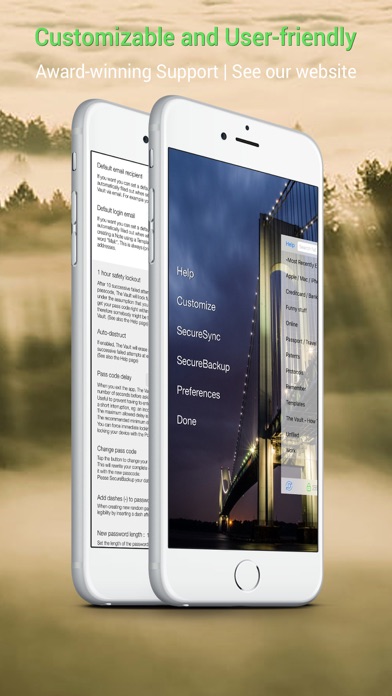
The Vault - Security Made Easy Screenshot 1 of 10
The Vault - Security Made Easy Screenshot 2 of 10
The Vault - Security Made Easy Screenshot 3 of 10
The Vault - Security Made Easy Screenshot 4 of 10
The Vault - Security Made Easy Screenshot 5 of 10
The Vault - Security Made Easy Screenshot 6 of 10
The Vault - Security Made Easy Screenshot 7 of 10
The Vault - Security Made Easy Screenshot 8 of 10
The Vault - Security Made Easy Screenshot 9 of 10
The Vault - Security Made Easy Screenshot 10 of 10
Download from the App Store

About The Vault - Security Made Easy

The Vault - Security Made Easy is an overall app developed by BestApps BV.

Download Statistics

User Ratings

The Vault - Security Made Easy is rated 3.66 out of 5 stars. The rating is based on 160 ratings.

App Information

The Vault - Security Made Easy is FREE to download. The APK download size is 51.12 MB. The latest version available is 8.5.1. The last update was on August 28, 2025.

Technical Requirements

The app has a content rating of Everyone. The app has been available on Google Play May 2011.

Description
◆ NO subscriptions - Free with optional One-Time charges ◆

Do you...
... have trouble remembering tens or hundreds of online passwords?
... write passwords down somewhere, even though you know this is not the safest thing to do?
... use the same ("cleverly" modified) password in multiple places, instead of using properly randomized passwords that offer the best security?
... sometimes wish you had a photo of a creditcard, passport or other document handy?
... want to securely store lots of other confidential information, photos, animated GIFs, office documents, you name it?
... want all this to be secure, but still very simple to use?

Then ◆The Vault◆ is for you!

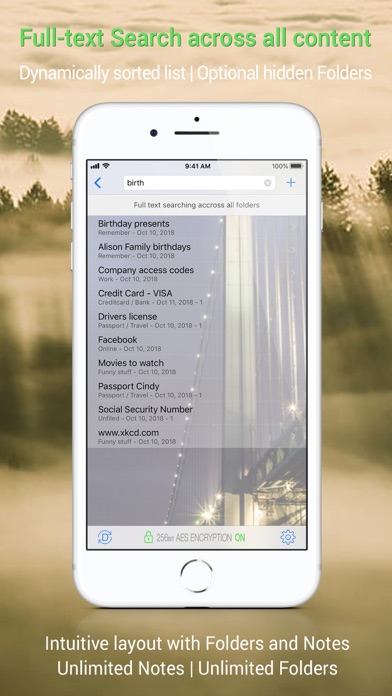
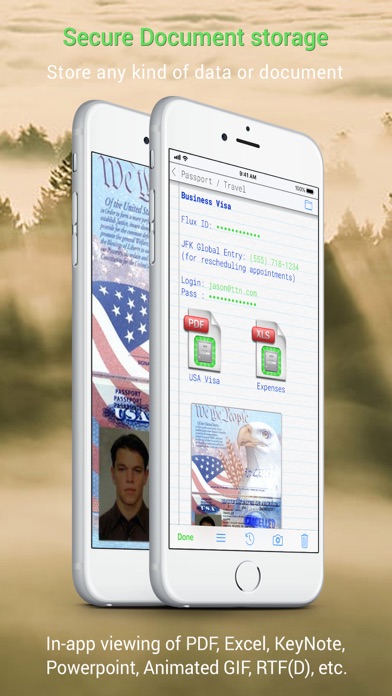
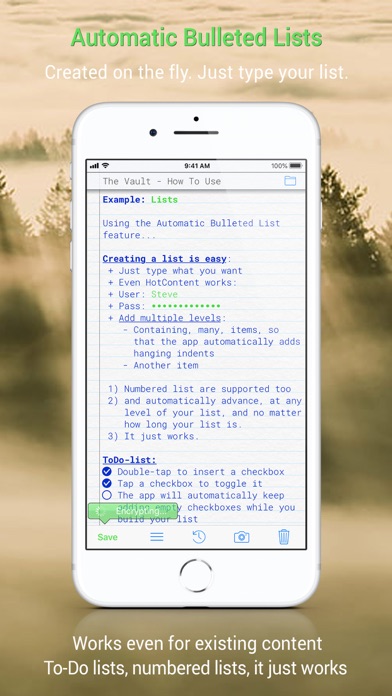
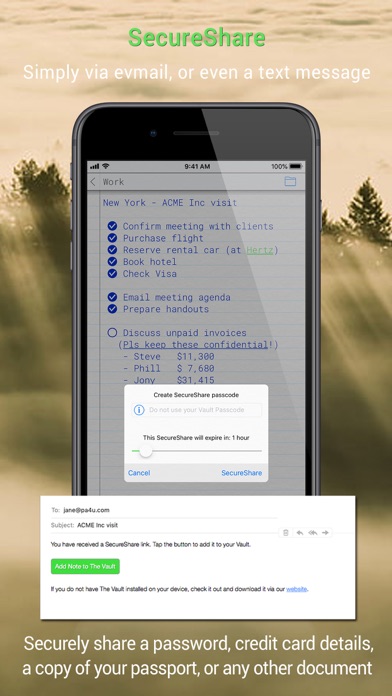
The Vault provides straightforward, easy to use, secure storage for all your documents and other data, such as passwords, login credentials and any other confidential information. It can securely store any number of documents, images, screenshots or photos along with your confidential information.

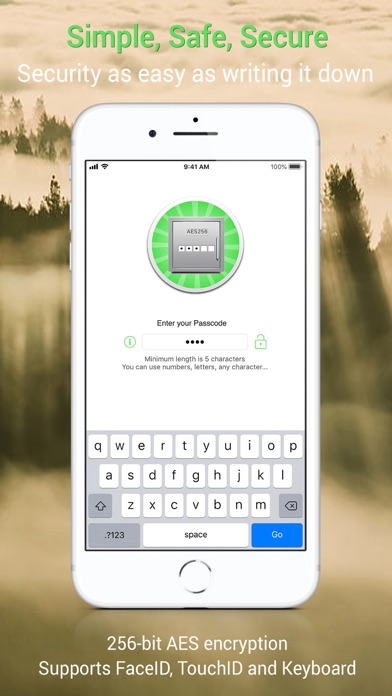
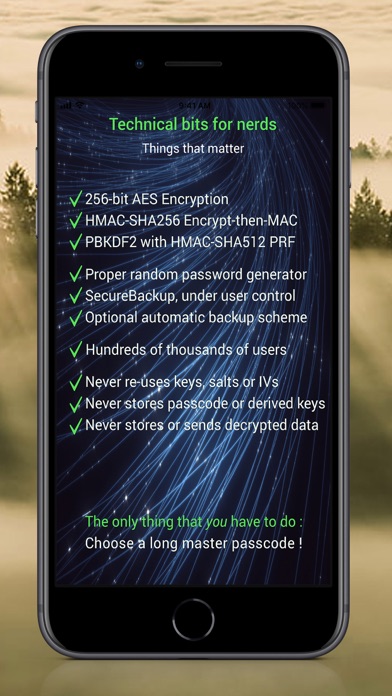
* 256-bit AES encryption *
While storage and access is simple, The Vault uses rock-solid, industry standard encryption.
[technical details below]


◆ ◆ ◆ WHY IS IT BETTER ? ◆ ◆ ◆

▸ See all features: bit.ly/TheVault-Features

▸ The Vault is very simple to use, yet it employs industry-standard encryption to keep your data safe.
(Some other - payed - apps do too, but some apps advertised as "secure" really do not, and for example save your data using a simple base-64 encoding: your information looks scrambled, but is as readable as plain text when you know how).

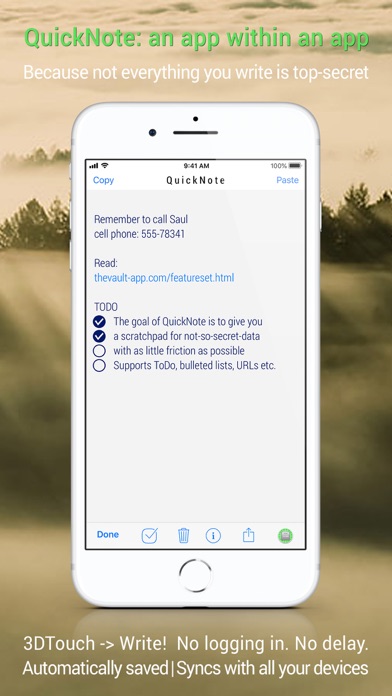
▸ The Vault will - never - show ad banners! We hate them too.

▸ The Vault stores information on * your * device. Not on some server somewhere on the net.

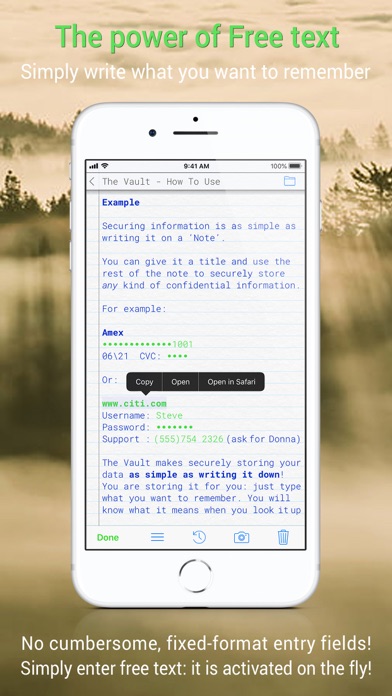
▸ Securely storing information is as simple as entering free text!

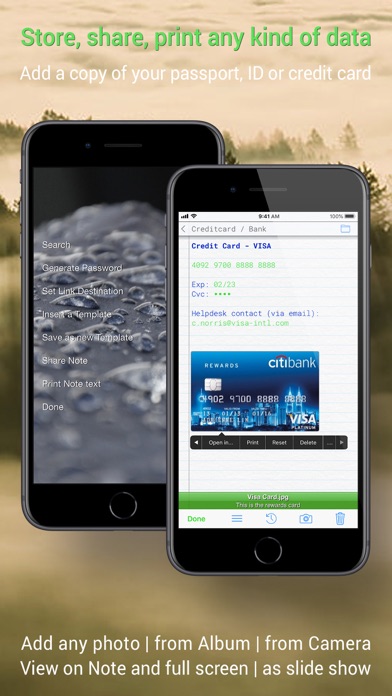
▸ The Vault can securely store photos and pictures from your camera or photo library; for example a copy of your passport, credit card, or just the serial numbers of some equipment you own. Anything.

▸ The Vault can securely store - and play - animated GIFs.

▸ The Vault can securely store *any* office or other document.

▸ Many secured documents can be viewed directly from The Vault, including PDFs, Keynote, Numbers, Pages, Powerpoint, Excel and Word files.

▸ You can optionally import data exported from your previous password app (or any other source that can provide the data).

▸ Automatically and securely backups your data!


◆ ◆ ◆ TECHNICAL DETAILS ◆ ◆ ◆

This is the part that matters.
This is the part that is hard to get right.
This is the part that makes the difference between actual security and insecurity.

Claiming “military-grade” (or “industry standard” ;-) encryption is meaningless.
Even claiming “256-bit AES encryption”, in itself is not very meaningful.

Example:
Claiming “military-grade” encryption and subsequently simply hashing a master passcode - e.g. using SHA, or MD5 is NOT good.
What ís good is to use a proper key derivation algorithm such as PBKDF2, scrypt or bcrypt.

Another example:
AES is better than older algorithms such as Blowfish, Twofish or 3DES.
But even for AES: an app that does not combine encryption with authentication... is doing it wrong. Currently there is some consensus that the best construct is to first encrypt a message and then calculate a message-authentication code, instead of the other way around.

These things matter.

◆ ◆ ◆
The Vault uses PBKDF2 key derivation with an HMAC-SHA512 PRF, and HMAC-SHA256 Encrypt-then-MAC authenticated 256-bit AES encryption, using CommonCrypto functionality only. All cipher and MAC worker keys, as well as all salts and IVs, are purely random data. Keys and IVs are never reused. Each singular piece of data is encrypted with a unique random encryption key, and authenticated with a unique random HMAC key.
Your Master Passcode is never stored; and neither are the derived cipher keys.
◆ ◆ ◆


THE ONLY THING ●YOU● HAVE TO DO?
Choose a long master passcode. Make it long, and make it random!
Show more Show less

More data about The Vault - Security Made Easy

Price Free to download
Rating 3.66 based on 160 ratings
Ranking Not ranked
Version 8.5.1
App download size 51.1 MB
Suitable for Everyone

Alternative downloads for the The Vault - Security Made Easy app

SecureSafe Password Manager icon SecureSafe Password Manager
DSwiss Ltd.
4.8
Free
19.6K ratings
Boxcryptor icon Boxcryptor
Secomba GmbH
3.0
Free
173 ratings
Password Manager iPassSafe icon Password Manager iPassSafe
Netanel Software
4.3
Free
803 ratings
Passwords Cloud icon Passwords Cloud
Dmytro Vynokurov
4.7
Free
968 ratings
Cryptomator: Protect Privacy icon Cryptomator: Protect Privacy
Skymatic GmbH
4.4
Free
398 ratings
Notebooks: Write and Organize icon Notebooks: Write and Organize
Alfons Schmid
4.7
$17.99
1.1K ratings
Lockit Secure Password Manager icon Lockit Secure Password Manager
Lockit Solutions Inc.
4.7
Free
753 ratings
iPassworder Password Manager icon iPassworder Password Manager
Dmytro Vynokurov
4.8
Free
4.6K ratings

More from BestApps BV

Radiology Assistant 2.0 icon Radiology Assistant 2.0
BestApps BV
4.5
Free
30 ratings
MRI Made Easy... well almost icon MRI Made Easy... well almost
BestApps BV
3.4
Free
25 ratings
Radiology - Clinical Anatomy icon Radiology - Clinical Anatomy
BestApps BV
5.0
Free
4 ratings
Radiology - Abdomen Dynamic icon Radiology - Abdomen Dynamic
BestApps BV
2.3
Free
3 ratings
Radiology - Thoracic Imaging icon Radiology - Thoracic Imaging
BestApps BV
4.7
$34.99
3 ratings
Thoracic Imaging Fundamentals icon Thoracic Imaging Fundamentals
BestApps BV
5.0
$29.99
2 ratings
MR Imaging in Prostate Cancer icon MR Imaging in Prostate Cancer
BestApps BV
4.0
$19.99
1 ratings
Gyn Cancer Staging Atlas icon Gyn Cancer Staging Atlas
BestApps BV
1.0
$19.99
1 ratings

Changelog of The Vault - Security Made Easy

No changelog data

Developer information for BestApps BV

BestApps BV

Address:

Share The Vault - Security Made Easy

Comments on The Vault - Security Made Easy for iOS

We don't have enough comments to show example comments. Please check back later.

App Store Rankings for The Vault - Security Made Easy

This app is not ranked

Technologies used by The Vault - Security Made Easy

SecureSafe Password Manager icon SecureSafe Password Manager
Boxcryptor icon Boxcryptor
Password Manager iPassSafe icon Password Manager iPassSafe
Passwords Cloud icon Passwords Cloud
Cryptomator: Protect Privacy icon Cryptomator: Protect Privacy
Notebooks: Write and Organize icon Notebooks: Write and Organize
Lockit Secure Password Manager icon Lockit Secure Password Manager
iPassworder Password Manager icon iPassworder Password Manager

Back to top
AppBrain Intelligence premium content

Subscribe now to get full and unlimited access to AppBrain Intelligence. You'll have access to:

  • App Intelligence dashboard (performance timeline, competitor comparison, country rankings, insight cards)
  • Detailed ranking data per app
  • Full timeline per developer
  • Device market shares data per country
1 Month

$75/mo
(billed every month)

SAVE 0%
Subscribe
3 Months

$65/mo
($195 billed every 3 months)

SAVE 13%
Subscribe
1 Year

$57.50/mo
($690 billed every year)

SAVE 23%
Subscribe
Each subscription will automatically renew 3 days before the expiration date for the same time period. Subscriptions can be cancelled at any time before the renewal.

AppBrain is a directory focused on discovering great apps and games. We give statistics, rankings and search options that Google Play and the App Store don't have. All trademarks are owned by their respective owners. AppBrain doesn't offer APKs or binaries, and always lets users install the official version from Google Play or the App Store.

More apps

  • Top Android apps being viewed
  • Troll Face Quest: TV Shows
  • View Spanish Thesaurus
  • MargDarshan for Android

Android Statistics

  • Android statistics
  • Google Play Developer stats
  • Trending Android Apps
  • Top popular Apps
  • Buy the best Android phone

About AppBrain

  • Contact
  • Privacy
  • Documentation
  • DMCA takedowns
  • Articles
  • Blog
  • Free webpage for your Android app
© 2010-2026 - AppBrain